
Thoughts, Insights, and Perspectives
Expert-driven articles on Al, data engineering, cloud infrastructure, and the decisions that shape how enterprises adopt technology.
%20(1).png)
Why Pakistan Needs Its Own AI Stack, Not Just Its Own AI Users
.png)
Every country on earth now uses AI. Very few own any of it. That distinction, between being a consumer of artificial intelligence and being a sovereign participant in it, is quickly becoming one of the defining economic and strategic questions of this decade. Pakistan needs to decide, urgently, which side of that line it wants to be on.
The Five Layers of the AI Stack
To understand what “owning” AI actually means, it helps to break the technology down into five layers, each one more foundational than the last.
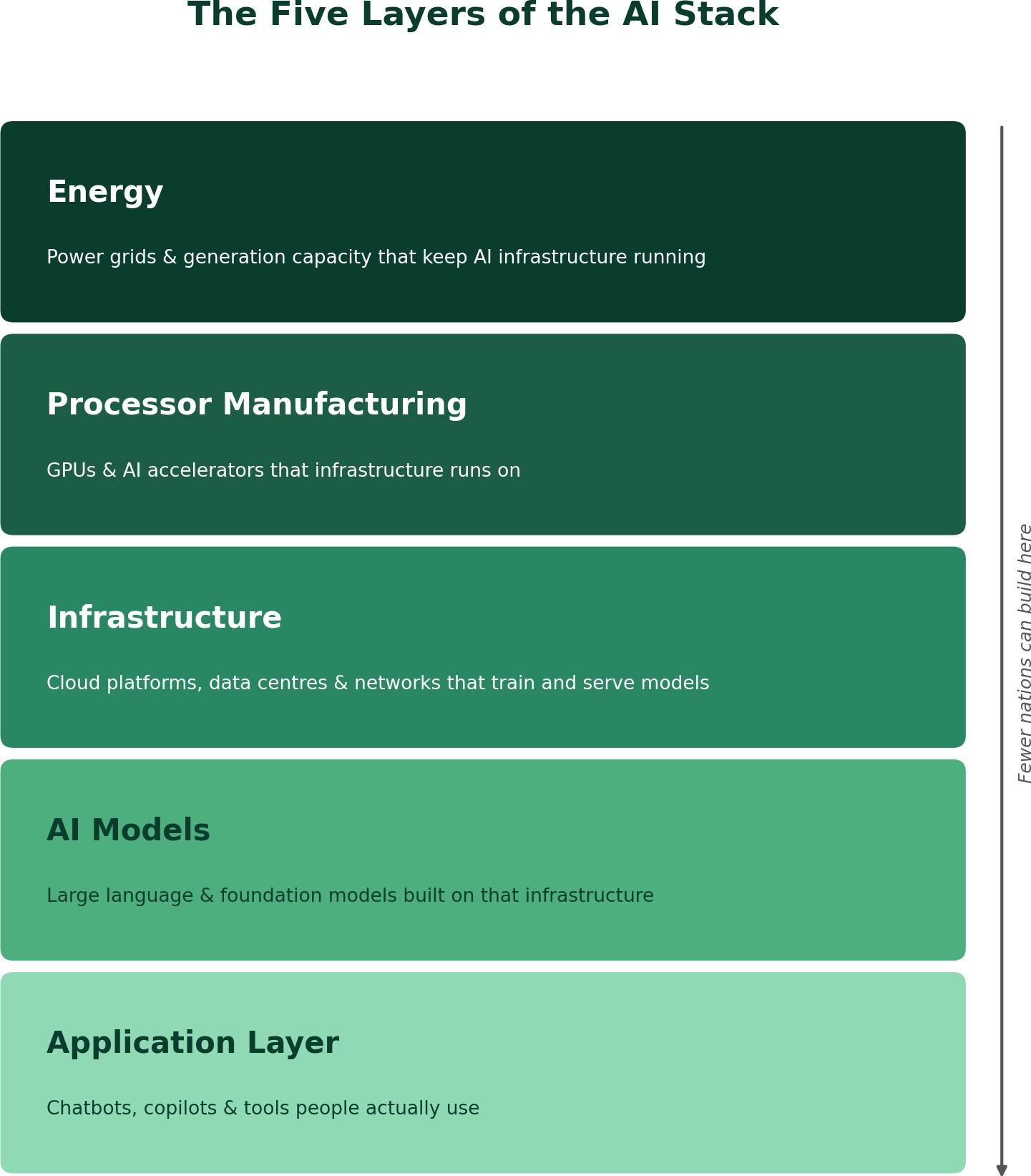
- Application Layer. the chatbots, copilots, and domain tools people actually use.
- AI Models. the large language and foundation models that power those applications.
- Infrastructure. the cloud platforms, data centres, and networks that train and serve those models.
- Processor Manufacturing. the GPUs and AI accelerators that infrastructure runs on.
- Energy. the power grids and generation capacity that keep all of the above running. A single modern AI training cluster can draw as much electricity as a small city.
Almost every country can build at Layer 1. A shrinking number can meaningfully operate at Layer 2 or 3. Only a handful of nations compete at Layers 4 and 5. The realistic question for a country like Pakistan is not “how do we compete at every layer.” It is “where in this stack can we build genuine, defensible capability, and how do we secure fair access to the layers we cannot own outright.”
The Global Race for Sovereign AI
Sovereign AI, the ability of a nation to develop, host, and govern AI on its own infrastructure, in its own languages, over its own data, has become a formal policy goal for dozens of governments.
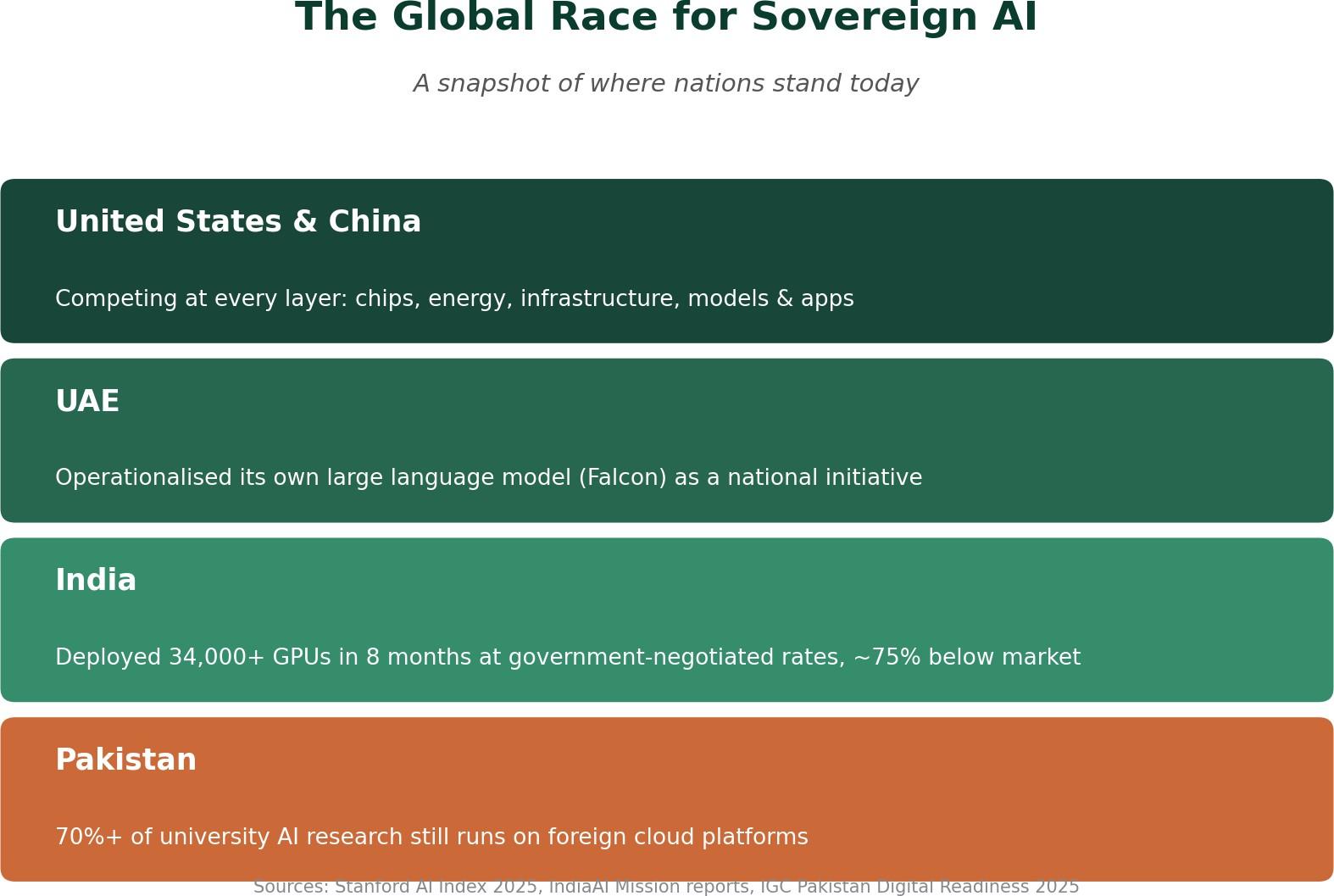
The US and China are racing at every layer of the stack at once. The UAE has operationalised its own Falcon large language model and is positioning itself as a regional AI hub. India's national AI mission deployed over 34,000 H100 and H200 class GPUs in just eight months, backed by a roughly ■10,372 crore (about USD 1.25 billion) government investment, and negotiated public-sector compute rates of about ■67 per GPU-hour, roughly 75% below global market prices. That is a masterclass in how a large, resource-constrained country can still build a public compute layer without trying to out-spend the hyperscalers dollar for dollar. Global corporate AI investment crossed USD 252.3 billion in 2024 alone, up 26% year on year. The gap between countries with a domestic AI stack and those without one is not closing. It is compounding.
Where Pakistan Stands Today
The honest picture is sobering. Pakistan currently ranks 97th out of 133 countries on digital infrastructure, skills, and usage, and 149th out of 197 on openness of government data. Pakistan's own university sector reports over 70% reliance on foreign commercial cloud platforms just to train and experiment with AI models. Sensitive national data, including health records, census data, education
data, and agricultural data, has for years been processed on servers outside Pakistan's jurisdiction, beyond the reach of domestic data protection law. And most large language models in wide use today have little to no meaningful grounding in Urdu or Pakistan's regional languages, which means a large share of the population is effectively invisible to the AI systems increasingly shaping commerce, governance, and public services.
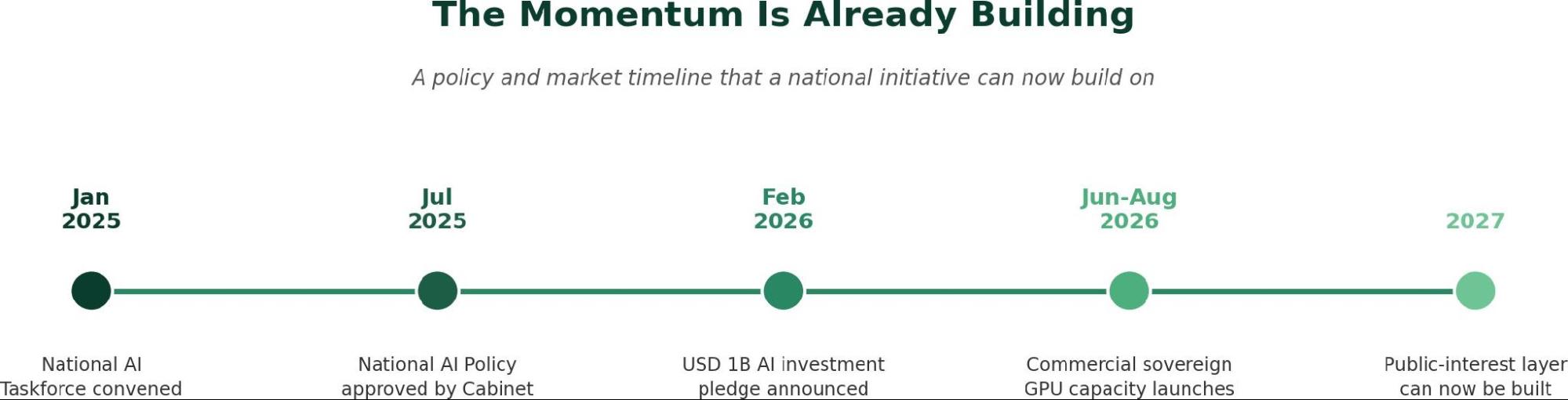
As of mid-2026, Awareness and Readiness remains the only fully operationalised pillar of Pakistan's National AI Policy 2025. The Fifth Pillar, AI Infrastructure, calls explicitly for a national AI compute grid, national and provincial data repositories, and regulatory sandboxes, but the public-interest research, data, and talent layer this pillar envisions remains largely unbuilt, even as commercial GPU hosting has begun to emerge.
Why Sovereign AI Isn't Optional
This matters for four concrete reasons.
- Economics. Research suggests AI adoption could add up to 12% to Pakistan's GDP and create over 3.5 million jobs by 2030, but only if it is backed by genuine domestic capability and not just imported tools.
- Security and data sovereignty. A nation that cannot train or host its own models on its own sensitive data stays permanently dependent on foreign infrastructure for decisions that affect its citizens.
- Linguistic and social inclusion. AI that doesn't understand Urdu, Punjabi, Sindhi, Pashto, or Balochi simply doesn't work for most Pakistanis, no matter how capable the underlying model is.
- Economic leakage. Every dollar spent on foreign AI APIs and foreign cloud compute is a dollar that never builds local capacity, local jobs, or local intellectual property.
The Encouraging Part: Pakistan Isn't Starting From Zero
The good news is that real groundwork already exists, and the eighteen months to mid-2026 in particular saw fast movement, on both the policy and the commercial hardware side.
A premier government-backed AI research centre already operates nine laboratories across six universities and has shipped over 220 AI products spanning smart cities, precision agriculture, healthcare, and judiciary applications. A leading university's language engineering lab has spent decades building foundational Urdu NLP toolkits, morphological analysers, and speech corpora. A telecom operator, a major university, and the national IT board have jointly begun work on the country's first locally hosted large language model. A philanthropically funded AI hub, backed by a major international foundation grant, has just launched with a flagship focus on maternal and child health. A national open data portal has published over 1,100 public datasets across 14 sectors.
Most importantly, Pakistan's private sector has moved fast on the hardware side. Sky47's Karakoram-01 facility in Islamabad, an 8.5 MW Tier III/IV carrier-neutral sovereign cloud data centre, was inaugurated by the Prime Minister in July 2026, with a second facility in Karachi and a third city already planned. Data Vault Pakistan, based in Karachi, launched the country's first solar-powered GPU-as-a-Service data centre in mid-2025 and now runs a three-year sovereign AI services contract with the National Telecommunication Corporation for federal government workloads. Indus Cloud, run by the Master Group, brought online Pakistan's first Cisco AI GPU cluster built on NVIDIA H200 chips in August 2026, the first availability of brand-new H200 hardware on Pakistani soil. GPU prices have also fallen sharply, from over USD 25,000 to roughly USD 8,000 to 15,000 per unit, lowering the cost of building serious compute capacity. For the first time, the hardware half of the sovereign AI equation is genuinely being built on Pakistani soil.
The Problem: Fragmentation, Not Absence
These efforts are scattered. They are concentrated in one or two cities, running independently of one another, with no shared dataset repository, no common governance framework, and no deliberate mechanism connecting academia, government, and the private compute providers now coming online.
Commercial GPU hosting solves the hardware half of the problem. It does not, on its own, produce local-language models, curated public-sector datasets, or a pipeline of trained AI talent, because no commercial provider is commercially incentivised to build any of that. What Pakistan needs now is not another isolated initiative. It needs deliberate diversification: a footprint that spans provinces rather than a single city, that formally binds academia and industry together instead of leaving them to collaborate informally, and that is organised as a consortium-led national initiative rather than a single institution's project, so the effort survives beyond any one team, campus, or funding cycle.
The Way Forward: A Layered Build, Not a Single Product
The most credible path forward mirrors the five-layer stack itself, built from the bottom up, and at a scale that is modest by global standards but catalytic for a public-interest layer: a federated academic compute grid of several hundred GPUs, paired with negotiated access to the country's much larger new commercial capacity, can be enough to make the rest of the stack possible.
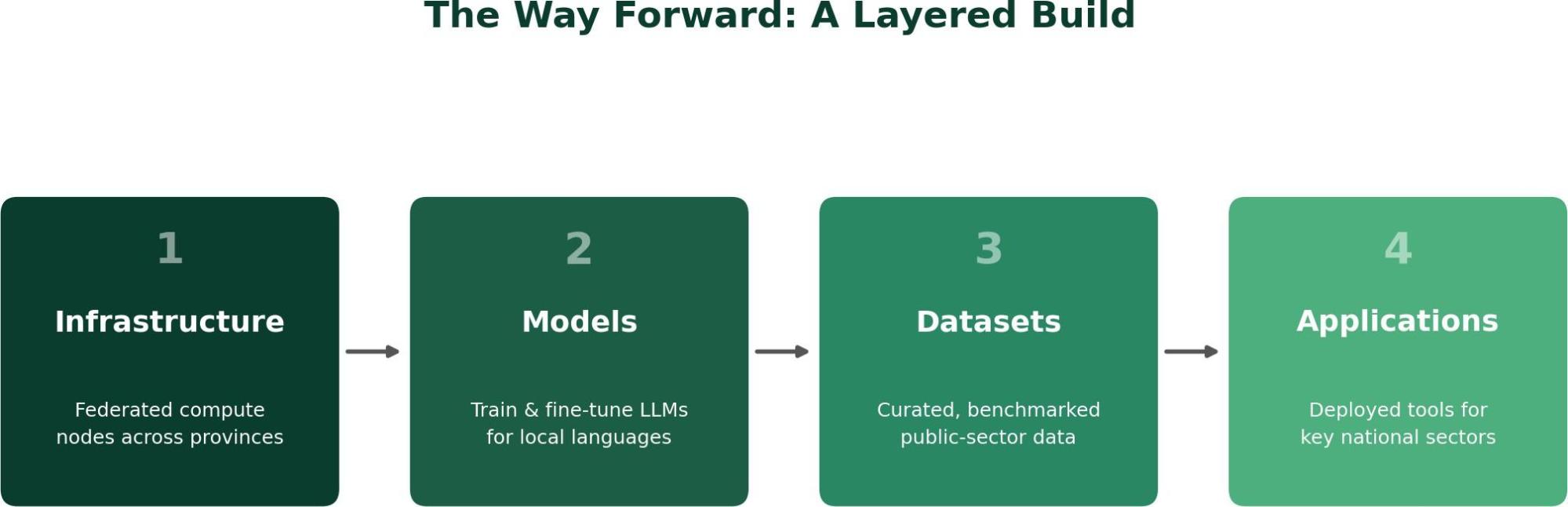
- Infrastructure first. federated, GPU-equipped compute nodes hosted across multiple universities in different provinces, paired with negotiated public-sector access to the country's new commercial GPU capacity for burst-scale training, so the public sector rents capacity intelligently instead of duplicating it.
- Models next. training and fine-tuning large language models covering six or more of Pakistan's languages, built on infrastructure the public sector actually controls, with open interfaces so researchers and startups can customise and extend them.
- Datasets. a secure, benchmarked, and versioned national repository of dozens of public-sector datasets across health, agriculture, water, climate, education, and governance, curated with proper academic custodianship and data protection compliance. This is the fuel without which no model, however well trained, can serve real national needs.
- Applications. tools piloted and deployed for both domestic impact and export revenue, so the stack ultimately serves citizens, industry, and international markets alike.
Where This Kind of Effort Can Deliver Impact
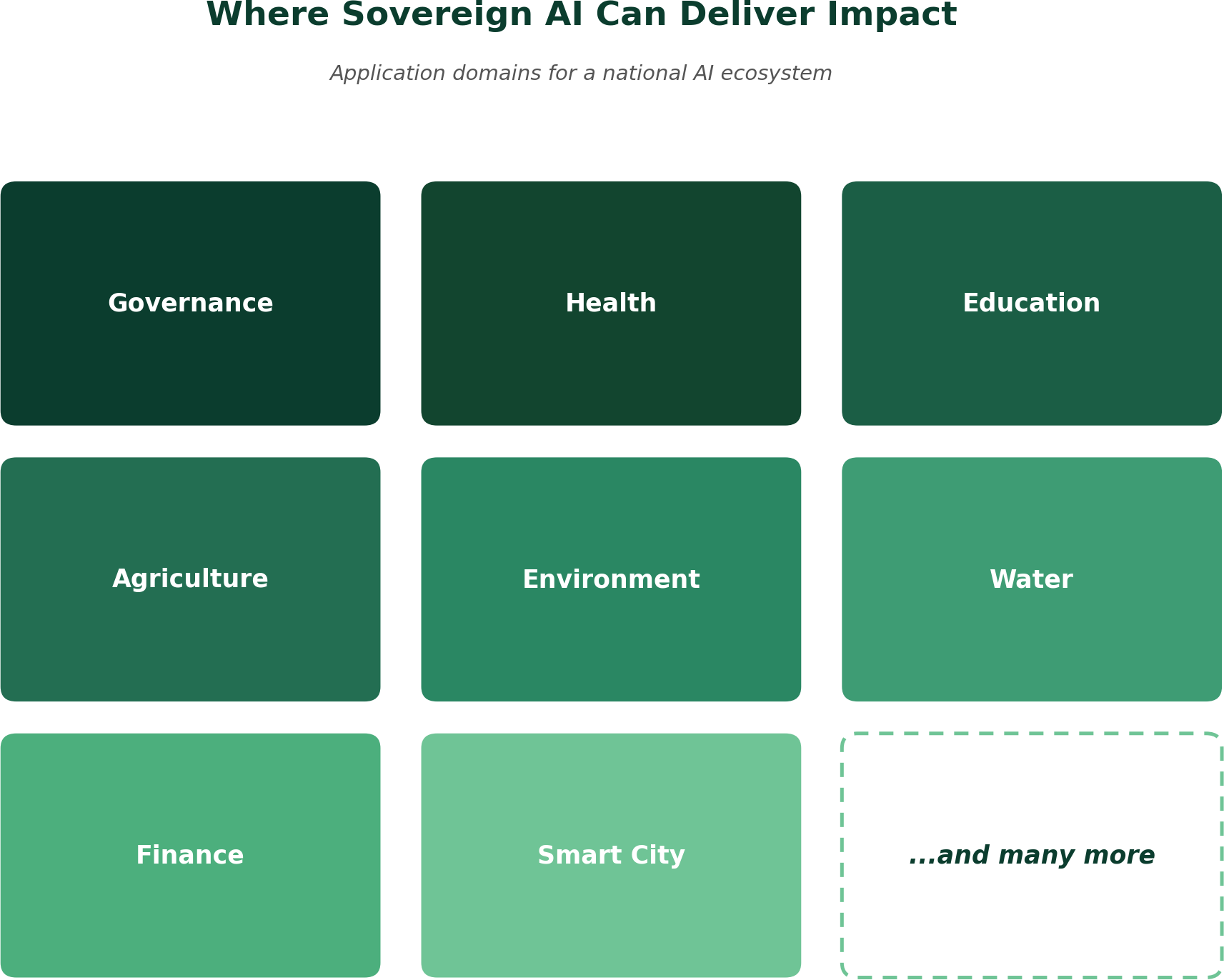
A national AI ecosystem built this way has clear application domains to aim at, each grounded in concrete, piloted use cases rather than abstract ambition, and this list is only a starting point:
- Governance. multilingual citizen-query assistants for e-governance portals, and smarter, data-driven policymaking.
- Health. multilingual AI-assisted triage and diagnostic support for frontline health workers in underserved districts.
- Education. adaptive, native-language AI tutors aimed at closing foundational literacy and numeracy gaps in rural schools.
- Agriculture. voice-enabled crop advisory and pest and disease identification for smallholder farmers in their own languages.
- Environment. climate risk mapping, land-use analysis, and remote-sensing tools built on local geospatial data.
- Water. flood forecasting and groundwater monitoring for water-stressed districts, grounded in local hydrological data.
- Finance. multilingual financial inclusion tools, credit-risk scoring, and fraud detection built for underserved and unbanked communities.
- Smart city. traffic and utility management, urban planning analytics, and municipal service delivery tools for growing urban centres.
- And many more. accessibility and inclusion tools, judiciary, media, and other domains are all within reach once the underlying models, datasets, and talent exist.
The Scale of Potential Impact
Done well, and funded at a modest scale (comparable initiatives elsewhere have been costed in the USD 10 to 15 million range over three years), an initiative structured this way could plausibly deliver the following by 2029 to 2031:
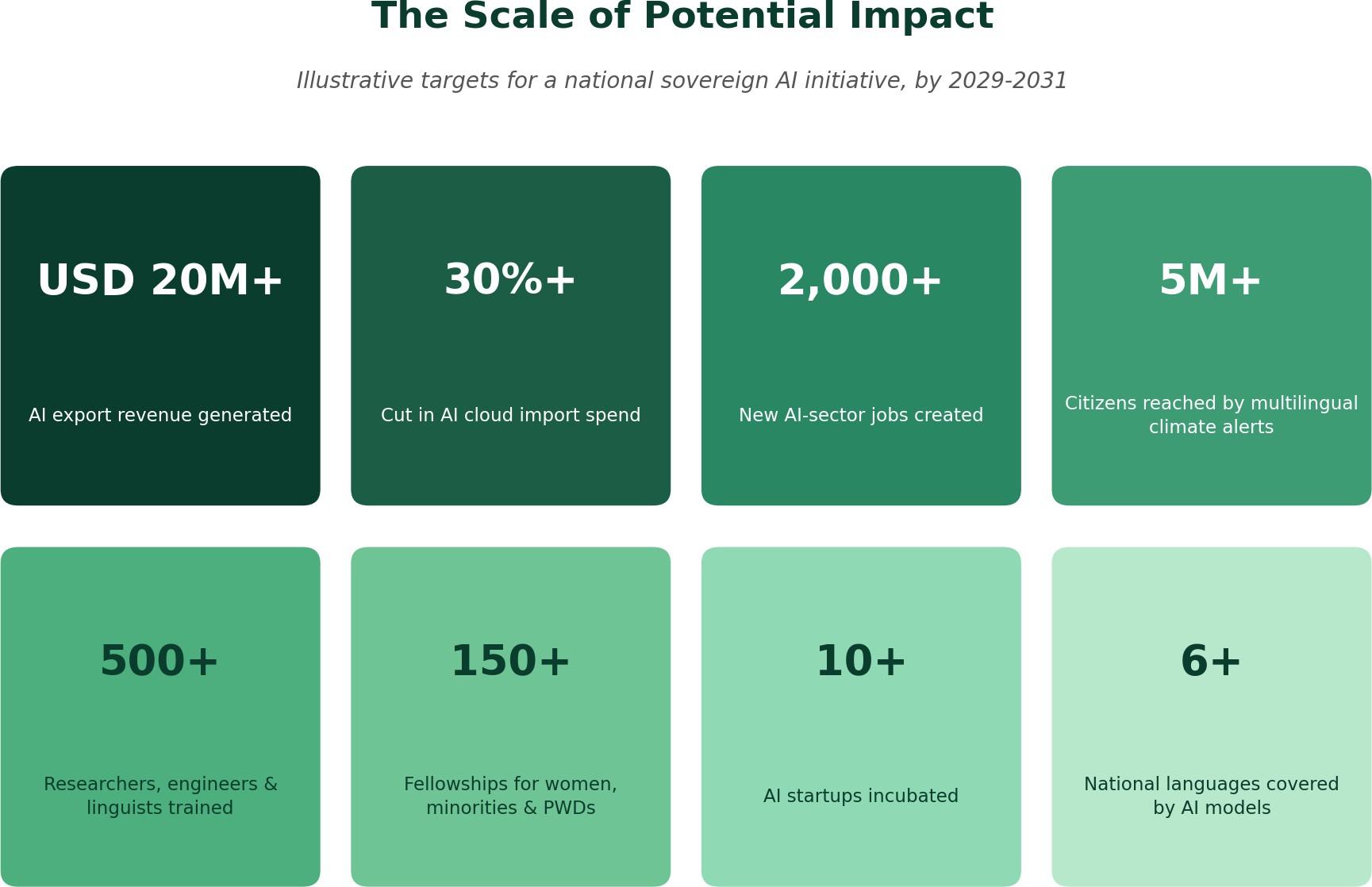
It would also do something harder to quantify but arguably more important. It would prove that Pakistan's universities, government, and private compute providers can build durable public infrastructure together, at national scale, without waiting for it to be handed to them from abroad.
The Bottom Line
Sovereign AI is not about competing with the US or China at every layer of the stack. That ambition would be unrealistic for almost any country outside those two. It is about making sure that at the layers where sovereignty is achievable, namely models, infrastructure access, datasets, and applications, a country like Pakistan is a builder and not merely a customer.
The hardware is starting to arrive. The policy exists on paper. What's missing is the connective tissue: a coordinated, geographically distributed, academia-industry-government consortium that turns scattered pockets of excellent work into a genuine national capability. That is the gap worth closing next, and the window to close it is now, while the foundational layers are still being poured.
What's your view: should sovereign AI be treated as a national infrastructure priority on par with energy and telecom, or is this better left to the market? I would be glad to hear your thoughts.
.jpg)
Technical Debt in AI Systems: Why Shortcuts Compound Faster Than in Traditional Software
Introduction
A model that passes every test at launch can lose accuracy in production without anyone changing a single line of code. That behavior separates technical debt in AI systems from the debt most engineering leaders already know how to manage. Traditional software debt grows when teams modify code. Machine learning debt grows when the world modifies the data. Data drift, retraining gaps, and brittle pipelines interact, and each shortcut raises the cost of the next one.
This article on Technical Debt in AI Systems: Why Shortcuts Compound Faster Than in Traditional Software explains where machine learning technical debt originates, why it compounds, and which MLOps best practices reduce it. We've written it for CTOs, VPs of Engineering, and heads of data and ML who own systems that carry revenue and regulatory exposure.
How AI Debt Differs From Software Debt
Engineering leaders often assume that an AI system carries the same kind of debt as any other application, only with more moving parts. That assumption leads to the wrong controls. Software debt comes from decisions about code structure. Machine learning technical debt comes from decisions about data, features, models, and the infrastructure that connects them. The next three sections separate those categories and explain why familiar practices leave gaps.
Debt Lives in More Places Than Code
In a standard application, a team can find most debt by reading the codebase. In an ML system, the model code often makes up a small portion of the total system. The rest includes data collection, feature extraction, configuration, serving infrastructure, and monitoring. A shortcut in any of those layers creates debt. Examples include an undocumented feature transformation, a hard-coded threshold, or a training dataset that nobody can trace to a source. Because these items sit outside the main code path, they rarely appear in code reviews or architecture diagrams.
The Model Depends on Data That Changes
Traditional software behaves the same way until someone changes it. An ML model behaves according to patterns it learned from historical data, and production data keeps moving away from that history. Customer behavior changes, upstream systems update their formats, and market conditions shift. The model's code stays identical while its predictions lose relevance. This makes the model a dependency that changes on its own schedule, and no version control system tracks that schedule by default.
Why Code Quality Checks Miss the Problem
Linting, code review, and unit tests confirm that code does what the developer intended. They don't confirm that a model still reflects current conditions. A pipeline can pass every automated check and still serve predictions based on outdated assumptions. Notably, the failure often produces no error message, no exception, and no failed build. Teams need checks that examine data quality and model behavior, and those checks require different tooling and different ownership than the code-quality processes most organizations already run.
Where Machine Learning Technical Debt Builds Up
Machine learning technical debt accumulates in five recurring places. Each one starts as a reasonable decision under deadline pressure. Each one also becomes harder to reverse after other components start depending on it. The sections below describe how the debt forms and what signals it produces in production.
Data Drift and Failures Nobody Sees
Data drift describes a change in the statistical properties of production inputs compared with training data. Input drift occurs when the distribution of features shifts, such as a new customer segment or a changed sensor calibration. Concept drift occurs when the relationship between inputs and the correct output changes, even if the inputs look the same. Both types often fail quietly. The model keeps returning predictions with normal confidence scores, and the business notices the damage only when downstream metrics decline.
Retraining Debt
Retraining debt forms when teams treat a model as a finished product. Typical signs include manual retraining steps that one engineer knows how to run, undocumented data selection rules, and no defined trigger for when retraining should happen. Eventually, nobody can reproduce the model currently in production. Model retraining then becomes risky, so teams postpone it, and the gap between the deployed model and current data grows. The delay itself raises the cost of the eventual retrain.
Fragile Pipelines and Glue Code
ML pipeline debt often starts with glue code, the custom scripts that connect a library or platform to the rest of the system. Over time these scripts accumulate into what researchers have called a pipeline jungle, a tangle of data preparation steps added one at a time. Undeclared upstream dependencies make the problem worse. When a source team renames a column or changes a data type, the pipeline may continue to run while producing wrong features. The failure shows up far from its cause, which extends diagnosis time.
Entangled Features and Feedback Loops
Entanglement means that changing one input, feature, or hyperparameter shifts the behavior of the entire model. The 2015 NeurIPS paper "Hidden Technical Debt in Machine Learning Systems" by Sculley and colleagues described this as the changing anything changes everything problem. Feedback loops add another layer. When a model's predictions influence the data that the team later uses for training, such as a recommendation engine that shapes user clicks, the model starts learning from its own output. Teams that don't track these loops can't separate real signal from self-reinforcement.
Gaps in Evaluation and Model Monitoring
Offline evaluation metrics measure performance on a fixed dataset. Production behavior depends on live data, latency limits, and user interaction. A model can report strong offline accuracy and still underperform on the cases that matter to the business. Model monitoring closes that gap by tracking input distributions, prediction distributions, and business outcomes after deployment. Without it, a team learns about degradation from customers or auditors instead of from its own dashboards.
Why Shortcuts Cost More in AI Than in Traditional Software
Every engineering team takes shortcuts, and most manage the resulting debt without serious damage. AI changes the economics for three reasons. The rate of accumulation depends on external data, the effects spread across lifecycle stages, and the costs reach areas of the business that engineering rarely tracks. The next sections explain each factor.
The Data Sets the Rate, Not the Code
In traditional software, debt stays roughly constant until a developer changes the code. In AI, debt grows during periods when nobody ships anything. A model deployed in January faces different data in June, and every unresolved shortcut, such as a missing monitor or an untracked dataset, becomes more costly to fix. The organization pays for inaction as well as for action. Consequently, a freeze on engineering work doesn't pause the accumulation, and leaders can't treat a stable codebase as evidence of a stable system.
One Shortcut Spreads Across the Lifecycle
A data shortcut rarely stays a data problem. Consider a team that skips validation on an incoming feed. A malformed field enters the feature store, which changes the feature distribution, which shifts the model's outputs, which causes a production incident. Each stage adds work to the fix, because the team must trace the issue backward through every component. A validation check that takes an hour to build at the start of the lifecycle can become an investigation that takes weeks at the end.
What the Debt Costs the Enterprise
The business impact appears in four areas. Revenue leaks when pricing, fraud, or recommendation models make weaker decisions. Latency rises when teams add patches to pipelines instead of redesigning them. Margins narrow as engineers spend capacity on incident response rather than new capability. Compliance exposure grows when a team can't explain which data trained a model or reproduce a past decision. For regulated industries, that last item can carry legal consequences.
Warning Signs That Debt Is Already Building
Most organizations can identify their AI debt by answering a short set of questions. If several of the following signs apply, the debt probably affects production today:
- Retraining a model takes weeks of manual coordination.
- No named person or team owns drift alerts.
- Accuracy drops without an identified cause.
- The team can't reproduce a model that ran in production last quarter.
- A change to one pipeline stage breaks unrelated outputs.
- Business teams report model problems before engineering detects them.
These signs share a pattern. Each one reflects a missing process rather than a missing tool, so purchasing software alone won't resolve them.
Practical Steps to Reduce Technical Debt in AI Systems
MLOps best practices give teams a repeatable way to control the debt described above. The six practices below work together, and teams get the strongest results when they start with visibility and ownership before they automate.
Record Every Debt Item and Its Business Impact
A debt register lists each known shortcut, the system it affects, the risk it creates, and the business outcome tied to it. Entries might include an unmonitored model, an undocumented dataset, or a manual retraining step. Tying each item to a business metric, such as claim approval accuracy or demand forecast error, lets leadership compare debt paydown against feature work using the same criteria. Without that link, engineers argue for cleanup in technical terms that executives can't prioritize.
Set Data Contracts at Every Boundary
A data contract defines the schema, value ranges, freshness, and ownership of a dataset that one team supplies to another. Validation checks enforce the contract at each pipeline boundary and reject or flag data that violates it. This approach catches the renamed column or changed data type before it reaches a feature store. Contracts also create accountability, since the producing team knows which downstream models depend on its output.
Replace Calendar Retraining With Signal-Based Triggers
Many teams retrain on a fixed schedule because it's simple to plan. A schedule ignores whether the data changed. Signal-based retraining starts a new training run when drift metrics, performance indicators, or data volume cross defined thresholds. This approach avoids unnecessary retraining when data stays stable and prevents delays when data shifts sharply. Teams should document each trigger and the approval path for deploying the resulting model.
Version Data, Features, Models, and Configuration
Reproducibility depends on versioning every artifact that influences a model. That includes the training dataset, the feature definitions, the model weights, the hyperparameters, and the environment configuration. When a team can recreate any production model on demand, it can audit decisions, roll back failures, and compare candidate models fairly. Versioning also removes dependence on individual engineers who hold undocumented knowledge.
Add Behavioral Tests to Your Delivery Pipeline
Continuous integration should test model behavior as well as code. Behavioral tests check performance on defined data slices, confirm that predictions stay within expected ranges, and compare a candidate model against the current production model. A model that fails these gates doesn't move to deployment. Teams that add these checks catch regressions before customers do, and they create a documented record that supports compliance reviews.
Assign Owners and Reserve Capacity
Debt paydown fails without ownership and time. Each model, dataset, and pipeline needs a named owner who responds to alerts and maintains documentation. Leaders should also reserve a fixed portion of each planning cycle for debt reduction, treated as a standing budget rather than a discretionary request. Consistent allocation keeps small items from growing into projects that require a dedicated initiative.
Final Thoughts on Technical Debt in AI Systems: Why Shortcuts Compound Faster Than in Traditional Software
Technical debt in AI systems compounds because the environment changes, not only the code. Data drift, retraining gaps, and brittle pipelines interact, and governance determines whether that interaction stays manageable. Enterprise teams that treat MLOps maturity as a reliability investment protect revenue, margin, and regulatory standing at the same time.
Techtics helps enterprise teams assess their current exposure and build the monitoring, pipeline, and governance practices described above. Explore our AI & Machine Learning services to start with an assessment of your production models.
Pay down the debt before the next retraining cycle, because in AI, debt doesn't just accrue interest. It retrains on it.
Frequently Asked Questions
The answers below address questions that enterprise technology leaders ask most often about this topic.
What Is Technical Debt in AI Systems?
Technical debt in AI systems is the accumulated future cost of shortcuts taken across data, features, models, pipelines, and monitoring. It includes code-level issues, but it also covers undocumented datasets, manual retraining, and missing validation. The debt grows as production data changes, so it affects system reliability even when the code stays untouched.
How Does Machine Learning Technical Debt Differ From Traditional Technical Debt?
Traditional debt grows when developers change code or defer maintenance. Machine learning technical debt also grows when data, user behavior, or upstream systems change. ML systems add dependencies on data and model behavior that code review and unit tests don't cover. As a result, teams need monitoring, data validation, and behavioral testing alongside standard engineering practices.
What Is Data Drift, and How Does It Create Technical Debt?
Data drift is a change in production data compared with the data a model trained on. It creates debt when teams have no monitoring to detect it and no process to respond. The model keeps running, accuracy declines, and the cost of recovery rises with every week the team doesn't act.
How Often Should ML Models Be Retrained?
No fixed interval fits every model. Retraining frequency depends on how quickly the underlying data changes and how costly an inaccurate prediction is to the business. Most enterprise teams do better with signal-based triggers, which start retraining when drift or performance metrics cross defined thresholds, than with a calendar schedule.
How Do You Measure Technical Debt in an ML Pipeline?
Start with a debt register that lists known shortcuts and ties each one to a business outcome. Then track operational indicators, such as time to retrain a model, time to detect drift, the share of models with named owners, and the share of production models the team can reproduce. Trends in these indicators show whether debt is rising or falling.
.jpg)
Multi-Agent Systems Explained: How Supervisor and Sub-Agents Divide Enterprise Work
Introduction
Enterprise processes rarely fit inside a single task. A procurement request, for example, moves through sourcing, pricing, ordering, and payment, and each stage follows its own rules, data, and approvers. When one general-purpose AI agent covers every stage, it tends to lose context, blur accountability, and fail in ways that are hard to predict.
Multi-agent systems offer a different architecture. Specialized agents each own one defined task, and a single coordinator directs the work between them. This article covers Multi-Agent Systems Explained: How Supervisor and Sub-Agents Divide Enterprise Work from an enterprise perspective, and it uses FlowGrid AI's procurement-to-payment model as the running example. That model pairs a supervisor with four sub-agents: RFQ, Quote, PO, and Payment. You'll see how each agent operates, how the agents coordinate, and what your team should decide before building something similar.
Why One AI Agent Isn't Enough for Enterprise Processes
Enterprise work spans multiple systems, teams, and policies. A single agent that handles all of it has to hold every instruction, data source, and rule in one context. That approach works for narrow tasks, but it strains once a process crosses departments. The next two sections explain where the strain appears and why enterprises are changing their approach.
Where Single-Agent Designs Break Down
Single-agent designs tend to fail in three predictable ways:
- Context overload. The agent carries instructions for sourcing, pricing, approvals, and payments at the same time. As those instructions accumulate, they compete with each other, and the agent may apply a payment rule to a sourcing decision.
- Unclear ownership. When one agent produces every output, teams can't tell which step introduced an error. Accountability blurs, and process owners have no single point to review.
- Hard-to-debug failures. A wrong final result could trace back to any step in the run. Engineers have to reproduce the whole sequence to find the cause, which slows every fix.
To be clear, a single agent still has a place in the enterprise. A well-scoped task, such as summarizing a contract or drafting a supplier email, fits one agent well. The trouble starts when the process has many stages, many systems, and financial consequences.
Why Enterprises Are Shifting to Multi-Agent Orchestration
Three business outcomes drive the shift. Specialization improves output quality, because each agent works with a short, focused set of instructions. Auditability improves, because each stage produces its own record. Scalability improves, because teams can change one agent without retesting the entire process.
As enterprise AI agents move from pilots into core operations, these outcomes matter more. Multi-agent orchestration also matches how enterprises already organize human work. Procurement, purchasing, and accounts payable are separate functions with separate controls. An architecture that mirrors those boundaries is easier to explain to auditors, easier to govern, and easier to extend when the business adds a new requirement. Agentic AI workflows that cross several departments benefit the most from this alignment.
How the Supervisor and Sub-Agent Structure Works
The supervisor and sub-agent model divides responsibility into two layers. One layer decides what needs to happen and in what order. The other layer performs the work. This separation is the core of supervisor agent architecture, and it explains most of the benefits covered later in this article.
The Supervisor's Responsibilities
The supervisor agent doesn't perform specialized tasks itself. Instead, it manages the flow of work through four responsibilities:
- Interpreting the request. It reads the incoming request and identifies the goal, the constraints, and the required outcome.
- Decomposing the work. It breaks the goal into discrete tasks that map to individual sub-agents.
- Routing tasks. It assigns each task to the correct sub-agent and sequences the tasks in the right order.
- Assembling the outcome. It collects sub-agent outputs, checks them against the original request, and returns a final result or escalates a problem.
Because the supervisor holds the overall plan, sub-agents don't need to know about the full process. That keeps each sub-agent's context small.
The Sub-Agent's Responsibilities
Sub-agents are specialists. Each one has a narrow scope, a defined set of tools, and defined inputs and outputs. A sub-agent that reads supplier quotes, for instance, needs access to quote documents and comparison criteria, but it doesn't need access to payment systems.
Narrow scope produces two practical results. First, teams can test each sub-agent against a specific standard, which is much easier than testing a general-purpose agent. Second, permissions stay tight, because each agent receives access only to the tools its task requires.
How Agents Coordinate Without Overlapping
Coordination depends on three mechanisms, and vendor choice doesn't change them:
- Handoffs. One agent finishes its task and passes a structured output to the next agent through the supervisor.
- Shared state. A common record tracks where each request stands, which tasks are finished, and which are pending.
- Escalation paths. When an agent can't finish a task or detects a risk, it returns control to the supervisor, which routes the issue to a person or an alternate path.
Clear interfaces matter more than any single mechanism. If each agent knows exactly what it receives and what it must return, the system stays predictable as it grows.
Multi-Agent Systems Explained: How Supervisor and Sub-Agents Divide Enterprise Work in a Procurement Cycle
Procurement makes a strong teaching example because the process has clear stages, clear handoffs, and financial controls at the end. FlowGrid AI's model maps those stages onto a supervisor and four sub-agents. This section walks through Multi-Agent Systems Explained: How Supervisor and Sub-Agents Divide Enterprise Work using that model, one agent at a time.
The Process Being Automated
The workflow runs from request to payment. A business unit needs goods or services, the organization asks suppliers for pricing, the team reviews the responses, a purchase order commits the spend, and finance pays the supplier. In many enterprises, those steps sit across different teams and different software, which creates delays and manual re-entry. Procurement automation with AI targets that friction by assigning each stage to an agent built for it.
The Supervisor Agent at the Center
The supervisor receives the initial request, decides the order of work, and manages exceptions. If a supplier doesn't respond or a quote falls outside expected terms, the supervisor determines whether to retry, reroute, or escalate. It also maintains the overall status, so a requester or a manager can see where a request stands without checking each agent.
The RFQ Agent
The RFQ agent handles the request-for-quotation stage. That stage typically involves translating a business need into a clear request, identifying the information suppliers need, and sending the request through the right channel. Because this agent focuses on one job, teams can tune it for clarity and full coverage of requirements without worrying about downstream payment logic.
The Quote Agent
The Quote agent handles quote collection and comparison. It gathers supplier responses, organizes them against consistent criteria, and prepares a comparison for review. Consistent criteria matter here. When one agent applies the same comparison logic to every quote, procurement teams can trust that differences in the results reflect differences in the offers, not differences in how the analysis ran.
The PO Agent
The PO agent handles purchase order creation. Once a team approves a quote, this agent assembles the order with the agreed terms and prepares it for issue. Purchase orders carry contractual and financial weight, so this agent benefits from strict input checks. It should confirm that the approved quote and the order details match before anything moves forward.
The Payment Agent
The Payment agent handles the payment stage. It carries the highest financial risk, so organizations should place the tightest controls around it: limited permissions, approval steps, and detailed logs. Human approval belongs at this stage in most enterprises, and the supervisor can enforce that rule by holding a payment until an authorized person confirms it.
Splitting Work Across Agents and Keeping It Coordinated
Dividing work is only half of the design problem. The other half is coordination: agents must exchange information cleanly, and the system must handle problems without stopping the entire process. The three sections below cover how to approach each part.
Breaking a Process into Agent-Sized Tasks
A useful test for agent boundaries is to ask whether a task has its own inputs, its own outputs, and its own success criteria. RFQ, quote comparison, order creation, and payment each pass that test. Each has a distinct input, a distinct output, and a distinct owner in a human team. Tasks that fail the test, such as a step that can't finish without constant input from another step, usually belong together in one agent.
Passing Work Between Agents
Handoffs need a defined format. The RFQ agent's output should give the Quote agent what it needs to evaluate responses, such as the requirements, the supplier list, and the deadline. The Quote agent's output should give the PO agent the approved supplier, price, and terms. The PO agent's output should give the Payment agent the order reference and the amount. When each handoff carries only what the next agent needs, errors have fewer places to hide, and reviews take less time.
Handling Exceptions and Human Oversight
Real processes produce exceptions: a missing quote, a price above budget, a mismatch between an order and an invoice. The supervisor should recognize these cases and choose a response. Some exceptions warrant an automatic retry. Others need a person. Approvals for spend, especially payments, should stay with authorized staff, and the system should record who approved what and when. That structure lets an enterprise expand automation while keeping accountability intact.
What Enterprises Gain from Multi-Agent Systems
The benefits of multi-agent systems connect directly to the problems listed earlier. Each benefit addresses a specific weakness of the single-agent approach.
Accuracy Through Specialization
An agent with one job and a short set of instructions makes fewer contradictory decisions. Teams can also evaluate each agent against a specific benchmark, such as how accurately the Quote agent compares terms. Improvements then target the exact stage that needs work.
Traceability and Governance
Every agent produces its own output, and the supervisor records the sequence. If an auditor asks why a supplier received an order, the team can trace the request, the quotes, the comparison, and the approval in order. That traceability supports governance requirements that finance and compliance leaders already enforce for human-run processes.
Scale and Maintainability
Enterprises change suppliers, policies, and systems regularly. In a multi-agent design, a change to payment rules affects the Payment agent, not the whole workflow. Teams can also add a new agent, such as one for supplier onboarding, without rewriting the agents that already work.
Shorter Cycle Times
Specialized agents can prepare their stages quickly and pass work forward without waiting for manual re-entry between systems. Cycle-time gains depend on the process, the systems involved, and the approval structure, so organizations should measure their own baseline before and after implementation instead of relying on generic figures.
Design Decisions to Settle Before You Build
Architecture choices made early affect cost, risk, and maintenance for years. Four decisions deserve attention before anyone writes a prompt or connects a tool.
Setting Agent Boundaries
Draw boundaries around tasks that have distinct inputs, outputs, and owners. Too few agents recreate the single-agent problem, and too many agents add coordination overhead. Start with the stages your human teams already recognize, then adjust after testing.
Managing Context and Data Access
Each agent should see only the data its task requires. The Quote agent needs quotes and criteria, not banking details. Limiting context also improves accuracy, because the agent has fewer irrelevant instructions to weigh. Define how the system stores shared state, who can read it, and how long it persists.
Security, Permissions, and Compliance
Financial actions call for the strictest controls. Assign each agent the minimum permissions its task needs, require approvals for spend, and keep logs that meet your audit standards. Involve security and compliance teams during design, not after deployment, because retrofitting controls costs more than building them in.
Monitoring and Recovery
Plan for failure before it happens. Track each agent's outputs, watch for repeated exceptions, and define what the supervisor does when an agent doesn't respond. A recovery plan should specify whether the system retries, reroutes, or hands the task to a person, and it should record every such event.
Deciding Whether This Architecture Fits Your Enterprise
Not every workflow needs multiple agents. A short process with one system and low risk often works fine with a single agent. Four questions help you decide:
- How complex is the process? Processes with many stages and distinct owners favor multiple agents.
- How many systems does it touch? More systems mean more permissions and more reasons to isolate agents.
- What compliance requirements apply? Regulated or financial processes benefit from separate, auditable stages.
- What volume do you expect? High volume rewards a design that scales one stage at a time.
If most answers point toward complexity, oversight, and growth, a supervisor and sub-agent design deserves serious evaluation. Techtics' Agentic AI & Automation services help enterprise teams assess these tradeoffs, define agent boundaries, and plan governed rollouts. A scoping conversation can clarify which of your workflows suit this approach first.
Where This Leaves Your Enterprise
Multi-Agent Systems Explained: How Supervisor and Sub-Agents Divide Enterprise Work comes down to a simple structure: the supervisor coordinates, the sub-agents execute, and the enterprise gains control over each stage. FlowGrid AI's RFQ, Quote, PO, and Payment model shows how that structure applies to a real procurement cycle, from the first request to the final approval. Teams that set clear boundaries, limit permissions, and keep people involved at the right checkpoints can extend automation without losing accountability.
Divide the work, and multi-agent systems multiply the outcomes.
Frequently Asked Questions
Enterprise teams evaluating this architecture tend to ask the same set of questions. The answers below address the most common ones.
What is a multi-agent system in AI?
A multi-agent system is an architecture where several AI agents work together on a shared goal, and each agent handles a defined part of the work. In enterprise settings, a coordinating agent usually directs the others.
What does a supervisor agent do in a multi-agent architecture?
The supervisor interprets incoming requests, breaks them into tasks, routes those tasks to sub-agents, and assembles the final result. It also manages exceptions and escalates issues to people when needed.
How is a multi-agent system different from a single AI agent?
A single agent handles the entire process within one context. A multi-agent system divides the process among specialists, which reduces context overload, clarifies ownership, and makes failures easier to trace.
What are sub-agents, and how do they communicate?
Sub-agents are specialized agents with a narrow scope, defined tools, and defined inputs and outputs. They communicate through structured handoffs and a shared record of state, usually coordinated by the supervisor.
Can multi-agent systems automate procurement workflows?
Yes. Procurement has distinct stages, such as RFQ, quote comparison, purchase orders, and payment, and each maps naturally to a specialized agent. FlowGrid AI's model demonstrates this structure with a supervisor and four sub-agents.
How do enterprises keep multi-agent systems secure and auditable?
They limit each agent's permissions, restrict data access to what each task needs, require human approval for financial actions, and log every handoff and decision. Involving security and compliance teams early also helps.
Construction Drawing Intelligence: How AI Reads Blueprints Humans Miss
Introduction
A missed symbol on a construction drawing rarely stays small. A miscounted fixture on sheet twelve turns into a change order on-site. A skipped annotation on an electrical plan turns into a delay while a crew waits for a part nobody ordered. None of this happens because estimators aren't skilled. It happens because construction drawings are dense, projects are large, and manual review asks people to hold thousands of details in their heads while the clock runs.
Manual review scales with headcount and attention span. Drawings don't get simpler as projects grow; they get longer, denser, and more numerous. Add more sheets to a project, and you need more reviewers, more hours, or more risk tolerance for what gets missed. That math doesn't improve on its own, and it hasn't for decades.
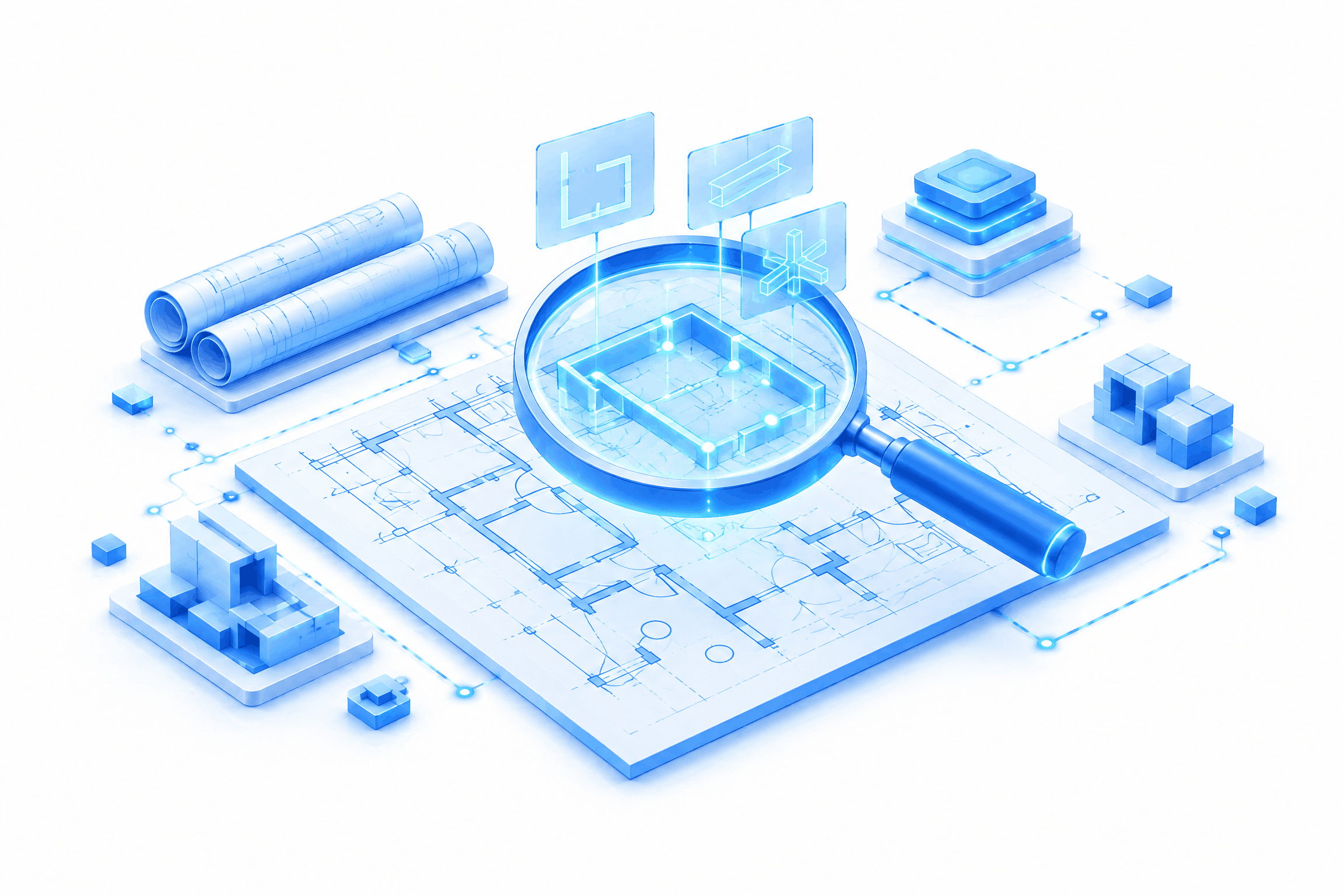
This is where CircuitLens AI enters the conversation. CircuitLens AI applies computer vision to construction drawings, turning what used to be a manual, sheet-by-sheet exercise into a system that reads symbols, flags discrepancies, and produces takeoff data automatically. It's a practical answer to a problem estimating teams have lived with for a long time: how do you review more drawings, more consistently, without adding proportionally more people?
This article looks at how AI blueprint reading actually works, why manual review breaks down as project volume increases, and what CircuitLens AI changes for teams running takeoff and drawing review today. We'll walk through the mechanics of symbol detection, where automated takeoff fits into an estimator's existing workflow, and what to expect when a team adopts AI construction drawing analysis for the first time.
Why Manual Blueprint Review Breaks Down at Scale
Before looking at what AI changes, it helps to understand why the current process struggles. Manual review isn't broken because estimators lack skill. It's strained because the volume and density of modern drawing sets have outgrown what a person can consistently track sheet after sheet.
The Volume Problem
A mid-sized commercial project can easily produce hundreds of sheets across architectural, structural, electrical, plumbing, and mechanical disciplines. Each sheet can carry hundreds of symbols representing fixtures, devices, connections, and components. Multiply that across a full drawing set, and a single project can hold tens of thousands of individual data points that someone needs to identify, count, and cross-reference correctly.
No estimator reviews that volume in one sitting without fatigue setting in. Review sessions stretch across days, sometimes weeks, and attention naturally dips as the hours add up. That's not a flaw in the person doing the work; it's a predictable outcome of asking a human to do pattern recognition at industrial scale.
Human Review Is Inconsistent by Nature
Two estimators reviewing the same drawing set won't flag identical issues in identical places. Experience, fatigue, and even how a firm trains its staff on symbol standards all shape what gets caught and what slips through. One reviewer might catch a mismatch between a fixture schedule and a floor plan; another might miss it entirely because their attention was elsewhere on that page.
This variance isn't a knock on any individual. It reflects how human attention actually works under repetitive, detail-heavy conditions. Standards documents help, but they don't eliminate the underlying inconsistency that comes from asking people to apply the same level of scrutiny to sheet three hundred as they did to sheet one.
The Cost of What Gets Missed
When a symbol gets missed during review, the cost doesn't disappear. It moves downstream, showing up later as rework, a change order, or a gap between the original estimate and what a project actually costs to build. Firms that track this closely often point to drawing review errors as a recurring source of budget drift, though the exact figures vary by project type and firm, and any specific number should come from a firm's own verified project data rather than a general industry claim.
What's consistent across firms, regardless of the exact figures, is the direction of the problem: errors caught late cost more to fix than errors caught during review. That's the core argument for building a more consistent, less fatigue-dependent review process in the first place.
What "AI Blueprint Reading" Actually Means
AI blueprint reading isn't a rebrand of existing takeoff software. It represents a different approach to how a system interprets a drawing, moving from a person manually locating and counting symbols to a trained model detecting them directly from the image data.
Computer Vision vs. Manual Takeoff
Traditional takeoff, even when supported by digital tools, still relies on a person identifying each symbol and marking it. The software helps with measurement and counting, but the recognition step stays manual. Computer vision changes that starting point. A trained model looks at the drawing the way a person would, except it doesn't tire, and it applies the same detection criteria to sheet one and sheet three hundred without variation.
This distinction matters because it shifts where human judgment gets applied. Instead of spending hours locating and counting symbols, an estimator can review what the system has already identified and focus attention on exceptions, ambiguous cases, and final validation. The work doesn't disappear; it moves to where human judgment adds the most value.
How Symbol Detection Works on Construction Drawings
Symbol detection construction drawings rely on models trained to recognize the standardized shapes used across electrical, plumbing, structural, and mechanical plans. A duplex outlet, a smoke detector, a valve, or a structural connector each has a recognizable form, even though the exact rendering varies somewhat between firms and CAD platforms.
The detection process typically works through these stages:
- The system scans each sheet and isolates candidate symbols based on shape, size, and placement.
- It matches candidates against trained symbol classes specific to the discipline in question.
- It assigns a confidence level to each match, distinguishing clear identifications from ambiguous ones.
- It cross-references detected symbols against schedules and legends included in the drawing set.
This process doesn't stop at recognizing a symbol in isolation. It connects each detection to the broader context of the sheet, which is what allows the system to catch discrepancies a single glance might miss.
Why This Is Harder Than Generic Object Detection
Detecting a symbol on a construction drawing is a different challenge than detecting an object in a photograph. Drawings carry line noise from dimension marks, hatching, and overlapping annotations. Symbol density can be extremely high in areas like electrical panels or plumbing risers, where multiple symbols sit close together. And unlike a standardized object category, symbol conventions aren't fully consistent across architecture and engineering firms, meaning a model has to generalize across variation rather than match a single fixed template.
This is the technical problem CircuitLens AI is built to address directly, training detection models on the specific visual patterns and conventions found in construction documentation rather than adapting general-purpose object detection tools.
Inside CircuitLens AI — Symbol Detection and Takeoff Automation
Understanding the general mechanics of AI blueprint reading sets up the more specific question: what does CircuitLens AI actually do once a drawing set is uploaded, and how does that output connect to the work an estimating team already does?
The Symbol Detection Engine
At the center of CircuitLens AI is a detection engine trained on construction-specific symbol libraries across multiple disciplines. When a drawing set is processed, the engine identifies each recognizable symbol, classifies it, and attaches a confidence score to the match. High-confidence detections move forward automatically; lower-confidence matches get flagged for a reviewer to confirm rather than being accepted or discarded without human input.
This confidence-based approach matters. It doesn't ask a reviewer to trust every automated output blindly. It surfaces the cases where the system itself has less certainty, directing human attention to exactly the spots where it's most needed.
From Detection to Takeoff
Detected symbols don't stay as isolated data points. CircuitLens AI converts them into structured takeoff output, associating each detected symbol with a count, a location, and, where applicable, a cost-relevant category. What used to require a person manually tallying symbols across dozens of sheets becomes a generated quantity list that an estimator can review, adjust, and carry directly into their pricing workflow.
Automated takeoff software built on this kind of detection engine doesn't replace an estimator's pricing decisions. It removes the manual counting step that sits between a drawing and a usable quantity list, giving estimators a starting point that's already organized rather than a blank sheet they need to populate by hand.
Where CircuitLens Fits in the Existing Estimator Workflow
CircuitLens AI is positioned as a layer that sits alongside existing estimating and takeoff tools rather than a replacement for the estimator's role. An estimator still makes pricing decisions, still applies project-specific judgment, and still signs off on the final numbers. What changes is the starting point: instead of beginning with a blank drawing and a stack of sheets, the estimator begins with a system-generated takeoff that's already flagged for review.
Construction drawing review automation, in this sense, isn't about removing people from the process. It's about giving them a more consistent, better-organized foundation to work from.
What AI Catches That Humans Miss
One of the more practical questions teams ask is simple: what does an automated system actually catch that a trained estimator might not? The answer comes down to patterns that are difficult for a person to track consistently across a full drawing set, not errors that reflect a lack of skill.
Small or Overlapping Symbols Lost in Dense Sheets
In areas of high symbol density, such as electrical panels or plumbing risers, symbols can sit close enough together that one gets visually absorbed into another during a quick pass. A model trained to isolate individual shapes doesn't experience that same visual crowding effect, since it evaluates each candidate region independently rather than scanning the sheet in one continuous glance.
Inconsistent Symbol Usage Across Drawing Sets
Different architects and engineers, even within the same firm, sometimes apply symbols slightly differently from project to project. A reviewer accustomed to one firm's conventions can miss a variation introduced by another. A detection model trained across a broad range of drawing styles applies the same evaluation criteria regardless of which firm produced the sheet, catching variations a reviewer might otherwise read as familiar and pass over.
Cross-Sheet Discrepancies
A symbol that appears on a floor plan but doesn't show up on the corresponding schedule, or a fixture count that doesn't match between two related sheets, is the kind of discrepancy that requires holding information from multiple pages in mind simultaneously. That's demanding for a person working through a large set sheet by sheet. A system processing the full set can compare across sheets directly, flagging mismatches that would otherwise depend on a reviewer remembering details from a page reviewed hours earlier.
None of this suggests automated review replaces professional judgment. It suggests the two work best together: a system built to catch pattern-level inconsistencies at scale, paired with a reviewer who applies context and experience to what the system flags.
The Impact on Review Time and Estimating Workflows
The practical reason teams adopt AI takeoff automation comes down to time and consistency. Reviewing that impact requires separating where time actually gets saved from where human review still matters most.
Where Time Is Actually Saved
The clearest time savings show up in the first pass through a drawing set, the stage that traditionally involves manually locating and counting every relevant symbol. Automating that step compresses hours of repetitive scanning into a review of already-organized output. Final quality assurance still requires a person's attention, particularly for flagged, low-confidence, or unusual cases, but that review takes considerably less time than starting from an unmarked drawing set. Specific time-reduction figures depend on drawing complexity and project scope, and any figure cited publicly should reflect a firm's own measured results rather than a general estimate.
How This Changes the Estimator's Role
The role shifts from manual counting toward exception-based review. Instead of spending the bulk of a project locating and tallying symbols, an estimator spends more time validating flagged items, resolving ambiguous cases, and applying pricing judgment. That's a meaningful shift in how the workday gets structured, moving lower-value repetitive work off an estimator's plate and keeping the decisions that require experience firmly in their hands.
The Enterprise Implication
For firms managing a growing volume of projects, this shift matters beyond any single drawing set. Scaling review capacity traditionally meant scaling headcount in step with project volume. Construction drawing review automation breaks that direct relationship, allowing a firm to process more drawings without a proportional increase in reviewers. That's a meaningful operational advantage for enterprise teams managing multiple concurrent projects across regions or disciplines.
Getting Started with AI-Powered Drawing Review
Teams considering AI construction drawing analysis usually want a clear picture of what adoption actually looks like before committing to it. This section covers the practical starting points.
What Drawing Sets and Disciplines It Supports
CircuitLens AI is built to work across the major disciplines found in a typical commercial drawing set, including architectural, structural, electrical, plumbing, and mechanical sheets. Detection models are trained on symbol libraries specific to each discipline, which is what allows the system to recognize a valve on a plumbing sheet and a duplex outlet on an electrical sheet with the same underlying detection approach applied to each context.
The Implementation Path
Bringing CircuitLens AI into an existing workflow generally starts with connecting it to the drawing formats and takeoff tools a team already uses, rather than asking a firm to replace its current estimating software. Drawing sets get processed through the detection engine, and output integrates into the takeoff and pricing tools already in place. This approach keeps the transition manageable, letting a team adopt AI blueprint reading without overhauling the rest of their estimating stack.
What to Expect in the First Project
The first project run through CircuitLens AI typically serves as a calibration point. Estimators compare system-flagged output against their own manual review to build confidence in how the detection engine handles their specific drawing conventions. From there, the balance shifts, with estimators spending more time on flagged exceptions and less on ground-up manual counting as trust in the system's output builds through direct experience.
The Blueprint for What Comes Next
The drawings haven't changed. What's reading them has. Construction Drawing Intelligence: How AI Reads Blueprints Humans Miss isn't about replacing the people who've spent years learning to interpret a symbol legend or catch a discrepancy between two sheets. It's about giving them a system that reads every sheet with the same consistency the first time and the three-hundredth time, freeing up their attention for the judgment calls that actually need it.
Firms weighing where to start with AI takeoff automation don't need to overhaul their entire estimating process on day one. A calibration project against CircuitLens AI is enough to see where automated symbol detection and takeoff align with existing standards, and where a team's own drawing conventions need to shape how the system gets tuned. For teams ready to see what construction drawing review automation looks like against their own drawing sets, a CircuitLens AI demo is the next page worth turning to.
Frequently Asked Questions
What is AI blueprint reading?
AI blueprint reading refers to using computer vision models to identify, classify, and organize the symbols and data found on construction drawings, replacing manual visual review with automated detection and structured takeoff output.
How accurate is AI symbol detection compared to manual review?
Accuracy varies by drawing quality, discipline, and symbol density, so any specific figure should reflect verified, project-level results rather than a general claim. Firms evaluating CircuitLens AI typically run a calibration project to measure accuracy against their own drawing sets and standards.
Does CircuitLens AI replace estimators?
No. It automates the detection and counting steps that traditionally consumed manual review time, while pricing decisions, judgment calls, and final validation remain with the estimator.
What file types and drawing formats does CircuitLens support?
CircuitLens AI is designed to work with standard architectural, structural, electrical, plumbing, and mechanical drawing sets used across commercial construction projects, integrating with the takeoff formats teams already rely on.
How long does implementation take?
Implementation timelines depend on a firm's existing tools and drawing volume. Most teams start with a calibration project to establish accuracy benchmarks before scaling usage across additional projects.
NLP in the Enterprise: Beyond Chatbots to Document Intelligence
Introduction
Ask a room full of business leaders what natural language processing does, and most will point to a chatbot. That's the association enterprise software has built for years — a text box on a website that answers customer questions or routes a support ticket. It's not wrong, exactly. It's just incomplete, and the gap between what people picture and what's actually driving value inside large organizations is wider than most conversations admit.
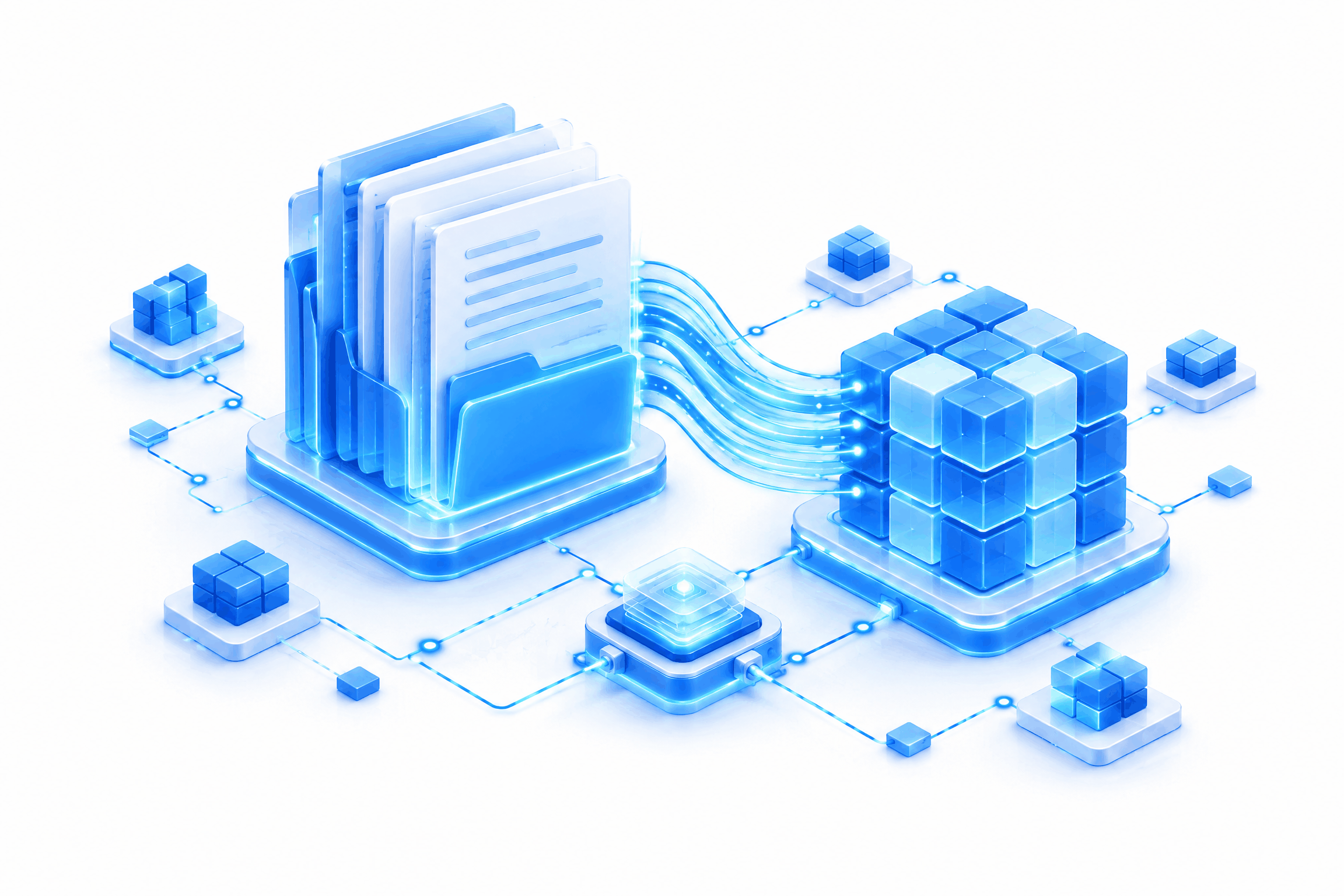
The highest-value NLP deployments in the enterprise today aren't customer-facing at all. They're running quietly in the back office, pulling structure out of the documents that pile up faster than any team can read them: contracts sitting in legal review queues, claims forms waiting on adjusters, invoices stuck in accounts payable, compliance filings that need a second set of eyes before a deadline hits. NLP for document intelligence is where the real operational leverage sits, and it rarely makes it into the product demo.
This article looks at that shift directly. We'll cover why the chatbot narrative undersells what NLP can do, what document intelligence actually involves, where enterprises are putting it to work today, and what a team needs to think through before rolling it out. By the end, the picture should look less like a conversational interface and more like a layer of understanding sitting underneath the workflows that keep a company running.
Why the Chatbot Narrative Undersells NLP
Chatbots got the spotlight because they're visible. Anyone can open one, type a question, and see a response come back. That immediacy makes for an easy demo and an easy headline. Document processing doesn't have that advantage — nobody watches a claims form get classified in real time, and there's no interface moment that captures attention the way a live conversation does.
The Visibility Bias
Enterprises tend to notice the NLP they can see and underweight the NLP they feel. A chatbot is something employees and customers interact with directly, so it gets attributed, discussed, and budgeted for. Document processing, on the other hand, shows up as a line item in cycle time or headcount, not as a feature anyone points to. The effect isn't fair, but it's consistent: the work quietly cutting review time across a legal or finance team is harder to notice than the work sitting on a homepage.
What Gets Left Out of the Conversation
Contracts, claims forms, invoices, compliance filings, internal emails, scanned PDFs — this is where most enterprise text actually lives, and it's almost never part of the chatbot conversation. These documents carry obligations, deadlines, and financial detail that someone has to extract manually if there's no system doing it for them. When that extraction happens by hand, across thousands of documents a month, the cost shows up in staff hours rather than in a single visible failure point.
Document intelligence doesn't have the same appeal as a talking interface, but it tends to deliver a stronger return. It works on the documents that already exist inside a company's systems, at the volume those systems actually produce, without asking anyone to change how they communicate.
What "Document Intelligence" Actually Means
Document intelligence isn't one capability — it's a set of related functions that work together to turn unstructured text into something a system can act on. None of it requires a particular vendor or platform to understand; the concepts hold regardless of which tools an organization ends up choosing.
Extraction
Extraction pulls specific, structured data out of text that wasn't written with a database schema in mind. A contract might reference a renewal date, a liability cap, and a governing jurisdiction somewhere across ten pages of prose. Extraction identifies those fields and pulls them into a format a downstream system can use — a spreadsheet, a database record, a workflow trigger. This is the function that turns a document from something a person has to read into something a system can query.
Classification
Classification routes documents based on what they are, not just what they contain. An inbound email might need to go to legal, finance, or customer support depending on its subject matter, and a scanned form might need different handling depending on whether it's a claim, an application, or a dispute. Classification handles that sorting automatically, which removes a manual triage step that otherwise sits at the front of every workflow.
Summarization and Comprehension
Long documents create a different problem: even once a person has the right file in front of them, getting through it takes time. Summarization condenses lengthy text into the fields or points that matter for a given decision, and comprehension goes a step further by answering specific questions against a document's content. Together, these functions let a reviewer get to a decision without reading every page in full.
These three functions rarely operate alone. A single workflow might classify an incoming document, extract the relevant fields, and then generate a short summary for the person who has to sign off — all before a human ever opens the file.
Where Enterprises Are Already Using This (By Function)
Document intelligence isn't theoretical. It's already embedded in workflows across several enterprise functions, each with its own bottleneck that manual document handling used to create.
Legal and Compliance
Legal teams review contracts for specific clauses — indemnification terms, termination conditions, jurisdiction language — and doing that by hand across a large contract portfolio takes considerable time. NLP-based extraction identifies those clauses directly, giving legal teams a starting point instead of a blank read-through. Compliance teams face a similar issue with regulatory filings, which often need to be checked against changing requirements; classification and extraction help flag which filings need attention without a full manual audit of every document.
Finance and Operations
Accounts payable teams process invoices that arrive in inconsistent formats from different vendors, and matching line items to purchase orders manually creates a persistent backlog. Document intelligence pulls line items, totals, and vendor details directly from invoices, which shortens the path to reconciliation and payment. Expense processing follows a similar pattern, where receipts and expense reports get classified and validated without someone keying in every field by hand.
Insurance and Claims
Claims processing depends on triage — figuring out which claims are straightforward, which need escalation, and which show signs of a problem before an adjuster ever looks at them. NLP classification sorts incoming claims by type and urgency, and extraction pulls policy numbers, incident details, and damage estimates from the forms themselves. That combination lets adjusters spend their time on judgment calls rather than data entry.
HR
Resume parsing extracts skills, experience, and education details from applications submitted in dozens of different formats, which speeds up the first pass of a hiring pipeline considerably. Beyond recruiting, HR teams also use document comprehension to let employees ask questions against policy documents directly, cutting down on repetitive questions routed to a live HR contact.
The Business Case: What Changes When Documents Understand Themselves
The functional description matters, but leadership teams want to know what changes operationally. Document intelligence affects three areas most directly: how long review takes, how many errors slip through, and how well a team scales against rising document volume.
Cycle Time
Manual document review runs on a queue — someone has to open each file, read it, and record what matters before moving to the next one. When extraction and classification handle the first pass automatically, that queue compresses considerably, since staff are reviewing structured output instead of reading raw documents from scratch. The exact time saved depends on document complexity and volume, but the direction is consistent across implementations: less time spent reading, more time spent deciding.
Error Reduction
Manual data entry introduces mistakes, particularly at high volume, when reviewers are moving through documents quickly. Automated extraction doesn't get tired the way a person does, and it applies the same logic to document one as it does to document one thousand. That consistency reduces the kind of small, cumulative errors that manual entry tends to produce over time.
Scalability
Document volume tends to grow faster than headcount, especially in functions like claims processing or accounts payable, where transaction counts rise with business growth. A team that depends entirely on manual review has to add staff to keep pace. A team using document intelligence can absorb more volume without a proportional increase in headcount, since the system handles the repetitive first pass regardless of how many documents come through.
Implementation Considerations for Enterprise Teams
None of this happens automatically once a system is switched on. Enterprises rolling out document intelligence need to think through a handful of practical issues before extraction and classification start producing reliable results.
Data Quality and Document Variability
Not every document arrives in the same condition. Some are digital and well-structured; others are scanned, handwritten, or formatted inconsistently across vendors and departments. Enterprise document processing NLP has to account for that variability, since a system trained only on clean digital text will struggle with a scanned form full of noise. Teams need to test against the actual documents they receive, not a curated sample, before assuming accuracy will hold at scale.
Integration with Existing Systems of Record
Extraction only creates value if the structured data it produces actually lands somewhere useful — an ERP, a CRM, a document management platform. If a document intelligence system operates in isolation, someone still has to manually transfer the output into the systems that run the business, which defeats much of the purpose. Integration planning needs to happen early, not as an afterthought once the extraction logic is already built.
Governance
High-stakes extraction — anything touching contracts, compliance, or financial commitments — needs a human-in-the-loop review step, particularly during early deployment. Natural language processing enterprise workflows should be auditable, meaning a reviewer can trace how a given extraction or classification decision was reached and correct it if it's wrong. Governance isn't a constraint on the technology; it's what makes the technology usable in a regulated environment.
How Techtics Approaches Document Intelligence
Techtics builds document intelligence as part of its AI and machine learning practice, working alongside its data engineering team to make sure extracted data actually integrates with the systems a client already runs. The starting point is always the workflow bottleneck a client is trying to remove, not a predetermined tool stack — some engagements call for classification first, others need extraction accuracy tuned against a specific document type before anything else matters.
That approach keeps the work grounded in what a given team actually processes day to day, whether that's contracts, claims, or invoices, rather than applying a generic model and hoping it generalizes. For enterprises weighing where to start, a conversation with the Techtics team is a reasonable next step toward figuring out which workflow would benefit first.
NLP in the Enterprise: Beyond Chatbots to Document Intelligence, Read One Document at a Time
Chatbots will keep getting attention because they're the part of NLP people can see. But the next stage of enterprise NLP isn't going to be written in conversation — it's going to be read, understood, and acted on, one document at a time, by systems built specifically for that job. NLP in the enterprise, beyond chatbots to document intelligence, is where the next round of operational gains is waiting.
FAQs
What is NLP-based document intelligence?
It's the application of natural language processing to unstructured business documents — extracting specific data points, classifying documents by type, and summarizing long text so a system or reviewer can act on it without reading everything manually.
How is document intelligence different from a chatbot or virtual assistant?
A chatbot handles a live conversation with a user. Document intelligence works on existing files — contracts, claims, invoices — pulling structure out of them without any conversational interface involved at all.
What types of enterprise documents can NLP process?
Contracts, invoices, claims forms, compliance filings, resumes, internal emails, and scanned PDFs are among the most common. The specific mix depends on the function and industry involved.
Is document intelligence accurate enough for regulated industries like finance or insurance?
Accuracy depends on document quality and how the system is trained and validated. Regulated industries typically pair automated extraction with human-in-the-loop review for high-stakes decisions, which keeps accuracy high while maintaining the audit trail regulators expect.
How does an enterprise get started with NLP document processing?
Most teams start by identifying a single high-volume, high-friction document workflow — invoice processing or claims triage, for example — and piloting extraction and classification against that workflow before expanding further.
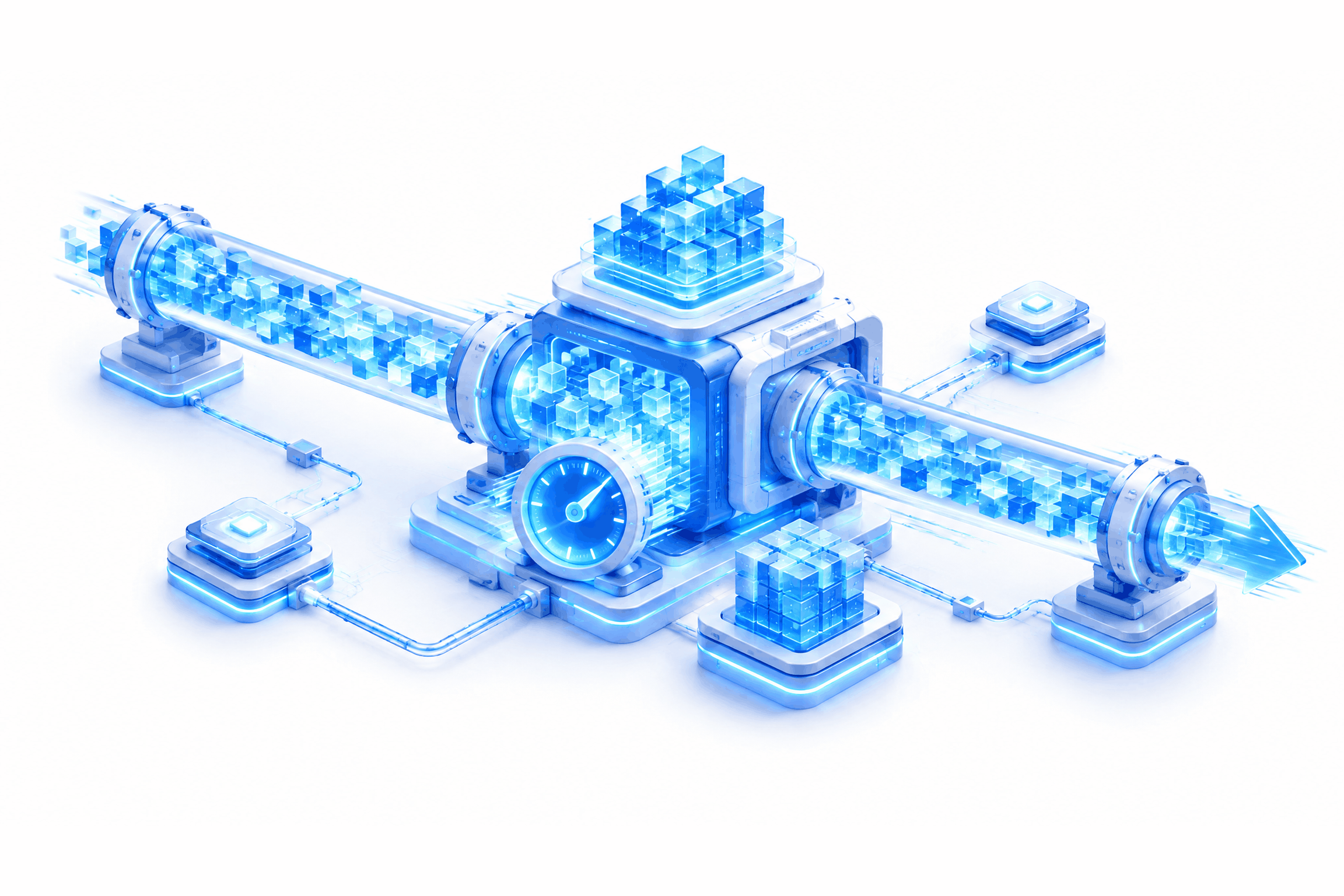
Real-Time Data Processing: When Batch Pipelines Aren't Fast Enough
Introduction
There's a specific moment every data team recognizes, even if nobody names it out loud. A report goes out based on numbers from six hours ago. A fraud pattern gets caught after the transaction has already cleared. A dashboard shows yesterday's inventory while today's stockroom tells a different story. None of this happens because the pipeline is broken. It happens because the pipeline is doing exactly what it was built to do, and what it was built to do no longer matches what the business needs.
This is the quiet failure mode of batch ETL. It doesn't crash. It doesn't throw errors. It just keeps delivering correct data on a schedule that used to be fast enough and now isn't. Real-time data processing enters the conversation at this exact point, not as a trend to chase but as a response to a cost that's already being paid in stale decisions, missed windows, and customers who notice the lag even when the engineering team doesn't.
This piece looks at two things. First, the signals that tell a team batch has stopped being sufficient. Second, what a move to streaming architecture actually requires once the decision is made. Neither answer is simple, and neither should be treated as obvious from the outset.
What Batch ETL Was Built For (and Where It Still Works)
Batch processing earned its place in the data stack for good reasons, and those reasons haven't disappeared just because streaming exists now. Scheduled jobs are predictable. They run at known intervals, consume known resources, and produce results that are easy to reason about. A pipeline that runs every night at 2 a.m. doesn't compete for compute during business hours, doesn't require constant babysitting, and doesn't ask an engineering team to think in terms of continuous state.
The Economics of Scheduled Jobs
Cost efficiency is the clearest advantage. Batch jobs process large volumes of data in a single, well-defined run, which makes resource planning straightforward. Teams can provision compute for a known workload instead of sizing for constant throughput. Simplicity follows close behind. A batch job either completes or it doesn't, and troubleshooting a failed run is generally more contained than debugging a live stream that's degrading in ways nobody caught in time. Predictable load rounds out the picture — infrastructure teams know when the pipeline will run, how long it typically takes, and what it will draw from shared systems.
Legitimate Batch Use Cases That Don't Need to Change
Not every workload benefits from real-time processing, and forcing one to fit doesn't help anyone. Monthly financial reporting, historical trend analysis, and non-time-sensitive reconciliation work all function well within a batch model. If a finance team needs a report by end of quarter, a nightly job that aggregates the prior day's transactions does the job without adding operational complexity that nobody asked for. The goal isn't to eliminate batch ETL. It's to recognize where it's still the right tool and where it's become a workaround for a problem it wasn't designed to solve.
The Signals It's Time to Move Beyond Batch
Some teams migrate to streaming because a competitor moved first. Others migrate because a specific, measurable problem keeps recurring. The second reason tends to produce better outcomes, mostly because it forces a team to define what "fast enough" actually means for their business before spending months rebuilding infrastructure.
Decision Latency Exceeds Business Tolerance
Fraud detection is the clearest example. A transaction flagged an hour after it clears doesn't prevent the loss — it documents it. Inventory management follows a similar pattern. If a warehouse system updates stock counts once a day, a popular item can sell out online while the system still shows availability, and that gap turns into cancelled orders and frustrated customers. Personalization windows close even faster. An offer that's relevant during a customer's active session loses most of its value by the time a batch job processes the interaction the next morning.
Data Freshness SLAs Are Being Missed or Renegotiated Downward
When a business team starts asking for data "as close to real-time as possible" instead of accepting a daily refresh, that's a signal worth paying attention to. It usually means the SLA that used to be acceptable no longer matches how the business operates, and renegotiating the schedule downward — hourly instead of daily, then every fifteen minutes instead of hourly — is often a sign that the underlying need has outgrown batch entirely.
Downstream Systems Are Polling Constantly to Compensate for Batch Delay
This one shows up in infrastructure costs before it shows up in complaints. When downstream applications start polling a batch-fed database every few minutes just to catch updates sooner, the team has effectively built an inefficient streaming system on top of a batch one. It works, technically, but it multiplies load without solving the underlying latency problem.
Competitive or Regulatory Pressure Demands Sub-Minute Visibility
Some industries don't leave room for debate here. Financial services firms operating under real-time reporting requirements, healthcare systems monitoring patient telemetry, and logistics companies tracking time-sensitive shipments all face external pressure that makes batch delay a compliance or safety issue, not just an efficiency one.
Pipeline Complexity Is Growing Just to Patch Around Batch Limitations
If an engineering team finds itself adding more batch jobs, more frequent triggers, and more custom logic just to shrink the gap between data generation and data availability, that complexity is usually a sign the architecture itself needs to change rather than accumulate more patches.
Batch ETL vs. Streaming Architecture — A Practical Comparison
Once the signals point toward a change, it helps to look at batch ETL vs streaming side by side rather than treating the decision as binary.
Latency, Throughput, and Cost Trade-Offs
Batch processing handles large volumes efficiently because it processes data in bulk, on a schedule, with resource use concentrated into defined windows. Streaming architecture processes data continuously as it arrives, which reduces latency dramatically but requires infrastructure that stays active around the clock. That constant availability carries a cost. Compute resources for a streaming pipeline don't get to sit idle between runs, and the operational overhead of monitoring a live system is different from monitoring a job that completes and reports success or failure.
Where the Two Models Can Coexist
Hybrid approaches, sometimes described as lambda architecture, let teams run both models in parallel. A streaming layer handles time-sensitive queries and immediate decisions, while a batch layer continues processing the same data for historical analysis, auditing, or reprocessing when corrections are needed. This isn't a compromise so much as a recognition that different parts of the same business often need different speeds.
What a Real-Time Migration Actually Requires
Deciding to move is the easy part. The technical and organizational shift that follows is where most of the real work happens, and it's more involved than swapping one tool for another.
Re-Architecting Around Event Streams Instead of Scheduled Jobs
Streaming platforms such as Kafka, Kinesis, and Pulsar don't just replace a batch scheduler — they change the fundamental unit of work from a completed job to a continuous flow of events. Systems that were designed around "run, finish, report success" need to be rethought around "process this event, then the next one, indefinitely." That's a different mental model for engineers who've spent years building around batch cycles.
Schema and Data Contract Discipline
Loose schemas cause problems in batch pipelines, but they cause them slowly, often surfacing during a scheduled run when there's time to catch and fix an issue before it reaches production. Streaming doesn't offer that buffer. A schema mismatch in a live event stream propagates immediately, and without strict data contracts between producers and consumers, small inconsistencies turn into cascading failures across every downstream system consuming that stream.
Stateful Processing and Windowing
Real-time data pipeline design introduces concepts that batch processing rarely requires in the same way — windowing, watermarks, and stateful computation. Tools like Apache Flink and Spark Structured Streaming let teams calculate rolling aggregates, detect patterns across time windows, and maintain state across events, but this requires engineers to think in terms of continuous computation rather than discrete transformations applied to a fixed dataset.
Monitoring and Observability Built for Continuous Flow
A batch job either finishes or it doesn't, and monitoring tends to focus on job completion and data quality checks after the fact. A streaming system needs observability that tracks throughput, consumer lag, processing latency, and error rates in real time, because a silent degradation in a live pipeline can go unnoticed for hours if the monitoring wasn't built for continuous systems in the first place.
Team and Skills Shift
Perhaps the most underestimated part of any batch to streaming migration is the shift in how engineers think about their own systems. Scheduling and job orchestration give way to distributed systems concepts — partitioning, exactly-once processing guarantees, backpressure handling. Teams that don't invest in this skills shift tend to build streaming systems that behave like slow, fragile batch jobs wearing different infrastructure.
Common Pitfalls in Batch-to-Streaming Migrations
Migrations fail less often because the technology doesn't work and more often because the approach underestimates what's changing.
- Treating streaming as "batch but faster" instead of recognizing it as a different paradigm with its own failure modes, scaling behavior, and design patterns
- Underestimating the operational overhead and on-call burden that comes with running always-on infrastructure instead of scheduled jobs
- Migrating every pipeline at once instead of prioritizing the workloads where latency actually matters to the business
Each of these mistakes tends to compound the others. A team that treats streaming like faster batch will also underestimate the operational burden, because they're not planning for a fundamentally different kind of system in the first place.
How to Evaluate Readiness Before Committing
Before committing to a full migration, it helps to run through a short readiness framework rather than assuming urgency alone justifies the cost.
- Identify which specific business decisions are currently delayed by batch latency, and quantify what that delay costs in dollars, customer experience, or risk exposure
- Confirm that the use case genuinely requires sub-minute or near-instant data rather than simply benefiting from it
- Assess whether the engineering team has, or can reasonably build, the skills needed to operate distributed streaming systems
- Evaluate whether a hybrid approach could address the urgent cases without a full architectural overhaul
- Estimate the ongoing operational cost of always-on infrastructure against the cost of continuing to live with batch delay
If the answers point toward a clear, quantifiable business cost tied to latency, the migration case builds itself. If the case relies mostly on keeping pace with industry trends, it's worth pausing before committing engineering months to a rebuild.
Real-Time Data Processing: The Question That Actually Matters
Speed isn't the point, not on its own. Real-time data processing earns its cost only when a business can no longer afford to wait for an answer it already needs. The signals covered here — decision latency, missed SLAs, workaround polling, competitive pressure, and creeping pipeline complexity — aren't abstract warnings. They're specific, measurable indicators that a batch pipeline has stopped matching the pace of the business it serves.
The migration itself isn't a simple swap of tools. It's a shift in how a team thinks about data, from scheduled and finished to continuous and ongoing. Teams that approach it with a clear read on where latency actually costs money, rather than chasing streaming for its own sake, tend to build systems that hold up under real operational pressure.
The question was never really about how fast the data moves. It's about whether the decisions built on top of it can keep up.
Frequently Asked Questions
What's the difference between real-time and near-real-time data processing?
Real-time processing handles data as it's generated, typically within milliseconds to a few seconds. Near-real-time processing introduces a small, intentional delay, often seconds to a few minutes, which is sufficient for many use cases without requiring the full complexity of a true streaming system.
Do we need to fully replace batch ETL, or can streaming run alongside it?
Most enterprises run both. A hybrid architecture lets streaming handle time-sensitive workloads while batch continues to serve reporting, historical analysis, and reconciliation, without forcing every pipeline through the same model.
What's the typical cost impact of moving to a streaming architecture?
Costs shift from scheduled, bursty compute usage to continuous infrastructure that runs around the clock. Total cost depends heavily on data volume, the chosen streaming platform, and how much of the pipeline actually needs to move, which is why prioritizing high-impact workloads first matters.
How long does a batch-to-streaming migration usually take for an enterprise team?
Timelines vary by scope, but a focused migration covering a single high-priority workload often takes a few months, while a broader architectural shift across multiple systems can extend well beyond that. Teams that migrate incrementally, starting with the workloads that justify the change, tend to see results faster than teams attempting to convert everything at once.
Building an AI Product Roadmap: Sequencing Features Around Data, Not Just Demand
Introduction
Most product teams build an AI product roadmap the same way they'd build any other software roadmap. They collect customer requests, rank them by frequency and revenue impact, and ship the loudest asks first. That approach works fine for a settings page or a new export button. It falls apart the moment an AI feature enters the queue.
Here's what usually happens next: a highly requested AI feature lands at the top of the list, engineering commits to a timeline, and then the project stalls. Not because the model is hard to build, but because the data behind it isn't clean, isn't labeled, or simply doesn't exist at the volume the model needs to perform. Weeks turn into months. The roadmap slips, and nobody can point to a single engineering mistake that caused it.
Customer demand tells you what to build. Data readiness tells you when you can actually build it well. Treating those as separate conversations is where most AI roadmaps go wrong. This piece lays out a framework for sequencing AI features around both axes at once, so your team stops committing to work it isn't positioned to deliver.
Why Traditional Roadmapping Breaks Down for AI Features
Conventional roadmapping tools assume that once a feature is prioritized, execution follows a fairly predictable path: design, build, test, ship. That assumption holds for deterministic software. It doesn't hold for AI features, where the quality of the output depends on something the roadmap itself rarely accounts for — the data feeding the model.
Demand-Only Prioritization Assumes Execution Is Uniform Across Features
A scoring model built purely on customer votes or revenue potential treats every feature as equally buildable. That's a reasonable shortcut for traditional software, where most features draw on the same underlying systems and skill sets. AI features break that pattern. Two features with identical demand scores can require wildly different levels of data preparation, and a roadmap that doesn't separate the two will consistently misjudge delivery timelines.
AI Features Have a Hidden Dependency That Conventional Frameworks Don't Score
Data is rarely listed as a roadmap input. Teams plan around engineering capacity, design bandwidth, and go-to-market timing, but they don't formally score whether the data required for a feature is actually usable. That gap doesn't show up during planning — it shows up mid-sprint, when the data science team flags that the training set is too sparse, too biased, or too inconsistent to move forward.
The Cost of Sequencing Wrong
When a team commits to an AI feature before checking data readiness, three things tend to happen. The model ships in a rushed state to meet the deadline. The team accumulates quality debt that nobody prioritizes fixing later. And customers, having tried a mediocre AI feature once, stop trusting the "AI" label on anything else the product ships afterward. That last cost is the hardest one to reverse.
The Two Axes That Actually Determine AI Feature Sequencing
An AI product roadmap needs two scoring axes running in parallel, not one. Demand tells you which features matter to the business. Data readiness tells you which of those features can actually be delivered at a quality bar worth shipping. Sequencing decisions should sit at the intersection of both, not at the top of a single ranked list.
Axis One: Customer Demand
This is the axis most product teams already know how to score. It includes request frequency across your customer base, projected revenue impact, and competitive pressure — whether a rival product already ships the capability and customers are starting to ask why you don't. None of this changes for AI features. What changes is that demand alone can no longer be the deciding factor.
Axis Two: Data Readiness
Data readiness covers four dimensions: how much data exists, how clean and structured it is, how mature your labeling process is, and whether you have a functioning feedback loop that lets the system improve after launch. A feature can score high on every demand metric and still sit at zero on this axis, which means it isn't ready to be sequenced yet, regardless of how many customers are asking for it.
Why a Feature Can Be High-Demand and Still Not Buildable Yet
Picture a feature that predicts customer churn risk. Sales wants it immediately, and the revenue case is strong. But if your historical customer data spans eighteen months and includes gaps from a CRM migration, the model won't have enough signal to produce reliable predictions. The demand is real. The data isn't ready. An AI product strategy framework that only scores demand will schedule this feature for the next sprint and set the team up to fail.
A Framework for Scoring Data Readiness
Scoring data readiness doesn't require a data science degree on the product team. It requires a consistent set of questions applied to every AI feature before it earns a slot on the roadmap. This is where data maturity roadmap thinking becomes a practical tool rather than an abstract concept.
Data Availability
Start with the basic question: does the data exist, and can you legally and technically access it? A feature might rely on data sitting in a third-party system you don't have API access to, or data governed by a privacy agreement that restricts how it can be used for model training. Availability isn't just a technical check — it's a legal and operational one too.
Data Quality
Next, assess whether the data is clean, structured, and representative of the population the model will serve in production. Data quality issues rarely announce themselves clearly. A dataset can look complete while still under-representing an entire customer segment, which produces a model that performs well in testing and poorly for a meaningful share of real users.
Feedback Loop Maturity
Ask whether the system can improve after launch or whether it's stuck with whatever performance it ships with. A feedback loop means user interactions, corrections, or outcomes flow back into the training pipeline. Without one, day-one performance is the ceiling, not the starting point, and any weaknesses in the initial model will persist indefinitely.
Simple Readiness Tiers
To keep this usable for a product team without a technical background, sort every candidate feature into one of three tiers: Ready, meaning data availability, quality, and feedback loops all meet the bar; Needs Investment, meaning the gaps are fixable within a reasonable timeframe; and Not Feasible Yet, meaning the data doesn't exist in a usable form and won't for the foreseeable future. This tiering does the heavy lifting when it's time to sequence.
The Sequencing Matrix: Plotting Demand Against Data Readiness
Once both axes are scored, plot every candidate feature on a simple two-by-two matrix — demand on one side, data readiness on the other. This is the core mechanic of Building an AI Product Roadmap: Sequencing Features Around Data, Not Just Demand, and it's what separates a realistic roadmap from a wish list.
Quadrant One: High Demand, High Readiness
These features move to the front of the queue. The business case is strong, and the data supports a quality outcome. This is where engineering time should go first.
Quadrant Two: High Demand, Low Readiness
Don't cut these from the roadmap — reroute them. Instead of committing to a ship date, commit to a data investment plan: cleanup, labeling, or a new collection pipeline. Revisit the feature once it clears the readiness bar.
Quadrant Three: Low Demand, High Readiness
These are opportunistic wins. The data is already usable, so the build cost is low even though customer pull is modest. Slot them in during lighter sprints or use them to validate infrastructure ahead of a bigger Quadrant Two push.
Quadrant Four: Low Demand, Low Readiness
Deprioritize or shelve these outright. There's no urgency from customers and no data foundation to build on, so this is where roadmap discipline pays off the most.
Building Data-Readiness Work Into the Roadmap Itself
Data preparation work tends to happen invisibly, tucked behind the scenes while the roadmap only shows customer-facing features. That's a planning mistake. If data readiness determines whether a feature can ship, it deserves its own line item, not a footnote.
Treat Data Pipeline and Labeling Work as Roadmap Line Items
Give data cleanup, labeling projects, and pipeline builds the same visibility as customer-facing features. Stakeholders should see "improve labeling coverage for support tickets" on the roadmap the same way they see "launch AI ticket routing," because one depends entirely on the other.
Sequence Data Investment Sprints Ahead of Flagship Features
For any Quadrant Two feature, schedule a dedicated data investment sprint before the feature build begins. This turns a vague "we're not ready yet" into a concrete, time-boxed plan with a defined endpoint, which is far easier for stakeholders to plan around.
Communicate the Tradeoff to Stakeholders Who Only See the Demand Side
Sales, customer success, and leadership generally see demand signals, not data maturity. Part of running an AI product roadmap well is translating readiness scores into language those teams already understand: timelines, dependencies, and risk, rather than technical data terminology they won't act on.
How This Changes Stakeholder Conversations
Sequencing decisions land differently once data readiness is part of the explanation. Instead of vague statements about complexity, teams can point to a specific gap and a specific plan to close it.
Reframe Delay Conversations Around Data Maturity, Not Engineering Velocity
When a feature slips, the instinct is to blame engineering speed. Reframe it around data maturity instead: "We're investing in data quality before committing to a ship date" is a more accurate explanation, and it holds up better under scrutiny than a missed deadline with no clear cause.
Give Sales and Customer Success a Realistic Timeline Framework
Rather than telling customer-facing teams that "AI is complex" whenever a feature is delayed, give them the readiness tier and the investment plan attached to it. A rep who can say "this is in data investment now, expected to clear that stage by next quarter" sounds far more credible than one repeating a vague apology.
Common Mistakes When Sequencing AI Features
Even with a scoring framework in place, a few recurring mistakes tend to undercut it. Watching for these keeps prioritizing AI features honest rather than aspirational.
Treating a Proof-of-Concept as Evidence the Feature Is Roadmap-Ready
A proof-of-concept usually runs on a curated dataset, not production data at scale. Strong POC results don't guarantee the feature will perform once it's exposed to the full range of real-world inputs, and teams that skip a formal readiness check after a promising POC often relearn this the hard way.
Underestimating the Time Cost of Data Cleanup and Governance Approval
Data cleanup projects routinely take longer than expected, and governance or privacy review can add weeks that never show up in the original estimate. Build buffer time into any Quadrant Two investment plan rather than treating the readiness timeline as fixed.
Letting One Vocal Enterprise Customer's Request Skip the Readiness Check
A large account pushing hard for a feature can create pressure to bypass the scoring process entirely. Resist it. Shipping a weak version of a feature to satisfy one account's timeline usually creates a worse outcome for that same account once the feature underperforms in production.
A Practical Checklist for Your Next Roadmap Cycle
Use this list at the start of every planning cycle to keep AI feature sequencing grounded in both demand and readiness:
- Score every candidate feature on demand: request frequency, revenue impact, competitive pressure
- Score every candidate feature on data readiness: availability, quality, labeling maturity, feedback loop
- Plot each feature on the sequencing matrix and assign a quadrant
- For Quadrant Two features, define a data investment sprint with a clear endpoint before committing a ship date
- Communicate readiness tiers to sales and customer success in plain, timeline-based language
- Revisit the full matrix every quarter, since readiness tiers shift as data infrastructure improves
Frequently Asked Questions
What is an AI product roadmap and how is it different from a regular software roadmap?
An AI product roadmap sequences features based on both customer demand and data readiness, while a regular software roadmap typically sequences based on demand and engineering capacity alone. The added axis reflects the fact that AI features depend on data quality in a way traditional features don't.
How do you measure data readiness for an AI feature?
Data readiness is measured across four areas: whether the data exists and is accessible, whether it's clean and representative, how mature the labeling process is, and whether a feedback loop exists to improve the model after launch.
What happens if you build an AI feature before the data is ready?
The feature typically ships in a weaker state than planned, requires rework after launch, and can damage user trust in the product's AI capabilities more broadly, since customers rarely give a second chance to a feature that disappointed them once.
How often should an AI product roadmap be revisited?
Quarterly reviews work well for most teams. Data readiness tiers change as pipelines improve and labeling processes mature, so a feature marked Not Feasible Yet in one quarter may move to Needs Investment or Ready in the next.
Who should own the data-readiness assessment — product, data engineering, or both?
Both. Product owns the demand scoring and final sequencing decisions, while data engineering owns the technical assessment of availability, quality, and feedback loop maturity. Neither side should score both axes alone.
Product-Market Fit for AI Products: Why the Rules Are Different
Introduction
Every product team knows the old test. Rahul Vohra popularized it, Sean Ellis built a movement around it, and for over a decade, the 40% threshold has served as the north star for product-market fit. Ask users how they'd feel if your product disappeared tomorrow. If 40% or more say "very disappointed," you've found fit. Ship it, scale it, defend it.
That test assumes something quietly important: the product being measured stays still long enough to measure. A SaaS tool built in March behaves the same way in September, aside from the features you deliberately add. The survey works because the object of the survey holds its shape.
Product-Market Fit for AI Products: Why the Rules Are Different starts from a different premise. An AI product doesn't hold its shape. The underlying model can drift as new data flows in. Output quality can shift between two customers using the exact same feature. A single prompt change can quietly alter behavior across the entire user base. Fit, in this context, isn't a fixed target you hit once — it's a moving relationship between three forces: data dependency, iteration cost, and trust. Miss any one of them, and the numbers on your PMF survey will lie to you.
Why Standard SaaS PMF Frameworks Fall Short for AI
Traditional PMF frameworks were built for products where the interface is the variable and the logic underneath is fixed. Change a button, measure the response, repeat. AI products invert that relationship — the logic underneath is the variable, and it changes on its own even when nobody touches the interface.
SaaS Fit Is About Workflow Match; AI Fit Is About Workflow and Output Reliability
A standard SaaS tool earns its place by fitting into how a team already works. Does it save time? Does it replace three spreadsheets? Does it reduce the number of tabs open at once? Fit is largely a workflow question, and workflow questions have stable answers.
An AI product has to clear that same workflow bar and then clear a second one: is the output right often enough to be useful? A CRM add-on that automates data entry only earns adoption if the entries it makes are accurate. Workflow match gets a user to try the product. Output reliability gets them to keep using it.
Feature-Based PMF Surveys Don't Capture Model Drift or Output Variance
The Sean Ellis survey asks about disappointment if a feature disappeared. It doesn't ask whether the feature performed consistently last week versus this week. That gap matters more than it looks. A model can degrade gradually as the distribution of real-world inputs shifts away from what it was trained or tuned on, and a satisfaction survey run at a single point in time won't catch that decline until users have already started quietly abandoning the product.
Feature-based surveys treat capability as binary — present or absent. AI capability is closer to a spectrum that moves.
The Feedback Loop Is Probabilistic, Not Deterministic
In deterministic software, a given input produces the same output every time. Debugging is a straight line: find the input, trace the logic, fix the bug. In AI systems, the same input can produce different outputs depending on model version, temperature settings, or the data available at that moment. That means the feedback loop teams rely on to validate fit — user does X, product responds with Y, user reacts — isn't a clean line anymore. It's a distribution. Reading fit signals correctly requires accounting for that variance rather than treating one bad output as an isolated bug or one good output as proof of readiness.
Data Dependency Is Part of the Fit Equation
No SaaS PMF conversation spends much time on the customer's own data quality. An AI PMF conversation has to, because the product's performance is partly outsourced to information the company doesn't control.
Data dependency isn't a footnote in AI product validation — it's a variable that sits alongside price, positioning, and feature set as something that can make or break fit.
A Model Is Only as Good as the Data Feeding It — Fit Can Degrade Without a Single Code Change
This is the part that catches product teams off guard. A team ships a model, watches it perform well in the first quarter, and assumes the hard part is behind them. Then a customer's internal data changes — new product lines, a shift in customer behavior, a merger that scrambles historical records — and the model's outputs start missing the mark. No one touched the code. No one shipped a bad release. The ground underneath simply moved.
This is exactly why product-market fit for AI products can't be treated as a one-time milestone. Fit measured in month one doesn't guarantee fit in month six unless the data pipeline is actively monitored.
Customer Data Quality Becomes a Go/No-Go Factor for AI Product-Market Fit, Not Just an Engineering Concern
Sales and product teams are used to qualifying customers on budget, use case, and company size. AI products add another qualifying question: is this customer's data clean, structured, and sufficient enough for the product to work as promised? A customer with messy, sparse, or inconsistent data can turn a strong product into a poor experience through no fault of the product itself.
Ignoring this question at the sales stage sets up a churn problem at the retention stage. Building it into onboarding — data audits, minimum viable dataset checks, structured intake — protects both the customer relationship and the fit metrics the team is tracking.
Cold-Start Problem: New Customers May Not Have Enough Data for the Product to Perform Well on Day One
Many AI products improve with usage. That's a strength over time and a liability on day one. A new customer with little historical data may see underwhelming results in their first weeks, not because the product is wrong for them, but because the model hasn't had enough signal yet to perform at its best. Teams validating AI product-market fit need to separate "this customer isn't a fit" from "this customer hasn't generated enough data yet." Confusing the two leads to abandoning good customers too early or, worse, redesigning a product that was never actually broken.
Iteration Cost Changes What "Fast Feedback" Means
Lean product methodology runs on speed. Build, measure, learn, repeat, and do it faster than the competition. AI products can still move fast, but the cost structure of each iteration looks nothing like a UI experiment.
Shipping a UI Tweak vs. Retraining or Re-Prompting a Model — Different Cost Curves
Changing a button color or reordering a form takes a developer an afternoon. Retraining a model, rebuilding an evaluation set, or restructuring a prompt chain can take days or weeks, and it carries a real risk of breaking behavior that was previously working well. Teams that apply SaaS-style iteration speed expectations to AI development often end up frustrated, not because the team is slow, but because the underlying cost curve was never comparable in the first place.
Why Rapid Experimentation, a PMF Staple, Is Harder When Every Iteration Touches a Model, Eval Set, or Data Pipeline
Rapid experimentation depends on cheap, reversible changes. AI iterations are rarely both. A prompt change might improve results for one use case and quietly degrade another. A model swap might fix accuracy but introduce latency. Every change tends to ripple outward, which means testing in isolation — the backbone of quick experimentation — has to be replaced with testing against a broader evaluation set before anything reaches production.
This doesn't mean experimentation should slow to a crawl. It means the definition of "fast" has to account for the additional verification work an AI change requires, or the team will ship regressions faster than it ships improvements.
Building Evaluation Infrastructure Before Scaling, Not After
Teams validating traditional software can often get away with building monitoring and analytics after they've found initial traction. AI teams don't have that luxury. Without an evaluation framework — golden datasets, accuracy benchmarks, drift alerts — a team scaling an AI product is scaling blind. They'll see usage numbers climb without knowing whether output quality is climbing, flat, or quietly declining underneath. Building this infrastructure early costs time upfront and saves far more time later, when a quality problem would otherwise surface as a wave of customer complaints instead of a dashboard alert.
Trust Is an Adoption Metric, Not a Nice-to-Have
Trust doesn't usually appear as a line item in a SaaS PMF conversation. It's assumed, then occasionally damaged by an outage or a bug. In AI products, trust behaves less like a background condition and more like a core feature that has to be actively earned and maintained.
Users Tolerate SaaS Bugs; They Abandon AI Products After One Bad or "Hallucinated" Output
A user who hits a broken button in a SaaS tool usually reports it, waits for a fix, and moves on. A user who receives a confidently wrong answer from an AI feature — a fabricated statistic, a miscategorized record, a summary that misses the point entirely — tends to react differently. They don't just note the error. They question every output that came before it and every one that comes after. One bad output can undo dozens of good ones, which makes the tolerance for error in AI products far thinner than in conventional software.
Explainability and Predictability as Fit Signals — Can Users Trust the Output Enough to Act on It?
Fit isn't only about whether the output is accurate. It's about whether the user believes it's accurate enough to act on without double-checking it every time. A product that's 90% accurate but gives users no way to understand why it reached a conclusion will often see lower adoption than a slightly less accurate product that shows its reasoning. Predictability matters here too — users build confidence in a system that behaves consistently, even if that consistency includes known limitations, more than one that occasionally surprises them in either direction.
Trust-Building Mechanisms: Confidence Scores, Human-in-the-Loop, Audit Trails
Product teams have several concrete levers for building trust rather than hoping it develops on its own.
- Confidence scores give users a signal for when to double-check output and when to move forward without hesitation.
- Human-in-the-loop checkpoints let users approve or override AI decisions before they take effect, which builds comfort during early adoption.
- Audit trails show exactly what data or reasoning led to a given output, turning a black box into something a user can inspect.
None of these mechanisms make a model more accurate. What they do is make the relationship between the user and the product transparent enough that accuracy gaps don't automatically become trust gaps.
A Practical Framework for Validating AI Products
With data dependency, iteration cost, and trust all in play, teams need a validation approach that goes beyond a satisfaction survey. The following framework adjusts classic PMF thinking for AI's specific behavior.
Redefine "Retention" — Are Users Returning Because the Model Is Improving With Their Data?
Retention in a SaaS product usually means the workflow still fits. Retention in an AI product should be examined more closely. Are users returning because the product is getting better at serving them specifically, as it learns from their data and usage patterns? Or are they returning out of habit while quietly routing around a feature that isn't delivering? Segmenting retention by improvement trajectory, not just raw return rate, gives a clearer picture of whether validating AI products is actually succeeding.
Track Output Quality Metrics Alongside Usage Metrics
Usage numbers tell a team whether people are showing up. They don't tell a team whether what's being delivered is good. Pairing usage data with output quality metrics — accuracy against a benchmark, drift over time, and override rate, meaning how often users manually correct or reject the AI's output — gives a fuller picture. Rising usage paired with a rising override rate is a warning sign disguised as a growth metric.
Talk to Users About Trust, Not Just Satisfaction
Standard PMF interviews ask about satisfaction and disappointment. AI product interviews should add a direct question about trust: do you double-check this output before acting on it, and if so, how often? The answer reveals whether the product has earned confidence or is merely being tolerated while users quietly verify everything behind the scenes.
Signs You've Actually Found AI Product-Market Fit
A handful of concrete signals separate genuine fit from a product that looks healthy on the surface.
- Users voluntarily feed the system more data because they've seen it pay off in better output.
- Override and correction rates trend downward over time rather than staying flat.
- Usage holds steady or grows across model updates, rather than dropping every time something changes on the backend.
- Customers reference specific outputs in their own decision-making, not just the existence of the feature.
- Support tickets shift from "this is wrong" to "can this do more," signaling accuracy is no longer the primary concern.
FAQ
What's different about product-market fit for AI products vs. traditional software?
Traditional software fit is measured against a stable product. AI product fit has to account for a product that changes on its own through model drift, data shifts, and probabilistic output, which means fit has to be monitored continuously rather than confirmed once.
How do you measure trust in an AI product?
Trust can be measured indirectly through override rates, how often users act on output without double-checking it, and direct interview questions about confidence in the system's decisions, alongside mechanisms like confidence scores and audit trails that make trust easier to build in the first place.
Why does data dependency affect PMF timelines?
Because AI products often need a baseline of customer data to perform well, new customers may show weaker early results not because the product is a poor fit, but because the model hasn't had enough signal yet. This extends the timeline needed to accurately judge fit.
Can you have PMF before your model is fully accurate?
Yes, provided the product is transparent about its current limitations and gives users tools like confidence scores or human review to manage accuracy gaps. Fit depends as much on whether users trust and can work around imperfect output as it does on the accuracy number itself.
CI/CD for AI Systems: Why Deploying Models Isn't Like Deploying Code
Introduction
A green build has always meant something specific in software engineering. Tests pass, the artifact compiles, the deployment goes out, and the team moves on. That assumption has driven pipeline design for two decades, and it works well when the thing being shipped is deterministic code. It does not work the same way when the artifact is a model. CI/CD for AI systems borrows the scaffolding of traditional pipelines, but the guarantees underneath it are different. A build can pass every check a team has written and still ship a model that makes worse decisions than the one it replaced.
This is not a small gap. Engineering teams that treat model deployment as "code deployment with extra steps" tend to discover the difference the hard way, usually after a model has already degraded in production for weeks without anyone noticing. The rest of this article walks through three areas where the mismatch shows up most clearly: how models get versioned, what actually triggers a retrain, and how a team rolls back when a model stops behaving the way it should. Each of these has a code-deployment equivalent. None of them work the same way once a model enters the picture.
Why Traditional CI/CD Breaks Down for Machine Learning
Software pipelines were built around a specific promise: given the same input, the same code produces the same output. Tests confirm that promise, and a passing test suite is treated as evidence that the system behaves correctly. Machine learning systems do not offer that promise. A model's behavior depends on the data it was trained on, the data it now sees, and a set of statistical relationships that shift over time. The pipeline can be identical run to run, and the model's real-world accuracy can still move.
Code Changes vs. Data/Model Drift — Different Failure Modes
A code change fails in a way that is usually traceable. A function returns the wrong value, a null pointer gets thrown, a dependency conflicts with another package. Engineers can reproduce the failure, isolate it, and fix it with a patch. Model failure rarely announces itself this cleanly. A model degrades because the distribution of incoming data has shifted away from what it learned during training, not because any single line of logic broke. There is no stack trace for "the world changed."
The Missing Test: How Do You Unit-Test a Probability Distribution?
Unit tests check for exact outcomes. Given input A, expect output B. Models don't produce a single correct answer for a given input; they produce a probability distribution, and the "correct" output is often a judgment call rather than a fixed value. Writing a test that says "this model must predict exactly this" defeats the purpose of using a model in the first place. Teams end up relying on statistical thresholds, confidence intervals, and evaluation datasets instead of pass/fail assertions, and that requires a different kind of pipeline discipline than software testing does.
Deployment Does Not Equal Correctness
A model can clear every build check, pass every integration test, and still degrade the moment it meets live traffic. Training data almost never perfectly represents production conditions, and the mismatch only shows up after deployment. This is the core reason CI/CD for AI systems needs monitoring and evaluation stages that traditional software pipelines never had to account for. A successful deployment event is not the finish line. It's closer to the starting point of the part that actually determines whether the system is working.
Model Versioning: The Problem Git Wasn't Designed For
Version control for code answers one question well: what changed, and when? Git tracks line-by-line differences in text files, and that's sufficient for software because code is the entire artifact. A model is not one artifact. It's the output of a process that includes code, data, configuration, and a training run, and any one of those can change the model's behavior without a single line of code being touched.
What Actually Needs Versioning
A complete model versioning strategy has to track more than the training script. It needs to capture the dataset used for training, the hyperparameters selected for that run, the resulting model weights, and the environment the model was trained and served in. Missing any one of these pieces means a team can pull up "version 4" of a model and still be unable to explain why it behaves differently from "version 3."
- Training code and pipeline configuration
- The specific dataset snapshot used, not just a reference to "the current data"
- Hyperparameters and training run metadata
- Model weights and architecture
- The serving environment, including library versions and hardware assumptions
Why Reproducibility Is Harder Than It Sounds
Reproducing a model run means being able to regenerate the same weights from the same inputs, and that's a higher bar than reproducing a code build. Data changes constantly, training runs can involve randomness that isn't always fully controlled, and infrastructure differences between training and serving environments introduce subtle inconsistencies. A team that hasn't deliberately designed for reproducibility usually finds out they don't have it right when they need to debug a regression and can't recreate the conditions that produced it.
Tooling Approaches at a Glance
Most mature MLOps setups address this with a model registry that tracks each version alongside its lineage: which data, which code commit, which run produced it. Artifact lineage tools extend that further, connecting a served model back through every transformation that produced it. The specific tooling varies by team and stack, but the underlying requirement doesn't change — a model deployment pipeline needs a system of record that a code repository alone cannot provide.
Retraining Triggers: Knowing When a Model Needs to Change
Code gets redeployed when someone changes it. Models need to be redeployed even when nobody has touched the code, because the data the model sees in production keeps moving further from the data it was trained on. Deciding when that gap has grown large enough to justify a retrain is one of the harder operational questions in MLOps, and getting it wrong in either direction causes real problems.
Time-Based vs. Performance-Based vs. Data-Drift-Based Triggers
Some teams retrain on a fixed schedule, weekly or monthly, regardless of whether performance has changed. That's simple to operate but can waste resources on unnecessary retrains or, worse, leave a degraded model in production for weeks before the next scheduled cycle. Performance-based triggers watch actual outcome metrics and retrain when accuracy or a related measure drops past a threshold. Data-drift triggers monitor the statistical properties of incoming data and flag a retrain when the input distribution has shifted meaningfully, even before performance metrics show visible decline. Most production systems end up combining more than one of these approaches rather than relying on a single trigger type.
Monitoring Signals That Actually Indicate Model Decay
Uptime and latency dashboards tell a team whether the system is running. They say nothing about whether the model is still making good decisions. Signals that actually indicate decay include shifts in the distribution of input features, a widening gap between predicted and actual outcomes, and changes in downstream business metrics that correlate with model output. A model can have perfect uptime and still be quietly wrong on a growing share of its predictions.
Building Retraining Into the Pipeline Without Creating Retraining Chaos
Automating retraining sounds appealing until a team realizes that unmonitored automatic retraining can introduce its own instability. A model retrained on a bad data snapshot, or triggered too frequently by noisy signals, can degrade performance rather than restore it. The safer pattern treats retraining as a triggered pipeline stage with its own validation gate: a retrain runs, the new model is evaluated against a holdout set and against the currently deployed version, and only a model that clears that bar moves forward toward deployment.
Rollback Strategy for Models — Not Just Reverting a Commit
Rolling back a bad code deployment is usually a matter of redeploying the previous build. That pattern breaks down for models in ways that aren't obvious until a team has actually needed to do it under pressure.
Why "Redeploy the Last Version" Is Riskier for Models Than for Code
The previous model version was trained on older data. If the data schema, feature definitions, or upstream systems have changed since that version was retired, redeploying it can fail silently rather than restore the expected behavior. A code rollback restores known logic. A model rollback restores a snapshot of statistical assumptions that may no longer match the current environment, and that mismatch doesn't always throw an error. It just produces worse predictions.
Shadow Deployments and Canary Rollouts for ML
Shadow deployment runs a new model alongside the current production model, feeding it live traffic without letting its output affect real decisions, so a team can compare behavior before committing to a switch. Canary rollouts extend a new model to a small percentage of traffic first, watching performance metrics closely before expanding further. Both approaches give a team a way to catch a bad model before it affects the full user base, which matters more for models than for code because model failures are frequently gradual rather than immediate.
Designing Rollback Plans Around Data Compatibility, Not Just Model Compatibility
A rollback plan for AI systems has to account for whether the data pipeline feeding a prior model version still produces compatible inputs. If feature engineering logic has changed upstream, an older model may receive data it was never trained to interpret correctly. Effective rollback planning documents which model versions are compatible with which data pipeline versions, not just which model version was deployed on which date.
Building an MLOps Pipeline That Accounts for All Three
Versioning, retraining triggers, and rollback strategy aren't separate problems. They're three parts of the same pipeline design question: how does a team manage a system whose behavior depends on more than its code?
Where Model-Specific Stages Fit Alongside Traditional CI/CD Stages
A practical pipeline keeps the familiar CI/CD stages — build, test, deploy — and adds model-specific stages around them: data validation before training, model evaluation against holdout and production baselines before deployment, and drift monitoring after deployment that can trigger the next retraining cycle. The traditional stages don't disappear. They get extended.
Ownership: Who Signs Off on a Retrain vs. Who Signs Off on a Code Merge
A code merge typically needs review from an engineer familiar with the affected system. A retrain decision often needs input from someone who understands the business impact of a model's predictions, not just the code that produces them. Teams that treat both decisions as identical review processes tend to either slow down model updates unnecessarily or approve retrains without adequate scrutiny of what the new model will actually do differently.
Practical Checklist for Teams Adapting Existing CI/CD for AI Workloads
- Establish a model registry that tracks data, code, and configuration lineage together
- Define retraining triggers explicitly rather than relying on ad hoc judgment calls
- Set an evaluation gate that compares any new model against the current production model before deployment
- Document data pipeline compatibility for every deployed model version
- Build shadow or canary deployment capability before a rollback is urgently needed
- Assign clear ownership for retrain approval separate from code review ownership
Frequently Asked Questions
Is CI/CD still relevant for machine learning systems?
Yes. The build, test, and deploy structure still applies, but it needs to be extended with data validation, model evaluation, and drift monitoring stages that traditional CI/CD pipelines were never designed to include.
What's the difference between CI/CD and MLOps?
CI/CD manages the automation of building, testing, and deploying code. MLOps includes that same automation but adds the layers specific to machine learning: data versioning, model evaluation, retraining triggers, and drift monitoring across the model's lifecycle in production.
How often should a production model be retrained?
There's no fixed answer. The right frequency depends on how quickly the underlying data changes, and most teams combine scheduled retraining with performance-based and drift-based triggers rather than relying on a calendar alone.
What's the safest way to roll back a bad model deployment?
Maintain a validated prior model version alongside documentation of which data pipeline version it's compatible with, and use canary or shadow deployment patterns to catch problems before a full rollback becomes necessary.
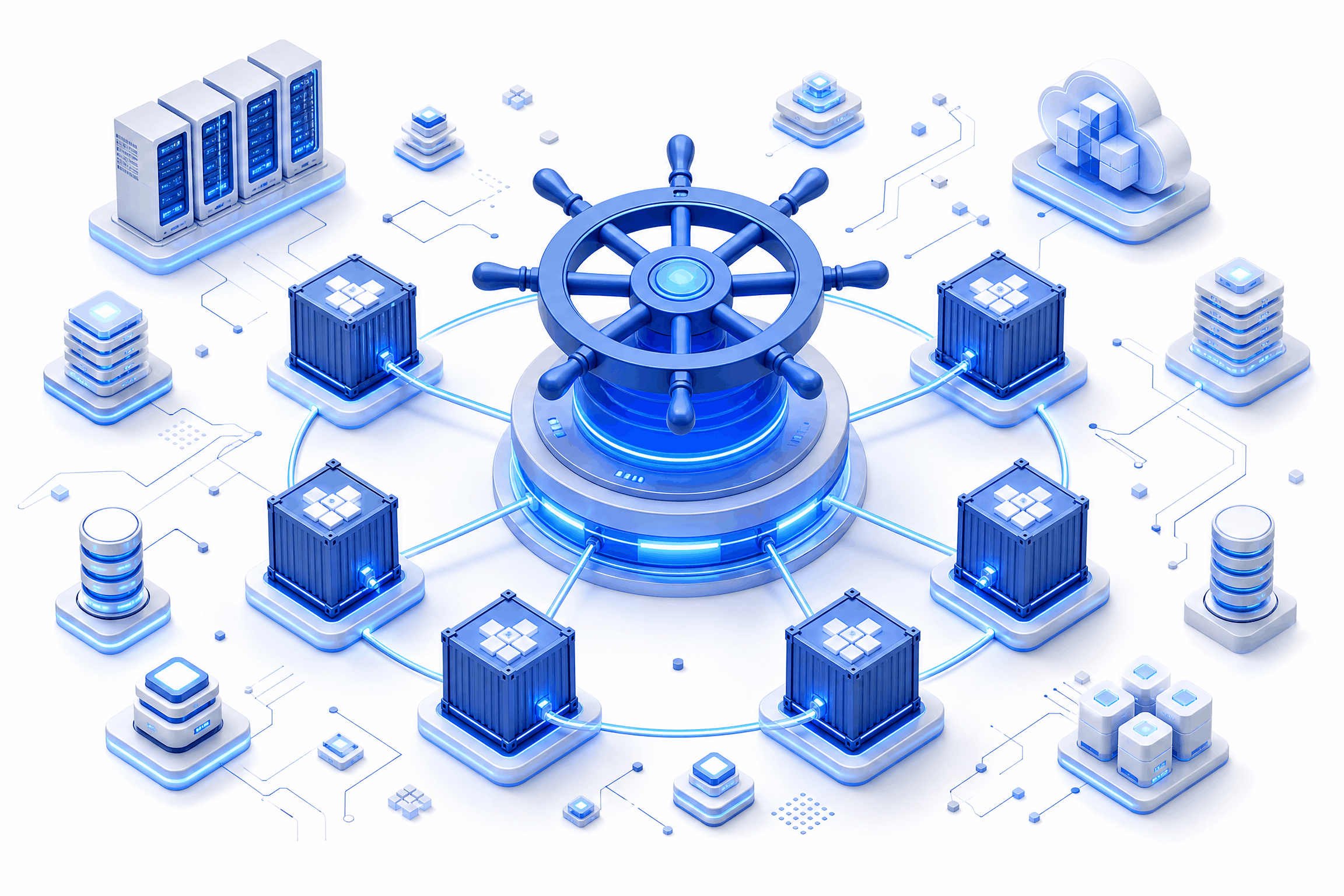
Kubernetes for Non-Engineers: What Leadership Needs to Know Before Scaling AI Workloads
Introduction
A budget request lands on your desk, and it mentions Kubernetes. Nobody in the room can explain what it does in plain terms, yet everyone expects you to sign off on the spend. That's an uncomfortable position, and it's becoming a common one as AI initiatives move from pilot projects to production systems.
This is Kubernetes for non-engineers — the version without the jargon, without the code samples, and without the assumption that you already know what a "pod" or a "node" means. You don't need to write configuration files or debug a cluster. You need to understand what you're funding, why it matters, and what questions separate a sound investment from an expensive mistake.
Here's the short version: Kubernetes is infrastructure that keeps applications running reliably as they grow. For AI workloads specifically, it's often the difference between a model that works in a demo and a model that holds up when real customers depend on it. This article walks through what Kubernetes actually does, why AI changes the calculus, and what to ask before you approve the next line item tied to it.
What Is Kubernetes, Really? (No Code Required)
Strip away the terminology, and Kubernetes is a management system. It decides where software runs, keeps it running when something breaks, and adjusts capacity as demand changes. Engineers interact with it directly. Leadership interacts with its consequences — uptime, cost, and speed.
A short explanation between technical layers and business outcomes helps here, because the two rarely get connected in vendor pitches.
The Shipping Container Analogy — Why "Orchestration" Is the Right Word
Software today is often broken into small, independent pieces, similar to how goods move in standardized shipping containers rather than loose cargo. Each container can be loaded, moved, and tracked on its own. Kubernetes acts as the port operator, deciding which ship carries which container, rerouting shipments when a route closes, and making sure nothing sits idle on the dock.
That's why the term "orchestration" fits better than "hosting" or "running." Kubernetes isn't just a place where software lives. It's an active coordinator, constantly making placement and recovery decisions without waiting for a person to intervene.
What Problem It Solves: Running AI Workloads Reliably at Scale, Not Just Running Them
Anyone can run a model on a single server. The harder problem is running it reliably when usage spikes, when a server fails, or when three different teams need the same underlying infrastructure without stepping on each other. Kubernetes solves for reliability at scale, not for the initial act of getting something running.
This distinction matters for budget conversations. A working prototype and a production-grade system solve different problems, and the infrastructure required for each looks nothing alike in cost or complexity.
Why This Matters More for AI Than Traditional Software
Traditional applications tend to have predictable resource needs. AI workloads don't behave the same way. Training a model can demand enormous computing power for a short burst, while running that model in production requires a different, steadier kind of capacity. Kubernetes gives infrastructure teams a way to shift resources between these needs without building separate systems for each one.
Without that flexibility, teams either overbuild for peak demand and waste money, or underbuild and watch performance collapse the moment real traffic arrives.
Why Leadership Ends Up in This Conversation
Kubernetes used to stay entirely inside engineering. AI has pulled it into boardrooms and budget meetings, largely because the financial stakes attached to AI infrastructure are harder to ignore.
Understanding how that shift happens makes it easier to recognize when your organization has crossed the line from technical detail to strategic decision.
AI Workloads Don't Scale Like Web Apps — Cost and Infrastructure Implications
A standard web application scales in a fairly linear way: more users, more servers, roughly proportional cost. AI workloads scale unevenly. A single model update can multiply compute costs overnight, and a spike in usage can strain infrastructure in ways a traditional app never would. That unpredictability is exactly why container orchestration explained in business terms — not technical ones — becomes essential reading for anyone approving budgets.
The Moment Kubernetes Shows Up on a Budget Line, Not Just an Engineering Roadmap
There's a specific point where this stops being an engineering conversation. It usually happens when AI infrastructure and AI infrastructure investment start appearing as separate line items rather than buried inside a general "cloud services" bucket. Once that split happens, leadership needs enough context to evaluate whether the spend matches the scale of the ambition.
Signs Your AI Initiative Has Outgrown "Just Run It on a Server"
A few patterns tend to show up right before this shift:
- Response times degrade whenever usage increases, even slightly
- Engineering teams spend more time firefighting than building
- A single server outage takes an entire AI feature offline
- Multiple teams are requesting separate infrastructure for similar workloads
- Manual scaling decisions are being made under time pressure, not planning
Any one of these on its own might be manageable. Several at once usually signals that ad hoc infrastructure has reached its limit.
None of these signs require a technical background to spot. They show up as customer complaints, missed deadlines, and engineering teams asking for headcount instead of proposing new features. When the pattern repeats across quarters rather than appearing as an isolated incident, it's a reasonable point to bring infrastructure planning into the same conversation as product strategy, rather than treating it as a separate track that engineering owns alone.
The Business Case: What Container Orchestration Actually Buys You
Every infrastructure investment needs a return, and Kubernetes is no exception. The value doesn't show up as a single number on a slide — it shows up across four areas that matter to anyone responsible for AI budgets.
Reliability — Fewer Outages, Faster Recovery
Kubernetes automatically restarts failed components and reroutes traffic away from problems before a person even notices them. For organizations scaling AI workloads, that translates directly into fewer customer-facing incidents and less time spent on emergency fixes.
Cost Efficiency — Resource Utilization vs. Over-Provisioning
Without orchestration, teams often provision for worst-case demand, which means paying for capacity that sits unused most of the time. Kubernetes adjusts resource allocation based on actual need, which reduces the gap between what you're paying for and what you're actually using.
Speed to Market — How Orchestration Shortens Deployment Cycles
Deploying updates manually across dozens of servers is slow and error-prone. Kubernetes automates that process, which means new model versions and feature updates reach production faster. For AI products competing on iteration speed, that shortened cycle can matter as much as the model itself.
Vendor and Cloud Flexibility — Avoiding Lock-In
Kubernetes runs consistently across major cloud providers and on-premises environments. That consistency gives organizations room to negotiate with vendors or shift providers without rebuilding infrastructure from scratch, which protects long-term flexibility even if there's no immediate plan to switch.
The Risks and Trade-offs Leadership Should Weigh
No infrastructure decision comes without trade-offs, and Kubernetes has a few that deserve honest attention before approval, not after.
Complexity Cost — Talent, Tooling, and Time-to-Competency
Kubernetes has a real learning curve. Teams without prior experience need time to build competency, and hiring for that skill set often costs more than hiring for general infrastructure roles. That cost belongs in the budget conversation from the start.
When Kubernetes Is Overkill (and Cheaper Alternatives Exist)
Not every AI workload needs this level of infrastructure. Smaller projects, early-stage pilots, or applications with predictable, modest demand can often run well on simpler platforms. Committing to Kubernetes before the workload justifies it adds cost and complexity without a matching return.
Hidden Costs: Monitoring, Security, Ongoing Management Overhead
Running Kubernetes well requires monitoring tools, security configuration, and ongoing maintenance — none of which show up in the initial infrastructure quote. These operational costs accumulate over time and deserve a place in any total cost projection, not just the upfront setup estimate.
Questions to Ask Your Engineering or AI Partner
A short list of direct questions can reveal more than an hour of technical explanation. These four tend to surface the answers leadership actually needs.
"Why Kubernetes and Not a Simpler Alternative?"
If the answer is vague or defaults to industry trend rather than workload-specific reasoning, that's worth probing further.
"What Does This Mean for Our Total Cost of Ownership?"
This should include staffing, tooling, and maintenance, not just server costs. A complete answer accounts for the full lifecycle of the investment.
"How Does This Affect Our Time to Deploy New AI Models?"
Faster deployment cycles are one of the clearest returns Kubernetes can offer. If the answer doesn't connect infrastructure choices to deployment speed, the business case is incomplete.
"What Happens If We Don't Do This Now?"
Sometimes the honest answer is nothing changes immediately. Other times, delay compounds technical debt that becomes far more expensive to fix later. Either answer is useful, as long as it's direct.
A Simple Framework for the Go/No-Go Decision
Rather than relying on instinct or vendor pressure, three factors can guide a clearer decision.
Workload Maturity — Are You Experimenting or Operationalizing?
Early experimentation rarely justifies the investment. Once a workload moves toward production and real users depend on it, the calculation changes.
Growth Trajectory — Is Scale a Near-Term Certainty or a Hedge?
If growth is a realistic near-term expectation backed by data, investing ahead of that curve makes sense. If it's a hope rather than a plan, waiting costs less than overbuilding.
Team Readiness — Build In-House vs. Managed or Partner-Led Approach
Organizations without in-house Kubernetes expertise don't need to build that capability from zero. Managed services and experienced partners can close the gap without the multi-year hiring effort that in-house expertise typically requires.
How Techtics Approaches Container Orchestration for AI Clients
Infrastructure decisions work best when they match actual need rather than industry trend. Techtics evaluates workload maturity, growth signals, and team capability before recommending any orchestration platform, which keeps clients from paying for complexity their AI initiative hasn't earned yet.
Right-Sizing Infrastructure to Actual Workload Maturity, Not Hype
Every recommendation starts with the workload itself, not with what's popular in the market. That approach keeps infrastructure spend aligned with what a given AI initiative genuinely requires at its current stage.
Positioning as Translator Between Engineering Complexity and Business Outcomes
Technical teams and leadership often speak different languages when discussing infrastructure. Techtics works to close that gap, translating engineering decisions into terms that connect directly to cost, risk, and business outcomes.
FAQ
Do We Need Kubernetes to Run AI in Production?
Not always. Smaller or predictable workloads can run on simpler infrastructure. Kubernetes becomes valuable once scale, reliability requirements, or deployment frequency increase beyond what manual management can handle.
Is Kubernetes Only for Large Enterprises?
No. Smaller organizations with genuine scaling needs use it too, particularly when they anticipate rapid growth or manage multiple AI workloads simultaneously.
How Does Kubernetes for Non-Engineers Differ From Kubernetes for Engineering Teams — Same Tech, Different Questions?
The underlying technology is identical. What changes is the framing. Engineers ask how to configure and maintain it. Leadership asks whether the investment matches business needs and what return it delivers.
What's the Cost Difference Between Managed Kubernetes and Self-Hosted?
Managed services typically cost more upfront but reduce staffing and maintenance burden. Self-hosted options can cost less directly but require in-house expertise to run safely and effectively.
Can We Start Without Kubernetes and Adopt It Later?
Yes. Many organizations begin with simpler infrastructure and migrate once workload demands justify the added complexity. Starting simple isn't a mistake — it's often the more disciplined path.
.png)
API-First Development: Why It's the Foundation for AI-Ready Enterprises
Introduction — The Integration Problem Nobody Budgets For
Most AI pilots don't stall because the model underperforms. They stall because nobody can get the model talking to the systems that actually run the business. A procurement agent gets built, a demo goes well, and then someone asks it to pull live vendor data from the ERP. That's usually where the timeline quietly falls apart.
Here's the pattern we keep seeing: enterprises pour budget into AI agents while their internal systems still communicate through nightly CSV exports, manual spreadsheet handoffs, and point-to-point scripts that one engineer wrote three years ago and nobody wants to touch. The agent is ready. The infrastructure underneath it isn't.
API-first development is what separates AI that becomes part of daily operations from AI that sits bolted onto the side of the business, dependent on someone manually feeding it data. It's not a technical nicety reserved for platform teams. It's the difference between an integration that takes an afternoon and one that takes a quarter.
This article makes the case for treating API-first development as core infrastructure, not a later-stage cleanup task. We'll walk through what the term actually means, why AI agents expose weaknesses that human developers used to quietly absorb, what a clean and agent-ready API looks like in practice, and where an enterprise should start if it's serious about becoming AI-ready rather than AI-adjacent.
What "API-First" Actually Means (And What It Doesn't)
Having a few APIs scattered across departments doesn't count. That's not API-first development — that's API-incidental development, where interfaces get created reactively, usually because one team needed to talk to another and nobody had a better option at the time.
API-first development flips the build order. Instead of writing internal application logic and exposing an API afterward as a convenience layer, teams design the API contract first: what the endpoints are, what data they return, how authentication works, what errors look like. Only once that contract is agreed on does implementation begin. The API isn't a side effect of the product. It is the product, or at minimum, it's treated with the same design discipline as one.
Compare this to code-first development, where the API emerges organically from whatever the internal code happens to expose. Code-first works fine when the only consumers are other engineers on the same team who can ask a colleague what an endpoint does over Slack. It falls apart the moment the consumer isn't a person who can ask questions.
That's exactly the situation enterprises are walking into with AI agents. An agent doesn't ping a teammate for clarification when a field name is ambiguous or a response format changes without notice. It either works with what it's given, or it doesn't work at all. That single shift — from human consumers who tolerate friction to machine consumers who don't — is why API-first development stops being optional the moment agentic AI enters the picture.
Why AI Agents Break on APIs That Were "Good Enough" for Humans
An API that's technically functional but poorly documented has always been a minor annoyance for engineering teams. A new hire spends an extra afternoon reading source code instead of documentation, shrugs, and moves on. That tolerance doesn't carry over to AI agents, and enterprises that assume it does tend to find out the hard way, usually mid-deployment.
Humans Tolerate Ambiguity. Agents Don't.
A developer who hits an undocumented edge case can trace through the codebase, ask around, or make an educated guess based on years of context about how the system generally behaves. An agent doesn't have that context, and it doesn't have the judgment to know when its guess is wrong. Inconsistent field naming, business logic that lives only in a senior engineer's memory, endpoints that behave differently depending on undocumented parameters — a human works around all of this without much friction. An agent either fails silently, returns something confidently incorrect, or stalls the entire workflow it's part of.
This matters more as agents get chained together into multi-step processes. One ambiguous endpoint doesn't just cause one bad response. It cascades through every downstream step that depended on that data being accurate.
Discoverability Is Now a Machine Requirement
If an agent can't infer what an endpoint does directly from its schema or its description, it has no reliable way to use it. There's no fallback where it opens a wiki page or messages a platform engineer.
This is why things that used to sit in the "nice to have, eventually" column — OpenAPI specifications, consistent naming conventions, predictable response shapes — now function as baseline infrastructure. Without them, an agent isn't just working less efficiently. It's often not able to work with the system at all.
The Real Cost of Bolt-On Integration
Enterprises that skip this groundwork don't avoid the cost. They defer it, and it tends to come back larger. Every new AI initiative that connects to a system without a proper contract requires its own custom glue code: a script here, a workaround there, a translation layer nobody fully documents because the deadline was tight. That code doesn't disappear once the project ships. It sits there as technical debt, and it compounds with every subsequent integration built the same way.
These bolt-on integrations are brittle by nature. When an internal system changes — a field gets renamed, a response format shifts slightly, an endpoint gets deprecated — nothing announces the change to the custom code depending on it. It just breaks, often silently, and often not until someone notices the agent has been working with stale or wrong data for a week.
There's also the opportunity cost that doesn't show up on a project timeline but shows up everywhere else. Every new AI initiative ends up re-solving the same connectivity problem the last one solved, because there was never a reusable foundation to build on. Teams reinvent authentication handling, error parsing, and data mapping project after project, instead of building once and reusing.
Contrast that with organizations that took API-first development seriously from the start. New agents and internal tools plug into existing, documented contracts. Integration work that used to take a sprint cycle takes days, because the hard part — designing a stable, discoverable interface — was already done.
What Clean, AI-Ready APIs Actually Look Like
None of this is abstract. Clean, agent-ready APIs share a handful of concrete characteristics, and none of them require exotic tooling. They require discipline applied consistently across teams.
Documentation as a Contract, Not an Afterthought
Documentation that gets written after the API ships tends to drift out of date within a few release cycles. Documentation that functions as a contract — written before implementation, kept in sync with every change — is different. Machine-readable specifications like OpenAPI or Swagger give both human developers and AI agents a single, structured source of truth for what an endpoint expects and returns. Pair that with consistent authentication patterns across services and disciplined versioning, so a breaking change doesn't quietly take down every agent that depended on the old behavior.
Predictable, Composable Endpoints
An agent chaining multiple API calls together to complete a task needs to trust that each call behaves the way the last one did. That means resource-oriented design, where endpoints map cleanly to business entities instead of internal implementation quirks. It means consistent error handling, so a failure looks the same whether it happens on call one or call twelve. And it means idempotency, so retrying a call after a timeout doesn't produce duplicate records or unintended side effects. These aren't abstract engineering preferences — they're what allow an agent to chain calls without guessing at what happens next.
Semantic Clarity Over Technical Cleverness
Naming conventions matter more than most teams give them credit for. An endpoint or field name that reflects internal implementation details — a legacy table name, an abbreviation only the original engineer understood — tells a human very little and tells an agent even less. Naming and structure that describe business meaning directly are what let an agent reason correctly about what it's calling and why. This isn't about making code look nicer. It's about making the system legible to something that has no other way of understanding it.
Building the Foundation: Where Enterprises Should Start
Getting to this point doesn't require a full platform rebuild. It requires a starting point and consistent follow-through.
- Audit existing APIs first, before adding anything new — documentation gaps, naming inconsistencies, and undocumented behaviors need to surface before they get built on top of.
- Establish API design standards at the organizational level, not per team, so different departments don't end up solving the same problem five different ways.
- Treat internal APIs with the same rigor as public-facing ones. An internal-only endpoint that powers an AI agent carries the same operational risk as a customer-facing one.
- Build every new interface with the assumption that both human developers and AI agents will consume it, rather than retrofitting agent compatibility after the fact.
None of these steps are glamorous. They're also the steps that determine whether the next AI initiative takes a week or a quarter.
How Techtics Approaches API-First Architecture for Agentic Systems
At Techtics, agentic systems don't get bolted onto enterprise infrastructure after the fact — the integration layer is designed alongside the agents themselves, using clean, documented contracts instead of one-off connections built for a single deployment. Multi-agent workflows, whether that's procurement systems coordinating quote, purchase order, and payment agents, or document processing pipelines handling cross-system handoffs, only function reliably when every agent involved can trust the interface it's calling.
That reliability doesn't happen by accident. It's the direct result of designing the API layer first, with the same rigor applied whether the consumer is a person on an engineering team or an autonomous agent completing a task without supervision. As orchestration across multiple agents and systems becomes more common, that foundation stops being a technical preference and starts being the reason the whole system holds together.
Build the Door Before You Build the Agent That Walks Through It
"AI-ready" was never really a model decision. It's an API decision, usually made months before any agent shows up looking for a system to connect to. Enterprises that treat API-first development as foundational infrastructure aren't just preparing for one project. They're building the door that every future agent, tool, and integration will eventually need to walk through.
If your systems weren't designed with that door in mind, that's worth finding out now, before the next AI initiative depends on it.
FAQ
What does "API-first" mean in the context of AI adoption?
It means designing and documenting an API's contract before building the underlying implementation, so any consumer — human or AI agent — has a stable, predictable interface to work with from day one.
Why do AI agents need better API documentation than human developers?
Human developers can work around ambiguity by asking colleagues or reading source code. Agents can't. They rely entirely on the schema and documentation to understand what an endpoint does, so gaps that a person would shrug off can stop an agent completely.
What's the difference between API-first and API-driven development?
API-first means the API contract is designed before implementation begins. API-driven typically refers to building products or workflows around existing APIs, which may or may not have been designed with this level of upfront discipline.
How do we retrofit API-first principles into a legacy enterprise system?
Start with an audit of existing endpoints to identify documentation gaps and inconsistent patterns, then apply org-wide design standards to new development while gradually bringing legacy interfaces in line, rather than attempting a full rebuild at once.
Does API-first slow down initial development?
It can add time upfront, since contracts get designed and agreed on before coding starts. That time is typically recovered many times over once integrations, agents, and internal tools stop requiring custom work for every new connection.
.png)
Microservices vs. Monoliths: What Actually Breaks at Enterprise Scale
Introduction
Every enterprise architecture review eventually lands on the same argument. Someone on the team wants to split the monolith. Someone else wants to know why, exactly, when the current system still works. Both sides usually frame this as a technology preference, and that's where the conversation goes sideways. The real question isn't which pattern is more modern. It's which pattern matches how your organization actually scales, deploys, and coordinates work across teams. Framed that way, microservices vs monoliths stops being a philosophical debate and starts being an operational one, with real signals you can check against your own environment instead of industry sentiment.
Most enterprises get the timing wrong in one of two directions. They migrate early, before the monolith has actually run out of room, and they inherit distributed systems overhead for no operational gain. Or they wait too long, past the point where a single deployable unit is blocking multiple teams from shipping independently, and the coordination cost quietly eats their velocity. Neither mistake comes from picking the wrong architecture in the abstract. It comes from misreading which constraint is actually binding. This piece lays out a pragmatic framework for telling the difference, so the decision holds up under an architecture review board and not just a conference talk.
The Monolith Isn't the Problem — Coordination Debt Is
A monolith rarely fails because of raw code volume. It fails because deploy cycles start colliding, blast radius grows past what any one team can reason about, and the test suite stretches long enough that engineers stop trusting it. Those are real problems, and they're worth taking seriously. But they aren't proof that the architecture itself is wrong. They're usually proof that the codebase was never modularized with clear ownership boundaries in the first place.
There's a meaningful difference between "the monolith is slow" and "the monolith is badly organized," and most teams conflate the two. A monolith with clean domain boundaries, well-scoped modules, and a build pipeline that only tests what changed can run at considerable scale without becoming unmanageable. A monolith where every module reaches into every other module's internals will struggle at a fraction of that size, no matter how it's deployed. Before treating architecture as the culprit, it's worth auditing whether the actual issue is coordination debt accumulated inside a single codebase.
Signs Your Monolith Still Has Room to Grow
A few indicators suggest the current architecture has runway left, rather than needing a rewrite:
- Deploys are frequent and low-risk, even if they involve the whole application
- Domain boundaries inside the code are already fairly clean, even without service separation
- Most incidents trace back to a handful of modules, not systemic coupling
- The team headcount working in the codebase is still small enough that verbal coordination works
- Infrastructure costs are driven by actual load, not by architecture overhead
If most of these hold true, a full migration would likely trade a manageable set of problems for a new, less familiar set.
Where Monoliths Genuinely Win at Enterprise Volume
It's worth stating plainly: monoliths aren't a compromise position for teams that haven't caught up yet. They offer real operational advantages that microservices give up by design. Transaction consistency is simpler when everything runs in one process and one database. Observability is more straightforward when there's a single deployable to trace through. Infrastructure and platform overhead stay lower because there's no service mesh, no distributed tracing pipeline, and no inter-service contract management to maintain.
There's also a team-size threshold worth considering, and it connects directly to Conway's Law: systems tend to mirror the communication structure of the organizations that build them. If one team, or a small number of tightly coordinated teams, owns the entire codebase, a monolith usually reflects that structure well. The friction that pushes companies toward microservices tends to show up only once team boundaries multiply past the point where shared ownership of one codebase creates more coordination cost than it saves.
The Modular Monolith as a Middle Path
Between a fully coupled monolith and a fleet of independent services sits an option that gets less attention than it deserves: the modular monolith. This approach keeps a single deployable unit but enforces strict internal boundaries between domains, often down to separate modules with defined interfaces and no shared database tables across boundaries.
A modular monolith gives teams most of the organizational clarity that motivates a microservices move — clear ownership, enforced boundaries, independent testing within a module — without taking on network latency, distributed transactions, or the operational tax of running dozens of services. For many enterprises, this is the right stop on the path, and sometimes the final destination rather than a transitional phase.
What Actually Forces a Move to Microservices
Traffic volume alone rarely justifies a migration. Plenty of monoliths handle significant load without buckling, provided the underlying infrastructure scales horizontally. What actually forces the move to microservices is usually organizational, not purely technical, and recognizing this distinction is central to any honest comparison of microservices vs monoliths.
The clearest signal is when team growth outpaces what a single deploy pipeline can support. Once several teams need to ship independently, on their own schedules, without waiting on each other's test suites or coordinating release windows, a shared deployable becomes the bottleneck rather than the codebase itself. A second signal is divergent scaling profiles across domains. If one part of the system needs ten times the compute of another during peak load, bundling them into one deployable means over-provisioning the whole application just to serve one hot path. A third signal, often underestimated, is compliance or data-isolation requirements that demand hard separation — certain data simply cannot share infrastructure, storage, or process boundaries with other workloads, and no amount of internal modularity resolves that.
The Failure Modes That Show Up After Migration
Teams that move to microservices for the right reasons still inherit a new set of problems, and it's worth naming them honestly rather than treating the migration as a finish line.
- Distributed tracing becomes mandatory, not optional, once a single request crosses several services
- Data consistency gets harder without a shared transaction boundary, often requiring eventual consistency patterns the team hasn't used before
- Network latency becomes a real cost, since calls that used to be in-process function calls are now network round trips
- Debugging shifts from stepping through a stack trace to reconstructing a request path across service logs
None of these are reasons to avoid microservices when the underlying forcing function is real. They're reasons to budget for the transition properly instead of assuming the split alone solves the coordination problem.
A Decision Framework for Microservices vs. Monoliths in Practice
Rather than treating this as an all-or-nothing call, it helps to score the decision against a small set of dimensions that actually predict outcomes. Team topology matters most: how many teams need independent deploy cycles, and how much do their release schedules currently conflict? Deployment frequency matters next: is the current cadence limited by coordination overhead or by something else entirely, like manual QA processes that a service split wouldn't fix? Domain boundary clarity matters too: can the system be split along lines that already make sense, or would the split cut across data that genuinely belongs together? And compliance needs matter on their own: does any part of the system require isolation that can't be achieved inside a shared deployable?
Score each dimension honestly, and a pattern usually emerges without much ambiguity. Weak signals across the board point toward staying monolithic, or moving toward a modular monolith. Strong signals on team topology and compliance, even with weaker signals elsewhere, point toward at least a partial migration for the specific domains under pressure.
A Sample Decision Checklist for Architecture Review Boards
Before approving a migration, an architecture review board can walk through a short set of questions:
- Which specific deploy conflicts, incidents, or delays triggered this proposal?
- Would better internal modularity resolve the same problems without a service split?
- Which domains have genuinely divergent scaling or compliance needs?
- Does the team have existing capacity for distributed tracing and observability tooling?
- What's the rollback plan if the migration creates more instability than it removes?
If a proposal can't answer these clearly, it's usually not ready to move forward, regardless of how compelling the architectural argument sounds on its own.
How Enterprises Get the Transition Wrong
Even when the decision to migrate is sound, the execution often isn't. The most common mistake is attempting a big-bang rewrite, where the team tries to replace the monolith with a full microservices architecture in one large effort. This approach concentrates risk into a single high-stakes cutover and tends to stall out midway, leaving the organization maintaining two systems at once. A strangler-fig approach, where new functionality is built as services while the monolith is incrementally carved down, spreads that risk out and gives the team room to course-correct.
A second common failure is premature service sprawl. Teams that get excited about the pattern sometimes decompose too aggressively, creating dozens of narrow services before any of them have a clear reason to exist independently. This multiplies operational overhead without multiplying flexibility, and it often has to be partially reversed later. A third failure, and possibly the most expensive one, is underinvesting in platform and observability tooling before splitting the system. Without solid tracing, logging, and deployment automation in place first, a microservices architecture becomes harder to operate than the monolith it replaced, even when the underlying decision to migrate was correct.
FAQ
Is microservices always better for scale?
No. Scale alone doesn't determine the right architecture. A well-modularized monolith can handle substantial load, and many performance issues attributed to monolithic architecture actually stem from poor internal boundaries rather than the deployment model itself.
How do I know if my monolith needs to be broken up?
Look at what's actually blocking progress. If the constraint is deploy coordination across multiple independent teams, or genuine compliance-driven data isolation, that points toward a split. If the constraint is code organization or test suite speed, those can often be fixed inside the existing architecture first.
What's a modular monolith and is it a real alternative?
Yes, it's a legitimate and increasingly common pattern. It keeps one deployable unit but enforces strict boundaries between internal domains, giving teams much of the clarity of microservices without the distributed systems overhead.
How long does a microservices migration typically take at enterprise scale?
It varies significantly with system size and team capacity, but a strangler-fig migration for a large enterprise system commonly runs across multiple quarters, sometimes longer, since it's paced around incrementally carving out domains rather than a single cutover.
Do microservices reduce technical debt or just relocate it?
Often the latter, unless the underlying organizational and boundary problems are addressed first. Splitting a poorly bounded monolith into poorly bounded services tends to produce the same coupling issues, just distributed across a network instead of contained in one process
Why Pakistan Needs Its Own AI Stack, Not Just Its Own AI Users
Every country on earth now uses AI. Very few own any of it. That distinction, between being a consumer of artificial intelligence and being a sovereign participant in it, is quickly becoming one of the defining economic and strategic questions of this decade. Pakistan needs to decide, urgently, which side of that line it wants to be on.
The Five Layers of the AI Stack
To understand what “owning” AI actually means, it helps to break the technology down into five layers, each one more foundational than the last.
- Application Layer. the chatbots, copilots, and domain tools people actually use.
- AI Models. the large language and foundation models that power those applications.
- Infrastructure. the cloud platforms, data centres, and networks that train and serve those models.
- Processor Manufacturing. the GPUs and AI accelerators that infrastructure runs on.
- Energy. the power grids and generation capacity that keep all of the above running. A single modern AI training cluster can draw as much electricity as a small city.
Almost every country can build at Layer 1. A shrinking number can meaningfully operate at Layer 2 or 3. Only a handful of nations compete at Layers 4 and 5. The realistic question for a country like Pakistan is not “how do we compete at every layer.” It is “where in this stack can we build genuine, defensible capability, and how do we secure fair access to the layers we cannot own outright.”
The Global Race for Sovereign AI
Sovereign AI, the ability of a nation to develop, host, and govern AI on its own infrastructure, in its own languages, over its own data, has become a formal policy goal for dozens of governments.
The US and China are racing at every layer of the stack at once. The UAE has operationalised its own Falcon large language model and is positioning itself as a regional AI hub. India's national AI mission deployed over 34,000 H100 and H200 class GPUs in just eight months, backed by a roughly ■10,372 crore (about USD 1.25 billion) government investment, and negotiated public-sector compute rates of about ■67 per GPU-hour, roughly 75% below global market prices. That is a masterclass in how a large, resource-constrained country can still build a public compute layer without trying to out-spend the hyperscalers dollar for dollar. Global corporate AI investment crossed USD 252.3 billion in 2024 alone, up 26% year on year. The gap between countries with a domestic AI stack and those without one is not closing. It is compounding.
Where Pakistan Stands Today
The honest picture is sobering. Pakistan currently ranks 97th out of 133 countries on digital infrastructure, skills, and usage, and 149th out of 197 on openness of government data. Pakistan's own university sector reports over 70% reliance on foreign commercial cloud platforms just to train and experiment with AI models. Sensitive national data, including health records, census data, education
data, and agricultural data, has for years been processed on servers outside Pakistan's jurisdiction, beyond the reach of domestic data protection law. And most large language models in wide use today have little to no meaningful grounding in Urdu or Pakistan's regional languages, which means a large share of the population is effectively invisible to the AI systems increasingly shaping commerce, governance, and public services.
As of mid-2026, Awareness and Readiness remains the only fully operationalised pillar of Pakistan's National AI Policy 2025. The Fifth Pillar, AI Infrastructure, calls explicitly for a national AI compute grid, national and provincial data repositories, and regulatory sandboxes, but the public-interest research, data, and talent layer this pillar envisions remains largely unbuilt, even as commercial GPU hosting has begun to emerge.
Why Sovereign AI Isn't Optional
This matters for four concrete reasons.
- Economics. Research suggests AI adoption could add up to 12% to Pakistan's GDP and create over 3.5 million jobs by 2030, but only if it is backed by genuine domestic capability and not just imported tools.
- Security and data sovereignty. A nation that cannot train or host its own models on its own sensitive data stays permanently dependent on foreign infrastructure for decisions that affect its citizens.
- Linguistic and social inclusion. AI that doesn't understand Urdu, Punjabi, Sindhi, Pashto, or Balochi simply doesn't work for most Pakistanis, no matter how capable the underlying model is.
- Economic leakage. Every dollar spent on foreign AI APIs and foreign cloud compute is a dollar that never builds local capacity, local jobs, or local intellectual property.
The Encouraging Part: Pakistan Isn't Starting From Zero
The good news is that real groundwork already exists, and the eighteen months to mid-2026 in particular saw fast movement, on both the policy and the commercial hardware side.
A premier government-backed AI research centre already operates nine laboratories across six universities and has shipped over 220 AI products spanning smart cities, precision agriculture, healthcare, and judiciary applications. A leading university's language engineering lab has spent decades building foundational Urdu NLP toolkits, morphological analysers, and speech corpora. A telecom operator, a major university, and the national IT board have jointly begun work on the country's first locally hosted large language model. A philanthropically funded AI hub, backed by a major international foundation grant, has just launched with a flagship focus on maternal and child health. A national open data portal has published over 1,100 public datasets across 14 sectors.
Most importantly, Pakistan's private sector has moved fast on the hardware side. Sky47's Karakoram-01 facility in Islamabad, an 8.5 MW Tier III/IV carrier-neutral sovereign cloud data centre, was inaugurated by the Prime Minister in July 2026, with a second facility in Karachi and a third city already planned. Data Vault Pakistan, based in Karachi, launched the country's first solar-powered GPU-as-a-Service data centre in mid-2025 and now runs a three-year sovereign AI services contract with the National Telecommunication Corporation for federal government workloads. Indus Cloud, run by the Master Group, brought online Pakistan's first Cisco AI GPU cluster built on NVIDIA H200 chips in August 2026, the first availability of brand-new H200 hardware on Pakistani soil. GPU prices have also fallen sharply, from over USD 25,000 to roughly USD 8,000 to 15,000 per unit, lowering the cost of building serious compute capacity. For the first time, the hardware half of the sovereign AI equation is genuinely being built on Pakistani soil.
The Problem: Fragmentation, Not Absence
These efforts are scattered. They are concentrated in one or two cities, running independently of one another, with no shared dataset repository, no common governance framework, and no deliberate mechanism connecting academia, government, and the private compute providers now coming online.
Commercial GPU hosting solves the hardware half of the problem. It does not, on its own, produce local-language models, curated public-sector datasets, or a pipeline of trained AI talent, because no commercial provider is commercially incentivised to build any of that. What Pakistan needs now is not another isolated initiative. It needs deliberate diversification: a footprint that spans provinces rather than a single city, that formally binds academia and industry together instead of leaving them to collaborate informally, and that is organised as a consortium-led national initiative rather than a single institution's project, so the effort survives beyond any one team, campus, or funding cycle.
The Way Forward: A Layered Build, Not a Single Product
The most credible path forward mirrors the five-layer stack itself, built from the bottom up, and at a scale that is modest by global standards but catalytic for a public-interest layer: a federated academic compute grid of several hundred GPUs, paired with negotiated access to the country's much larger new commercial capacity, can be enough to make the rest of the stack possible.
- Infrastructure first. federated, GPU-equipped compute nodes hosted across multiple universities in different provinces, paired with negotiated public-sector access to the country's new commercial GPU capacity for burst-scale training, so the public sector rents capacity intelligently instead of duplicating it.
- Models next. training and fine-tuning large language models covering six or more of Pakistan's languages, built on infrastructure the public sector actually controls, with open interfaces so researchers and startups can customise and extend them.
- Datasets. a secure, benchmarked, and versioned national repository of dozens of public-sector datasets across health, agriculture, water, climate, education, and governance, curated with proper academic custodianship and data protection compliance. This is the fuel without which no model, however well trained, can serve real national needs.
- Applications. tools piloted and deployed for both domestic impact and export revenue, so the stack ultimately serves citizens, industry, and international markets alike.
Where This Kind of Effort Can Deliver Impact
A national AI ecosystem built this way has clear application domains to aim at, each grounded in concrete, piloted use cases rather than abstract ambition, and this list is only a starting point:
- Governance. multilingual citizen-query assistants for e-governance portals, and smarter, data-driven policymaking.
- Health. multilingual AI-assisted triage and diagnostic support for frontline health workers in underserved districts.
- Education. adaptive, native-language AI tutors aimed at closing foundational literacy and numeracy gaps in rural schools.
- Agriculture. voice-enabled crop advisory and pest and disease identification for smallholder farmers in their own languages.
- Environment. climate risk mapping, land-use analysis, and remote-sensing tools built on local geospatial data.
- Water. flood forecasting and groundwater monitoring for water-stressed districts, grounded in local hydrological data.
- Finance. multilingual financial inclusion tools, credit-risk scoring, and fraud detection built for underserved and unbanked communities.
- Smart city. traffic and utility management, urban planning analytics, and municipal service delivery tools for growing urban centres.
- And many more. accessibility and inclusion tools, judiciary, media, and other domains are all within reach once the underlying models, datasets, and talent exist.
The Scale of Potential Impact
Done well, and funded at a modest scale (comparable initiatives elsewhere have been costed in the USD 10 to 15 million range over three years), an initiative structured this way could plausibly deliver the following by 2029 to 2031:
It would also do something harder to quantify but arguably more important. It would prove that Pakistan's universities, government, and private compute providers can build durable public infrastructure together, at national scale, without waiting for it to be handed to them from abroad.
The Bottom Line
Sovereign AI is not about competing with the US or China at every layer of the stack. That ambition would be unrealistic for almost any country outside those two. It is about making sure that at the layers where sovereignty is achievable, namely models, infrastructure access, datasets, and applications, a country like Pakistan is a builder and not merely a customer.
The hardware is starting to arrive. The policy exists on paper. What's missing is the connective tissue: a coordinated, geographically distributed, academia-industry-government consortium that turns scattered pockets of excellent work into a genuine national capability. That is the gap worth closing next, and the window to close it is now, while the foundational layers are still being poured.
What's your view: should sovereign AI be treated as a national infrastructure priority on par with energy and telecom, or is this better left to the market? I would be glad to hear your thoughts.
Why Global AI Teams Win: The Case for Follow-the-Sun AI Delivery
Introduction
Enterprise AI projects rarely stall because a model underperforms. They stall because delivery slows down between one team's sign-off and the next team's start time. A single-timezone team works eight or nine productive hours a day and then goes quiet. Whatever needs review, testing, or a second set of eyes waits until morning. Multiply that pause across a multi-month engagement, and the lost hours add up to lost weeks. Global AI teams don't have that problem. When one region wraps its shift, another is already awake and picking up the work. This article makes the case for that model directly, using Techtics' own distributed delivery structure as the proof rather than a hypothetical. By the end, the reasoning behind why global AI teams win should be hard to argue with.
What Is a Follow-the-Sun AI Delivery Model?
A follow-the-sun delivery model structures a project so that work continues across time zones instead of stopping when one office logs off. A developer in one region hands off a build to a reviewer in another region who is just starting their day. That reviewer hands off testing to a third region several hours later. Nobody is working around the clock individually, but the project itself never fully pauses. This is the operating principle behind global AI teams: distributed people, continuous progress. It's not about speed for its own sake. It's about removing the idle hours that come from staffing a technical project the same way a local retail business staffs a storefront.
Where Single-Timezone AI Teams Lose Time
Before explaining why distributed delivery works, it's worth being specific about where the alternative fails. A single-timezone team isn't necessarily less skilled or less committed. The constraint is structural, not a matter of effort. Three patterns show up consistently on projects staffed out of one location and one working day.
The 16-Hour Dead Zone Between Handoffs
If a team works a standard eight-hour day, roughly two-thirds of every 24-hour period passes with no active progress on the project. A model finishes training at 6 p.m. and sits untouched until the next morning. A bug gets flagged at 5 p.m. and waits overnight for a fix. None of this reflects poor planning. It's simply what happens when a project's clock matches one office's clock instead of the client's actual timeline.
Review Bottlenecks When One Team Owns Every Stage
When the same small group handles build, review, and testing in sequence, each stage waits its turn. A senior engineer can't review code the moment it's written if they're mid-way through their own task list. On a distributed team, review and build can run in parallel across regions instead of competing for the same hours.
Talent Ceiling of Hiring in One Market
Sourcing every engineer, data scientist, and QA specialist from one city or one country limits who's available and what they cost. Local hiring pools have real ceilings on niche AI skill sets, particularly for specialized roles like MLOps or model evaluation. A single-market team either compromises on specialization or waits longer to fill the role. Even a well-funded team in a single city eventually runs into the same wall: there are only so many senior computer vision engineers or agentic systems specialists in any one metro area, and competing local companies are hiring from that same shallow pool. A distributed structure sidesteps the problem instead of trying to out-recruit it. Hiring across regions doesn't just widen the applicant list; it changes the ceiling itself, since a specialist gap in one market can be filled from another without the project timeline absorbing the delay.
None of these three constraints are failures of a single-timezone team's discipline or work ethic. They're a direct consequence of staffing a technical delivery project the way a business might staff a single retail location, with one shift covering one set of hours. Enterprise AI work doesn't run on that schedule, and that mismatch is where the delivery slowdown actually starts.
How Distributed AI Teams Actually Ship Faster
Once the constraints of single-timezone delivery are clear, the advantages of a distributed structure follow naturally. This isn't a claim that spreading people across the map automatically produces speed. It's specific mechanics that change how work moves.
A project team spread across regions can pass work forward instead of letting it sit. That single shift changes the shape of a delivery timeline more than most process improvements do.
Continuous Build Cycles, Not Business-Hours Cycles
Instead of a project advancing only during one region's working day, it advances in relay. Region A builds and hands off. Region B reviews and tests while Region A sleeps. Region C picks up integration work as Region B wraps. The project keeps moving through what would otherwise be dead hours on a single-timezone team.
Specialist Coverage Instead of Generalist Overload
Distributed hiring means a project can draw a data engineer from one region, a computer vision specialist from another, and a deployment engineer from a third, without asking one small local team to cover every skill gap themselves. Coverage becomes a function of the whole talent pool, not just who happens to be hirable nearby.
Built-In Redundancy When a Region Is Down
A public holiday, a local outage, or one engineer taking sick leave doesn't have to stall a project when the work is distributed. Another region can absorb the gap. A single-office team doesn't have that cushion; if the office is closed, the project is closed too.
There's a compounding effect worth noting here as well. Each of these three mechanics, continuous cycles, specialist coverage, and redundancy, reinforces the other two. Continuous cycles only work if the handoff quality is high, which depends on having the right specialist available at each stage. Specialist coverage only holds up if the team has enough regional depth to provide redundancy when someone is unavailable. None of the three functions well in isolation. Together, they explain why global AI teams win on delivery speed rather than simply working more hours in total; the hours are the same, but the gaps between them close.
Inside Techtics' Distributed Delivery Model
None of this is theoretical for Techtics. The company operates as an enterprise AI and data consultancy with offices in Austin, Texas, and Lahore, Pakistan, and delivery coverage that extends across time zones spanning the USA and Canada, Europe, the Gulf and UAE, MENA, Pakistan and South Asia, and Australia. That structure isn't a marketing detail. It's the operating model behind how projects actually move.
Engineering Depth Across the Team
Techtics staffs projects with more than 100 certified engineers and over 10 PhDs on its team, supported by two-plus patents in its engineering work. That depth matters for a distributed model specifically because it means specialist coverage doesn't depend on any single office. A client working with Techtics isn't routed to whichever engineer happens to be available locally; they're routed to whichever engineer, in whichever region, is the right fit and the right hours for the task at hand.
One Delivery Standard Across Regions and Time Zones
A distributed team only works if every region follows the same technical standard, the same review process, and the same documentation practices. Otherwise, handoffs introduce friction instead of removing it. Techtics runs delivery this way deliberately: engineers in Austin and Lahore, and the teams coordinating across the broader coverage regions, work from a shared process rather than region-specific workflows. That consistency is what lets a build move from one time zone to the next without a translation step in between.
What This Structure Has Meant for Project Turnaround
Distributed delivery is designed to compress the gap between milestones, since work doesn't sit idle waiting for one office to reopen. The specific time saved varies by project scope and complexity, so it's worth evaluating case by case rather than quoting a single blanket figure. What stays consistent is the mechanism: a follow-the-sun structure removes the dead hours that a single-timezone team can't avoid, and that mechanism is what drives faster turnaround, project after project.
What to Look for in a Global AI Partner
Not every vendor that claims to be a "global AI team" actually operates one. Some simply have a sales office in a second country while all technical work happens in one location. For a business evaluating a partner, a few questions separate a genuinely distributed delivery model from one in name only.
- Does the team actually hand off work across time zones, or does everyone work the same shift regardless of location?
- Are engineering standards documented and shared, or does quality depend on which office happens to be staffed?
- Can the partner point to a track record of delivered projects and long-term partnerships, not just a list of office addresses?
These questions matter because "global" has become an easy word to put on a homepage without much behind it. A business evaluating vendors for an enterprise AI engagement is better served by asking a vendor to walk through an actual handoff, region by region, than by taking a map graphic at face value. The gap between a company that operates a genuine follow-the-sun model and one that simply has a second mailing address shows up fast once a project is underway, usually in the form of exactly the dead hours a distributed model is supposed to eliminate.
Delivery Overlap, Not Just Office Locations
A partner with offices in multiple countries isn't automatically running a follow-the-sun model. What matters is whether work genuinely passes between regions during the project, or whether the second office exists mostly for sales conversations while delivery stays centralized. Ask directly how handoffs happen and who's accountable at each stage.
Shared Engineering Standards Across Regions
Distributed delivery breaks down fast if each region follows its own conventions. A partner worth choosing should be able to describe, specifically, how code review, documentation, and testing standards stay consistent no matter which region is handling a given stage.
Proof of Scale — Projects, Partners, Products Delivered
Track record is the clearest signal available. Techtics has delivered more than 150 projects, works with over 70 partners, and has built more than 10 products across its portfolio, backed by a team spanning three global offices. That combination of project volume, partner relationships, and shipped products is a more reliable indicator than any pitch about "global reach" on its own.
The Real Advantage: Speed Without Sacrificing Quality
The case for global AI teams isn't that distributed delivery is faster at the expense of quality. It's the opposite. A follow-the-sun model builds in more review, not less, because a second region checks the work of the first before the project moves forward. Enterprise AI delivery speed and quality aren't competing goals under this structure; the structure is what makes both possible at the same time. For a business evaluating vendors, that's the actual question worth asking: not just how fast can this team move, but how many qualified eyes touch this project before it ships. That combination, speed paired with layered review across time zones, is the real reason why global AI teams win.
Frequently Asked Questions
What does "follow-the-sun" mean in AI development?
It refers to a delivery structure where work passes between teams in different time zones so a project keeps advancing through build, review, and testing stages without waiting for one office to reopen the next day.
Are distributed AI teams more expensive than local teams?
Not inherently. Distributed teams can access a wider talent pool across regions, which often controls cost rather than inflating it, while also reducing the idle time that extends single-timezone project timelines.
How do global AI teams maintain consistent quality across regions?
Through shared engineering standards, documented review processes, and consistent testing practices that apply no matter which region is handling a given stage of the project.
Is a distributed delivery model better for large enterprise AI projects specifically?
Larger enterprise projects tend to benefit the most, since they involve more handoffs, more specialized roles, and more review cycles, all of which move faster when spread across time zones instead of funneled through one office.
Zero Trust for Agentic AI: Securing Systems That Act on Their Own
Introduction
A chatbot waits for a question. An agent doesn't. It reads a task, decides what to do next, calls the tools it needs, and moves on to the next step without pausing for a human to sign off. That shift changes what security has to account for. Perimeter defenses were built for systems that respond to requests, not for software that initiates them. Standard AI governance policies, written for tools that generate text or answer prompts, don't hold up once an AI system can place a purchase order, send an email, or trigger a payment on its own.
This is where Zero Trust for Agentic AI comes in. The core idea isn't new — never trust, always verify — but applying it to an entity that acts, rather than one that only answers, requires a different playbook. Agents need identity, scoped permissions, and continuous checks at every step, not just at login. Enterprises rolling out autonomous systems can't bolt old security models onto new architecture and expect it to hold.
Why Agentic AI Breaks Traditional Zero Trust Models
Most zero trust frameworks were designed around a predictable actor: a human user or a static service account, authenticating once and operating within a defined session. Agentic AI doesn't fit that mold, and forcing it into one leaves gaps that traditional models were never built to close.
Agents typically chain actions across multiple systems. A procurement workflow might move from a request for quotation to a vendor quote, then to a purchase order, then to payment, with an agent handling each handoff. If one step in that chain is compromised, the effect doesn't stay contained. It cascades into every step that follows, because the agent downstream trusts the output of the agent upstream by default.
Standing credentials add another layer of exposure. A human user waits for a multi-factor prompt every time they log in. An agent, by contrast, often holds API access and permissions that stay active around the clock, without a session boundary forcing re-verification. That always-on posture is efficient for getting work done, but it also means a single compromised credential stays exploitable far longer than a human's would.
Speed compounds the problem. Machine-to-machine decisions happen in milliseconds. A human reviewer can't realistically catch a bad decision before an agent has already acted on it, which means security controls have to sit inside the workflow itself rather than depend on a person catching the issue after the fact.
Put simply, traditional zero trust assumes there's a human, or at minimum a static service account, on the other end of every request. Agents are neither. They're dynamic, autonomous, and capable of independent judgment within their scope, and the security model has to reflect that.
The Core Risk Categories Unique to Agentic Systems
Autonomous systems introduce risk categories that don't have a direct equivalent in traditional software security. Recognizing them is the first step toward addressing them.
- Tool and function-calling abuse. An agent can be manipulated into calling the wrong tool, or the right tool with altered parameters, producing an action that looks legitimate on the surface but wasn't the intended outcome.
- Excessive standing permissions. An agent identity that stays "always on" carries more exposure than a session-scoped human identity, particularly when permissions were granted broadly for convenience rather than scoped tightly for the task.
- Prompt injection across agent chains. A single compromised agent can pass manipulated instructions downstream, influencing the behavior of every agent that relies on its output.
- Missing action-level audit trails. Without granular logging of what each agent did and why, tracing the source of an error or a breach after the fact becomes a guessing exercise instead of an investigation.
None of these risks are hypothetical edge cases. They're the direct result of giving software the ability to act independently across systems that were never designed with that autonomy in mind.
The Five Pillars of Zero Trust, Reapplied to Agents
The foundational pillars of zero trust still apply to agentic systems. What changes is how each one gets implemented when the entity being verified isn't a person.
- Identity. Every agent needs a unique, verifiable identity of its own. Shared service accounts might be convenient to set up, but they make it impossible to attribute an action to the specific agent that took it.
- Least privilege. Permissions should be scoped to the exact task at hand and should expire once that task completes, rather than persisting indefinitely.
- Continuous verification. Re-authentication and re-authorization need to happen at each step of a multi-step action, not only when the agent first spins up.
- Micro-segmentation. An agent should only be able to reach the specific tools, APIs, and data required for its function, with no broader access sitting unused in the background.
- Full observability. Every action an agent takes needs to be logged, attributable, and auditable in real time, not reconstructed later from incomplete records.
Together, these five pillars form the backbone of Zero Trust for Agentic AI. Skipping any one of them leaves a gap that autonomous systems, by their nature, will eventually find a way to exploit or expose.
Implementing Zero Trust in Multi-Agent Architectures
Enterprise AI systems increasingly rely on multi-agent architectures, where a supervisor agent coordinates a set of specialized sub-agents, each responsible for one part of a larger workflow. This pattern is efficient, but it also multiplies the number of identities, permissions, and handoffs that need to be secured.
Supervisor-agent verification gates matter here. Before a supervisor hands a task off to a sub-agent, that handoff should pass through a verification checkpoint rather than proceeding automatically on the assumption that the sub-agent is trustworthy by default. Credentials should also stay scoped by role. A sub-agent generating a quote shouldn't hold the same permissions as one authorizing a payment, even if both sit within the same overall workflow.
Human-in-the-loop checkpoints still have a place, particularly at high-risk action boundaries. Payment execution, external communications, and any action with financial or legal consequences benefit from a review step before the action completes, even in an otherwise autonomous system. Rate-limiting and anomaly detection round out the picture, applied not just to individual calls but to entire sequences of agent actions, since a suspicious pattern often only becomes visible when several actions are viewed together.
What Continuous Verification Actually Looks Like for an Agent
Continuous verification sounds abstract until it's broken down into what actually happens at each step of an agent's workflow.
- Context and intent get re-validated before each tool call, not only when the agent first starts running.
- Agent outputs get cross-checked against policy rules before execution, catching a violation before it becomes an action rather than after.
- Tokens stay session-bound and expire per task, rather than per login, which limits how long a compromised credential remains useful.
This kind of ongoing verification turns zero trust from a one-time gate into a standing practice that runs alongside the agent for the entirety of its task.
A Practical Checklist for Zero-Trust Agentic Deployments
Enterprises evaluating or rolling out agentic AI can use the following checklist as a starting point for a zero-trust deployment:
- Issue every agent a unique, verifiable identity rather than a shared account.
- Scope permissions to the specific task and let them expire once the task is done.
- Log every action at a granular level, with attribution to the specific agent.
- Build in human checkpoints at high-risk decision boundaries.
- Monitor for anomalies across sequences of actions, not just single calls.
- Rotate credentials regularly instead of leaving them static indefinitely.
- Segment access so agents can only reach what their function requires.
- Review agent permissions on a set schedule, not only after an incident.
None of these steps require reinventing established security practices. They require applying practices enterprises already understand to an actor that behaves differently than the ones those practices were originally written for.
Frequently Asked Questions
What is zero trust for agentic AI?
Zero Trust for Agentic AI is a security approach that treats every autonomous AI agent as an unverified actor by default, requiring continuous identity checks, scoped permissions, and full observability at every step of its actions rather than trusting it once it's authenticated.
How is agentic AI security different from traditional AI security?
Traditional AI security focuses on securing a system that responds to prompts. Agentic AI security has to account for a system that initiates actions, calls tools, and makes multi-step decisions independently, which introduces risks around permissions, credentials, and action chains that don't exist in request-response tools.
What are the biggest risks in multi-agent AI systems?
The most significant risks include tool-calling abuse, excessive standing permissions, prompt injection that spreads across agent chains, and a lack of granular audit trails, all of which can compound when several agents hand tasks off to one another.
Does zero trust slow down agent performance?
Well-designed zero trust controls add verification steps rather than removing agent capability, and most of that verification happens in milliseconds. The added latency is generally small compared with the cost of an unverified action going wrong.
.png)
Process Automation 101: What to Automate First
Introduction
Mid-size enterprises rarely lack automation opportunities. Walk through any operations floor, finance department, or customer service desk, and you'll find a dozen processes ripe for automation. The real problem isn't finding candidates — it's picking the wrong one first. A poorly chosen pilot stalls halfway through implementation, IT teams grow skeptical of the next request, and leadership stops asking "what's next" and starts asking "why did we bother." This guide lays out a practical sequencing framework so your first automation initiative pays back fast, builds internal confidence, and sets the stage for everything that follows. Getting the order right matters just as much as getting the technology right.
Why Automation Sequencing Matters More Than Automation Itself
Most automation programs don't fail because the technology falls short. They fail because someone picked the wrong process to automate first. A workflow with too many exceptions, unclear ownership, or messy underlying data will eat months of implementation time and deliver results nobody can point to with confidence.
Your first automation project isn't just a technical rollout — it's a narrative. Employees, department heads, and executives will judge every future initiative against how this one goes. Win early, and you'll get budget, patience, and cooperation for the next round. Stumble, and every subsequent request gets scrutinized twice as hard.
This pattern echoes what happens with AI proof-of-concept failures more broadly: teams rush toward the most ambitious use case instead of the most achievable one, and the resulting disappointment sets the whole program back further than doing nothing would have. Sequencing isn't a bureaucratic exercise. It's risk management for your entire automation roadmap.
The 4 Criteria for Picking Your First Automation Target
Before choosing a process to automate, run it through four filters. Skipping any one of these tends to produce pilots that look good on paper and struggle in practice.
Volume
High-frequency processes generate automation payback faster than low-frequency ones, simply because there are more instances to save time on. A process that runs twenty times a day returns value almost immediately after go-live. A process that runs twice a month will take considerably longer to justify the build effort, even if each instance is time-consuming.
Rule Clarity
Automation thrives on consistency. Processes governed by clear, well-documented rules with few exceptions translate cleanly into automated workflows. Processes that depend heavily on judgment calls, tribal knowledge, or case-by-case discretion resist automation and often require far more configuration than anticipated.
Visibility
Choose a process that stakeholders can actually see and measure. If a manager can watch the "before" and "after" side by side — fewer manual touches, faster turnaround, cleaner output — the win becomes tangible. Automating something invisible to the rest of the organization, even if it's technically impressive, won't build the internal momentum you need.
Data Readiness
Automation is only as good as the data feeding it. Processes that pull from clean, accessible, well-structured systems are far easier to automate than those buried in spreadsheets, disconnected tools, or inconsistent formats. Data readiness often determines project timelines more than the complexity of the automation logic itself.
Criteria
Quick Self-Assessment Question
Volume
Does this process run daily or weekly, not just occasionally?
Rule clarity
Can you write the rules governing this process in a single page?
Visibility
Would a department head notice the difference within a month?
Data readiness
Does the required data already live in a structured, accessible system?
If a candidate process scores well across all four, you've likely found a strong starting point.
5 Processes Mid-Size Enterprises Should Automate First
With the criteria in mind, certain categories of work consistently make good first candidates across mid-size enterprises, regardless of industry.
Invoice and PO Matching
Finance and procurement teams handle invoice-to-purchase-order matching constantly, and the rules governing it are usually well established. Volume is high, exceptions are limited to genuine discrepancies, and the payback in reduced manual reconciliation hours shows up quickly.
Customer Inquiry Triage and Routing
Sorting incoming customer inquiries by type, urgency, or department is repetitive, rule-based, and highly visible to both staff and customers. Automating this step cuts response times and frees support teams to focus on inquiries that genuinely need human judgment.
Data Entry Between Disconnected Systems
Many mid-size enterprises still rely on staff to manually re-key information between systems that don't talk to each other. This work is high-volume, low-judgment, and a common source of costly errors, making it a strong automation candidate with a fast, measurable return.
Compliance and Document Review Checkpoints
Standard compliance checkpoints, such as verifying required fields or flagging missing documentation, follow consistent rules and carry real business risk when done inconsistently. Automating these checkpoints reduces error rates while giving compliance teams a clear audit trail.
Report Generation and Data Aggregation
Pulling data from multiple sources into a recurring report is repetitive, time-consuming, and rarely requires nuanced judgment. Automating this process frees analysts to interpret the numbers instead of assembling them, and the time savings are easy to demonstrate to leadership.
What to Automate Later (and Why)
Not every process belongs in your first wave, even if automating it would eventually deliver value. Certain categories are better suited to a later phase, once your program has momentum and internal trust.
- Judgment-heavy, exception-rich processes. Workflows that depend on nuanced decision-making or frequent edge cases require more sophisticated automation approaches and longer development cycles. Attempting these first often leads to scope creep and delayed timelines.
- Cross-functional workflows requiring org alignment first. Processes that span multiple departments need agreement on ownership, handoffs, and success metrics before automation can even begin. Sorting out organizational alignment takes time that's better spent after you've already proven value elsewhere.
- Processes without reliable data foundations. If the underlying data is inconsistent, incomplete, or scattered across disconnected tools, automating on top of it just automates the mess. These processes need data cleanup work before they're ready for automation.
These aren't processes to ignore — they're processes to sequence appropriately. Once your organization has a proven automation track record and more sophisticated agentic capabilities in place, tackling exception-heavy or cross-functional workflows becomes a far more manageable undertaking.
Building a Sequencing Roadmap: A Simple Framework
Turning these principles into an actual roadmap doesn't require complex modeling. A straightforward scoring exercise works well for most mid-size enterprises.
Start by listing every candidate process your teams have flagged as time-consuming or error-prone. Score each one against the four criteria — volume, rule clarity, visibility, and data readiness — on a simple scale. Processes scoring highest across all four categories move to the top of your list.
From there, prioritize by payback speed rather than technical complexity. A process that's slightly harder to build but pays back in six weeks beats one that's easier to build but takes six months to show results. Early wins matter more than elegant engineering at this stage.
Follow a pilot, measure, expand pattern. Launch your first automation as a contained pilot, track the specific metrics that matter — hours saved, error rates, turnaround time — and use those results to justify expansion into the next process on your list. This is where Process Automation 101: What to Automate First becomes less of a one-time decision and more of an ongoing discipline your organization applies with every new initiative.
For enterprises moving beyond single-task automation into coordinated, multi-step workflows, agentic approaches extend this same sequencing logic further. Platforms like FlowGrid AI apply coordinated agents across connected processes such as procurement, quoting, and payment approval, building naturally on the same volume, clarity, visibility, and data-readiness principles used to pick that first automation win.
Automate First, Automate Right
Process Automation 101: What to Automate First isn't a one-time checklist — it's a discipline mid-size enterprises can return to with every new initiative. The organizations that build lasting automation programs aren't the ones chasing the most ambitious project out of the gate. They're the ones that automate first, and automate right.
FAQs
What is process automation in enterprise operations?
Process automation in enterprise operations refers to using software or AI-driven tools to perform repetitive, rule-based tasks without manual intervention. It reduces errors, speeds up turnaround times, and frees employees to focus on work that requires judgment or creativity.
How do I know if a process is ready to automate?
A process is ready to automate if it runs frequently, follows clear and well-documented rules, produces visible results stakeholders can measure, and draws from clean, accessible data. If a process scores poorly on any of these, it likely needs more preparation first.
What's the difference between RPA and agentic process automation?
RPA follows fixed, predefined rules to complete single tasks, while agentic process automation uses coordinated AI agents that can make decisions, adapt to context, and manage multi-step workflows across connected systems with less rigid scripting.
How long does a first automation pilot typically take to show ROI?
Most well-chosen first pilots show measurable ROI within six to twelve weeks, depending on process volume and data readiness. High-volume, rule-clear processes with clean data tend to demonstrate payback fastest.
Why HR Is Becoming a Data Problem — And How AI Finds the Signal
Introduction
HR departments have never been short on data. Resumes pile up, performance reviews accumulate every cycle, and engagement surveys generate spreadsheet after spreadsheet. What's changed isn't the volume. What's changed is the expectation that someone actually makes sense of it. For years, HR could function as a paperwork operation dressed up with a few dashboards. That's no longer good enough. HR Is Becoming a Data Problem, and the organizations that recognize this early are the ones building faster, fairer, more defensible people decisions. The real challenge was never a shortage of information. It's noise — data scattered across disconnected systems, buried in unstructured formats, inconsistent in what it actually signals. This article looks at why that noise exists, what it costs when left unmanaged, and where artificial intelligence fits into the picture. To be clear from the outset, AI doesn't replace HR judgment here. It surfaces what's already buried, so the people making decisions can act on signal instead of guesswork.
Why HR Data Is Different From Other Business Data
Finance teams work with structured numbers. Sales teams track deals through defined stages. HR, by contrast, deals with a patchwork of sources that rarely speak the same language. An applicant tracking system holds one version of a candidate's story. The HRIS holds another. Engagement surveys, exit interviews, and even informal sentiment expressed in internal chat tools each carry a piece of the picture, but none of them connect automatically.
This fragmentation alone would be manageable if the underlying data were clean and structured. It isn't. A large share of HR data lives in unstructured text: resumes written in wildly different formats, open-ended review comments, freeform interview notes. Extracting a consistent signal from that mix takes far more effort than pulling a number from a spreadsheet cell.
Layer on top of that the stakes involved. Hiring, promotion, and attrition decisions affect real careers and real organizational outcomes. Unlike a marketing test that can be adjusted next quarter, a bad hire or a missed retention signal carries a cost that compounds over time. Small sample sizes, high consequences, and messy inputs — that combination is exactly why data-driven HR decisions require a different approach than the analytics playbook used elsewhere in the business.
The Cost of Treating HR Data as an Afterthought
When HR data sits scattered and under-analyzed, the consequences rarely show up as a single dramatic failure. They show up as a slow accumulation of avoidable costs.
Inconsistent manual screening is one of the clearest examples. When resume review depends on whichever recruiter happens to be reading it that day, evaluation criteria drift. That drift opens the door to bias, whether intentional or not, and it makes outcomes harder to defend if they're ever questioned.
Time-to-hire suffers too. Manual triage of application volume is slow by nature, and slow hiring processes lose strong candidates to competitors who move faster. For roles tied directly to revenue or delivery timelines, that delay isn't just an HR inconvenience. It's a business cost that shows up in missed deadlines and stretched teams.
Attrition tells a similar story. The signals that precede an employee's departure — reduced engagement scores, shifting sentiment in feedback, patterns in performance trends — often exist somewhere in the organization's systems well before the resignation letter arrives. The problem is that those signals live in disconnected places. Nobody's looking at them together, so nobody sees the pattern until it's too late to act.
None of this should be filed away as an HR-only concern. Every one of these outcomes translates into operational risk: talent gaps, rising replacement costs, and decisions that are difficult to defend under scrutiny. Framed that way, the case for treating HR data seriously becomes a business case, not just a departmental one.
Where AI Fits — Turning Noise Into Signal
This is where artificial intelligence earns its place in the conversation. Not as a replacement for HR expertise, but as a tool built to process the exact kind of noisy, unstructured data that HR generates in volume.
Resume and candidate screening is a natural starting point. AI models can process large volumes of unstructured text and identify patterns that would take a human reviewer far longer to surface consistently. This doesn't mean rubber-stamping automated decisions. It means giving recruiters a faster, more consistent starting point.
Predictive attrition modeling extends the same logic further out. Rather than waiting for an exit interview to explain why someone left, AI-driven analysis can flag early indicators — shifts in engagement, changes in performance trajectory, patterns that correlate with prior departures — while there's still time to intervene. Industry analyses increasingly point to this kind of early-warning capability as one of the more practical applications of AI in the HR function, though organizations should treat any specific figures with appropriate scrutiny and validate them against their own data before making decisions.
Sentiment and engagement analysis rounds out the picture. Open-ended survey responses and qualitative feedback are difficult to aggregate manually at any meaningful scale. AI tools built for language processing can identify themes and shifts across thousands of responses, giving HR teams a clearer read on organizational sentiment without requiring someone to read every single comment by hand.
Across all three of these applications, the underlying value proposition is the same. HR Is Becoming a Data Problem precisely because the volume and complexity of information has outpaced what manual review can reasonably handle, and AI is the tool built to close that gap.
What Data-Driven Hiring Actually Looks Like in Practice
It's worth pausing on what this actually looks like day to day, because the shift is less dramatic than it might sound and considerably more procedural.
Structured scorecards are one of the clearest markers of the shift. Instead of relying on a hiring manager's general impression after an interview, structured scorecards define specific criteria in advance and apply them consistently across every candidate. That consistency is what turns a hiring process from a series of individual judgment calls into something closer to a repeatable, defensible system.
Standardization matters at every stage of the pipeline, not just at the top of the funnel. It's common to see AI applied heavily to initial resume screening and then dropped entirely for later stages, where the process reverts to unstructured conversations. A genuinely data-driven approach carries consistent signal all the way through — from initial screening to final offer.
Perhaps most important, particularly for enterprise organizations that need to justify their hiring practices to stakeholders, boards, or regulators, is where the human decision sits in this process. AI-surfaced shortlists and flagged signals are inputs. The final call remains with people. That distinction matters both practically and reputationally. Organizations that lean into data-driven HR decisions responsibly treat AI as a way to surface better information, not as a mechanism for automated final decisions.
Building the Foundation — What HR Teams Need Before AI Can Help
None of this works without groundwork, and it's worth being direct about that before any organization moves forward with AI adoption in HR.
Clean, centralized data comes first. It's not a glamorous prerequisite, but it's a non-negotiable one. AI tools trained or applied against fragmented, inconsistent data will produce fragmented, inconsistent results. Before evaluating any AI solution, HR teams need a clear picture of where their data lives, how consistent it is, and what gaps exist between systems.
Equally important is defining what "signal" actually means for the organization in question. Retention, performance, and culture fit are not interchangeable goals, and an AI tool optimized for one won't automatically serve the others well. Organizations need to be specific about which outcomes they're trying to improve before selecting or configuring any tool.
Governance and bias auditing round out the foundation, and they need to be built in from the beginning rather than added after a tool is already in production. AI systems trained on historical HR data can inherit the same biases present in that history if nobody's checking for it. Ongoing auditing, clear accountability, and transparent criteria aren't optional extras. They're what makes data-driven HR decisions defensible rather than just efficient.
HR Is Becoming a Data Problem, and pretending otherwise won't make the noise go away. The organizations willing to treat it as exactly that — a data problem worth solving properly — are the ones positioned to out-hire, out-retain, and outlast the rest.
Frequently Asked Questions
Is AI replacing HR decision-making?
No. AI surfaces patterns and flags signals across large volumes of unstructured data, but the final decisions on hiring, promotion, and retention remain with HR professionals and hiring managers.
What data does an organization need before adopting AI in HR?
Organizations need centralized, reasonably clean data across their core HR systems — applicant tracking, HRIS, engagement surveys, and performance records — along with a clear definition of what outcomes they're trying to improve.
How does AI reduce bias in hiring — or does it introduce new bias?
AI can reduce inconsistency that comes from manual, subjective screening, but only if the underlying data and models are actively audited. Without governance, AI can just as easily reinforce biases already present in historical data.
What's the difference between HR analytics and AI-driven HR?
HR analytics typically involves reporting on structured data that's already organized, such as headcount or turnover rates. AI-driven HR goes further by processing unstructured data — text, sentiment, freeform feedback — to surface patterns that traditional analytics can't reach on its own.
Legal AI Without the Hype: Where Document Review and Case Research Actually Get Faster
Introduction
Vendor pitches promise that legal AI will read every contract, predict every outcome, and free lawyers from tedious work within a single quarter. Law firms and in-house teams hear this pitch often, and the gap between the promise and the daily reality is wide. Legal AI tools do change how certain tasks get done, but the change is narrower and more specific than the marketing suggests.
This article looks at legal AI without the hype that usually surrounds it. Instead of broad claims about transformation, it focuses on two areas where the efficiency gains are measurable and repeatable: document review and case research. Both tasks involve searching, sorting, and surfacing information, which is exactly what current AI systems handle well. Neither task involves replacing the judgment that a lawyer applies once the information is in front of them.
Teams that understand this distinction get more value from legal AI tools. Teams that expect the technology to make decisions on their behalf usually end up disappointed, or worse, exposed to risk they didn't anticipate.
What Legal AI Actually Does Well
Legal AI systems are built on pattern recognition. Give them a large set of contracts, discovery documents, or regulatory filings, and they identify recurring structures, flag deviations, and group similar language together. This is a mechanical strength, not an intellectual one, and it's worth being precise about that distinction.
A contract that contains a clause phrased differently than the template a firm normally uses, a discovery document missing a signature page, an indemnification provision written in a way that doesn't match the rest of a portfolio — these are the kinds of anomalies that legal AI catches quickly. The tool doesn't understand why the deviation matters. It simply notices that something differs from the pattern it's been trained to expect, and it puts that item in front of a person who can make the actual call.
That's the real function of legal AI in most workflows today: first-pass triage. It moves relevant material to the top of the pile and pushes irrelevant material down. It doesn't replace the review; it changes where the review starts.
Document Review — Where the Time Savings Are Real
Document review has long been one of the most time-intensive parts of legal work. Associates and paralegals spend hours reading through discovery materials, due diligence files, and contract repositories, looking for specific clauses, obligations, or red flags. Legal AI tools reduce the amount of manual read-through required to get to the material that actually matters.
Instead of opening every file in a data room, a reviewer can direct an AI tool to surface documents that contain certain clause types, reference specific parties, or deviate from a standard template. Instead of running dozens of keyword searches to find precedent language buried across a contract portfolio, the tool can locate conceptually similar language even when the exact wording differs. This is a genuine efficiency gain, and it's one that legal teams can track through internal time studies rather than vendor-supplied statistics.
Where human review remains essential is in everything that happens after the document lands on someone's desk. Context matters. A clause that looks unusual in isolation might be entirely standard for a particular industry or jurisdiction. Intent matters too — understanding why a party negotiated a term a certain way requires knowledge that isn't present in the document itself. Risk judgment, the kind that weighs a clause against a client's specific exposure, comes from experience and cannot be automated. Any efficiency figure attached to document review should come from a firm's own measured data, not from an unverified benchmark pulled from a vendor's website.
Case Research — Faster Retrieval, Not Faster Reasoning
Case research follows a similar pattern. Legal AI tools accelerate the process of finding relevant case law, statutes, and citations, but they don't build the argument that connects those sources together.
Traditional legal research relies heavily on boolean search, where a researcher constructs a query using specific terms and connectors to narrow results within a database. This method works, but it depends on the researcher already knowing the right terminology. Natural-language search changes that starting point. A lawyer can describe a legal issue in plain language, and the tool retrieves cases that are conceptually relevant, even if the exact phrasing differs from what the lawyer typed.
This narrows the field faster than manual searching alone. What it doesn't do is decide which cases are persuasive, how they should be sequenced in a brief, or how a court in a particular jurisdiction is likely to weigh them against each other. The tool surfaces candidates. The lawyer still builds the argument, decides which precedent carries the most weight, and frames the reasoning that a judge will actually read. Case research gets faster at the retrieval stage. It doesn't get faster at the reasoning stage, and that distinction matters when firms evaluate what a tool is actually contributing.
Where Legal AI Falls Short (And Why That's the Point)
Legal AI tools struggle with anything that requires judgment rather than pattern matching, and this isn't a flaw to be engineered away. It's a structural limit on what the technology is designed to do.
Nuanced judgment calls sit outside the reach of current systems. Determining intent behind a party's actions, assessing the credibility of a witness statement, or deciding how to frame a legal strategy for maximum persuasive effect all require reasoning that draws on experience, context, and an understanding of how a specific audience — a judge, a regulator, opposing counsel — is likely to respond. No pattern-matching system replicates that.
Jurisdictional and regulatory interpretation adds another layer of difficulty. Laws that appear similar across states or countries often carry meaningfully different interpretations depending on precedent, local statute, or regulatory guidance that isn't always well represented in training data. A tool trained primarily on one jurisdiction's case law can misapply patterns when the underlying legal framework shifts.
Ethical and liability considerations round out the list. When a legal AI tool makes an error, the accountability for that error sits with the firm and the individual attorney, not with the software. Bar associations and courts have made this clear in disciplinary actions tied to fabricated citations and unchecked AI output. This is exactly why claims suggesting that AI replaces judgment do more harm than good. They set expectations that the technology cannot meet, and when those expectations fail, they undermine trust in tools that are genuinely useful within their actual scope.
How Legal Teams Should Evaluate Legal AI Tools
Firms considering legal AI tools benefit from asking a specific set of questions before adopting any platform, rather than accepting vendor claims at face value.
- How is client data handled, stored, and secured, and does the vendor's data policy meet the firm's confidentiality obligations?
- Can the tool explain why it flagged a particular document or surfaced a particular case, or does it operate as a closed system with no visibility into its reasoning?
- Is there an audit trail that shows what the tool reviewed, what it flagged, and what a human subsequently confirmed or overturned?
- What happens when the tool is wrong, and how quickly can errors be identified before they affect a filing or a client deliverable?
Pilot-testing on a narrow, low-risk workflow gives a firm real data before committing to a wider rollout. A single practice group running document review on a defined matter type, for example, produces useful information about accuracy and time savings without exposing the firm to broader risk. From there, firms can measure outcomes that reflect actual value: time-to-first-draft on a research memo, time-to-relevant-precedent on a specific issue, or the reduction in manual read-through hours on a document set of known size. These are internal metrics, grounded in a firm's own workflow, and they hold up to scrutiny in a way that generic vendor statistics don't.
Legal AI without the hype looks less like a courtroom drama and more like a well-organized desk. The verdict on legal AI is straightforward: it delivers faster discovery, not faster judgment, and firms that keep that distinction in view get the most out of what these tools can actually do.
Frequently Asked Questions
Can legal AI replace paralegals or associates?
No. Legal AI handles retrieval and pattern recognition, which supports the work paralegals and associates do. It doesn't replace the judgment, drafting, and strategic thinking that define those roles.
Is legal AI accurate enough for case research?
Legal AI is effective at surfacing relevant cases and citations quickly, but every result still requires verification by a qualified attorney before it's cited in a filing. Treating AI output as final research is where accuracy problems tend to originate.
What's the difference between AI-assisted review and AI-automated review?
AI-assisted review uses the tool to prioritize and flag documents for a human reviewer, who makes the final determination. AI-automated review implies the tool makes decisions without human confirmation, which is not how legal AI tools are currently used in responsible practice.
How do law firms validate AI-generated legal research?
Firms cross-check AI-surfaced citations against primary sources, confirm that cases are still good law, and have a qualified attorney review the research before it's incorporated into any client-facing document.
When the Transcript Isn't Enough: The Case for AI Call Intelligence
Introduction
A recorded call and an understood call are not the same thing. Most teams have plenty of the first and very little of the second. Recordings pile up, transcripts get generated, and yet the actual signal buried in those conversations rarely makes it back to the people who could act on it. Transcription tells you what was said. It doesn't tell you what it meant, why it mattered, or what to do next. That gap is exactly where AI Call Intelligence: What Conversation Analytics Catches That Humans Miss becomes relevant, not as a compliance checkbox, but as a genuine insight engine for revenue and retention teams. This article walks through why manual review can't keep pace, what modern analytics actually surfaces, and how sales and support organizations can put that intelligence to work.
Why Manual Call Review Doesn't Scale
Every contact center and sales floor already has some form of quality review in place. A manager listens to a handful of calls, fills out a scorecard, and moves on. The process feels thorough because it's structured, but structure isn't the same as coverage. Once you look at the actual math behind manual review, the limitations become obvious rather quickly.
The Sampling Problem — QA Teams Can Only Spot-Check 1-2% of Calls
Most QA programs review a tiny fraction of total call volume, often somewhere between one and two percent. A team fielding ten thousand calls a month might get eyes on a hundred of them. That means the other 99 percent goes unexamined unless something goes badly wrong and triggers an escalation. Patterns that show up consistently across thousands of conversations simply never surface because nobody has time to listen to thousands of conversations.
Recency and Confirmation Bias in Human Scoring
Reviewers are human, and humans carry bias into every scoring session whether they intend to or not. A rep who had one bad week tends to get judged against that week rather than a broader track record. A reviewer who expects a call to go poorly, because of a name on a dashboard or a note from a previous review, tends to hear what confirms that expectation. None of this is intentional, but it skews the data that leadership eventually uses to make coaching and staffing decisions.
What Gets Missed: Tone Shifts, Hesitation, Competitor Mentions, Silent Churn Signals
A rushed manual review catches the obvious stuff — a raised voice, an angry customer, a clear policy violation. It rarely catches the subtle stuff. A customer's tone flattening halfway through a support call. A prospect hesitating before answering a pricing question. An offhand mention of a competitor's product that never gets flagged because it wasn't phrased as an objection. These smaller signals, multiplied across thousands of calls, often carry more predictive value than the dramatic ones.
Beyond Transcription — What "Intelligence" Actually Means
Plenty of tools will transcribe a call accurately. Fewer will tell you anything useful about it. There's a meaningful difference between having words on a page and having intelligence about what those words represent for the business.
Transcription = Words on a Page
Transcription is a conversion process. Audio goes in, text comes out. It's useful for search, for record-keeping, and for the occasional dispute resolution, but on its own it doesn't generate insight. Nobody has the bandwidth to read ten thousand transcripts a month looking for patterns, and asking someone to try defeats the purpose of automating the process in the first place.
Intelligence = Patterns Across Thousands of Conversations
Real conversation intelligence works at a different scale entirely. Instead of reading one call at a time, it processes every call and looks for patterns that repeat: the objection phrased forty different ways, the tone shift that shows up right before a customer churns, the phrase that top performers use in the first two minutes that lower performers rarely use at all. None of this is visible in a single transcript. It only becomes visible in aggregate.
The Shift From "What Was Said" to "What It Means for the Business"
This is the real distinction worth sitting with. A transcript answers "what was said." Analytics answers "what does this mean for pipeline, for retention, for coaching, for compliance." That shift, from raw text to business meaning, is the entire value proposition of a conversation intelligence platform, and it's the reason AI Call Intelligence: What Conversation Analytics Catches That Humans Miss deserves more attention from teams still treating call recordings as an archive rather than a data source.
What Conversation Analytics Catches That Humans Miss
This is where the practical value shows up. Below are the specific categories of signal that AI-driven call analytics tends to surface, and that manual review tends to miss almost entirely.
Sentiment Drift Within a Single Call
Most human scorecards capture a single sentiment rating for an entire call — positive, neutral, or negative. That single number hides a lot. A call can start warm, sour in the middle when pricing comes up, and recover by the end. Analytics tools track sentiment continuously through the call rather than averaging it, which means a team can pinpoint the exact moment a conversation turned and figure out why.
Talk-to-Listen Ratio and Interruption Patterns Tied to Outcomes
Reps who talk more than they listen tend to close less often, but nobody's manually calculating talk ratios across a full call volume. Analytics platforms measure this automatically, along with interruption frequency, and correlate both against actual outcomes. That correlation turns a vague coaching note like "listen more" into a specific, measurable target.
Objection Clustering Across Hundreds of Calls
A single rep might hear a pricing objection phrased a dozen different ways over a month and never notice it's the same objection each time. Analytics groups these variations together automatically, showing leadership that forty percent of lost deals in a given quarter mentioned a specific competitor's pricing model, even though no two reps described it the same way.
Early Churn or Dissatisfaction Signals in Support Calls
Support teams often find out about churn risk after the customer has already decided to leave. Analytics can flag earlier indicators: repeated mentions of switching providers, flattening sentiment across multiple contacts with the same account, or a spike in effort language like "I've called about this three times." Catching these signals early gives account teams a chance to intervene before the cancellation request arrives.
Compliance and Script-Adherence Gaps at Scale
Regulated industries need consistent disclosure language on every call, not just the ones a manager happens to review. Analytics checks every single call against required language and flags gaps immediately, rather than relying on a QA sample to catch a compliance issue after the fact.
Competitor and Pricing Mentions Buried in Casual Conversation
Prospects rarely announce that they're comparing vendors in a formal way. It usually comes up casually, almost as an aside. Analytics tools trained to detect competitor names and pricing language catch these mentions even when they're buried in unrelated small talk, giving sales leadership a much clearer picture of competitive pressure than any CRM field populated by hand.
From Insight to Action — Where This Impacts Sales and Support
Surfacing a pattern is only useful if someone does something with it. The real payoff of conversation intelligence shows up once teams start acting on what the data reveals.
Sales: Coaching Reps on What Top Performers Actually Do Differently
Instead of coaching based on gut feel, sales managers can compare what top performers actually say and do against the rest of the team, based on real call data rather than anecdote. That might mean a specific way of framing a discovery question, or a particular point in the call where top reps introduce pricing. Either way, the coaching becomes concrete.
Support: Flagging At-Risk Accounts Before the Escalation
Support leaders can use churn signals to intervene while there's still time to save the relationship, rather than finding out about dissatisfaction only after a cancellation request lands in the queue. That earlier window matters enormously for retention.
Leadership: Pipeline and Retention Signals No Dashboard Currently Shows
CRM dashboards show what got entered manually — deal stage, next steps, a note here and there. Conversation intelligence surfaces what actually happened on the call, which often tells a very different story than what got typed into a CRM field after the fact. That gap between recorded activity and actual conversation content is where a lot of forecasting error hides.
What to Look for in a Conversation Analytics Platform
Not every platform on the market delivers the same depth of insight, so it's worth being deliberate about what a team actually needs before signing a contract.
Real-Time vs. Post-Call Analysis
Some platforms only analyze calls after they've ended, which works fine for coaching and trend analysis. Others analyze conversations as they happen, surfacing prompts to reps in real time. The right choice depends on whether the priority is historical insight or in-the-moment guidance.
Integration With Existing CRM/Helpdesk Workflows
Insight that lives in a separate tool, disconnected from the CRM or helpdesk a team already uses daily, tends to go unused. A platform that pushes signals directly into existing workflows gets adopted; one that requires a separate login usually doesn't.
Explainability — Can It Show Why It Flagged Something
A flag without context isn't actionable. The strongest platforms show the exact moment in the call, the specific language, and the reasoning behind a flag, rather than simply assigning a score and moving on. That transparency is what makes teams trust the output enough to act on it.
The Call to Make
Conversation analytics was never really about proving compliance after the fact. It's about finding the revenue sitting inside conversations that are already happening every single day, and the risk hiding in the ones nobody had time to review. Teams that treat call recordings as an archive are sitting on a data source they're not using. Teams that treat them as intelligence are finding patterns their competitors haven't noticed yet. If a demo of a real conversation intelligence platform sounds worth twenty minutes, that's the next logical step, because AI Call Intelligence: What Conversation Analytics Catches That Humans Miss isn't a theoretical advantage. It's one worth catching before someone else does.
FAQ
Is conversation analytics the same as call transcription?
No. Transcription converts audio to text. Conversation analytics analyzes that text, and often the audio itself, for patterns like sentiment, objections, and compliance gaps that a plain transcript doesn't surface on its own.
How accurate is AI sentiment analysis on sales calls?
Accuracy varies by platform and by how well the model has been trained on conversational, industry-specific language, but modern tools generally perform well at detecting broad sentiment shifts and specific trigger phrases across large call volumes.
Can conversation analytics integrate with a CRM or helpdesk?
Most established platforms offer native integrations with common CRM and helpdesk tools, allowing flagged insights to appear directly inside the systems reps and managers already use.
Does this replace call center QA teams?
No. It changes what QA teams spend their time on. Instead of manually sampling one or two percent of calls, QA staff can focus on the calls analytics has already flagged as worth a closer look, which makes their time far more productive.
%20(2)%20(1).png)
Computer Vision on the Factory Floor: What Plant Managers Actually Get From It
Introduction
"AI vision" gets thrown around in trade show booths and vendor pitch decks so often that the phrase has started to lose meaning. Ask ten people what it does on a real production line, and you'll get ten different answers, most of them vague. Computer Vision on the Factory Floor isn't a buzzword exercise. It's a specific set of cameras, models, and integrations doing three jobs: catching defects before they leave the line, watching for conditions that put workers at risk, and counting what actually moves through a facility in a given shift.
This piece is written for operations leaders and plant managers who need to evaluate a solution, not for hobbyists building a weekend project. If you're comparing vendors or trying to figure out whether this technology fits your line, the sections below walk through what it does, where it breaks, and what a deployment actually requires.
Why Manufacturers Are Moving Past Manual Inspection
Manual inspection has a ceiling, and most plants hit it early. Human inspectors get tired. Attention drops over a shift, and error rates climb as a result, particularly on repetitive tasks where the eye stops noticing small deviations after the hundredth identical part. Sampling makes this worse: if a facility inspects one unit out of every twenty, nineteen units pass through unchecked no matter how good the inspector is that day.
Legacy machine vision tried to solve this with rule-based systems: fixed thresholds, edge detection tuned to one specific defect type, lighting setups that had to stay identical or the whole system stopped working. These systems catch what they're told to catch and nothing else. A new defect type, a slight change in material color, or a shift in ambient lighting can throw the whole calibration off.
Modern AI-driven vision models work differently. They're trained on defect patterns rather than fixed rules, which means they generalize better across variation. None of this replaces the line worker. The goal is to give that worker, and the supervisor above them, a faster and more consistent signal so decisions get made sooner.
Defect Detection at Production Speed
Defect detection is usually the first use case a plant tests, mainly because the return on investment is easiest to measure. A camera flags a bad part, that part gets pulled, and the cost of a downstream recall or customer complaint goes down. The harder question is whether the system can do this at the speed the line actually runs.
How It Works
A camera captures each unit as it passes a fixed point on the line, and a model runs inference against that image in near real time. This is not batch sampling, where a handful of units get pulled aside for review after the fact. The system checks every unit as it moves, which means defect detection happens at the same pace as production rather than lagging behind it.
Use Cases
Computer vision handles a range of defect types depending on the industry and the product:
- Surface defects — scratches, dents, discoloration, or contamination on a finished surface
- Assembly errors — missing components, misaligned parts, incorrect orientation
- Packaging and label mismatches — wrong label applied, missing barcode, seal integrity issues
- Dimensional tolerance checks — measuring a part against a spec without physical calipers
What "Good" Looks Like
Not every vision system performs the same way once it's live. Plant teams should evaluate a few specific metrics before trusting a system with production decisions:
- False-positive rate — how often the system flags a good unit as defective, since high false positives slow the line and erode operator trust
- Latency — how quickly the model returns a result relative to line speed
- Integration — whether the system talks to existing PLC and SCADA infrastructure without a separate, disconnected dashboard
On accuracy improvements over manual inspection, the honest answer depends heavily on the specific line, defect type, and existing baseline error rate. Any specific percentage claim here needs a sourced benchmark or a real client result behind it rather than a generic industry figure.
Safety Monitoring That Doesn't Slow Production
Safety monitoring gets less attention than defect detection in vendor marketing, but it solves a problem that inspection alone can't touch: preventing an incident before it happens rather than documenting one after the fact.
Cameras positioned around a facility can track compliance and proximity continuously, without requiring a supervisor to walk the floor and check manually. This matters most in areas with heavy machinery, robotics, or restricted zones where a missed step has real consequences.
PPE Compliance Detection
Vision models can identify whether workers in a given zone are wearing required protective equipment — hard hats, harnesses, gloves — and flag a gap the moment it happens rather than during a scheduled audit.
Restricted-Zone and Proximity Detection
Around robotic arms or heavy equipment, proximity detection identifies when a person enters a zone that should stay clear during active operation. This runs continuously and doesn't rely on a worker remembering to check a sensor or a supervisor happening to be nearby.
Near-Miss and Incident Pattern Flagging
Most safety reporting today happens after an incident occurs. Vision systems can flag near-miss patterns — a worker repeatedly crossing into a boundary zone, for example — before that pattern turns into an actual injury. This shifts safety management from reactive to preventive.
A Note on Privacy
Enterprise buyers should ask this question directly: does the system perform facial surveillance, or does it detect conditions and zones without identifying individuals? A properly built safety monitoring system focuses on anonymized detection — hard hat present or absent, zone occupied or clear — rather than tracking specific employees. This distinction matters for compliance and for worker trust, and it's worth confirming with any vendor before signing a contract.
Throughput Tracking Without Manual Counts
Beyond inspection and safety, computer vision solves a third problem that plants often underestimate: knowing exactly how much is moving through a line at any given moment, without someone standing there with a clipboard.
Real-Time Unit Counting and Cycle Time
Cameras can count units passing a fixed point and measure the time between cycles automatically. This produces a live count rather than an end-of-shift estimate, which gives supervisors the ability to react during a shift instead of after it ends.
Bottleneck Identification and OEE
Throughput data from vision systems feeds directly into Overall Equipment Effectiveness dashboards, giving plant managers a clearer picture of where a line slows down and why. Instead of guessing which station is the bottleneck, the data points to it directly.
Downtime Root-Cause Tagging
When a line stops, vision-flagged data can tag the likely cause based on what the camera observed leading up to the stoppage, rather than relying solely on an operator's written log after the fact. This produces a more consistent record across shifts and reduces the guesswork in root-cause analysis.
What It Takes to Deploy — Integration Reality Check
No vendor should tell a plant manager that computer vision is a plug-in-and-go product, because it isn't. Deployment requires planning around hardware, lighting, and existing systems before a single model runs in production.
Camera placement and lighting conditions need to stay consistent, or model accuracy drops. Edge hardware has to handle inference at line speed without introducing lag. And the vision system needs to connect to whatever MES or ERP infrastructure the plant already runs, rather than existing as a disconnected tool that nobody checks.
Most successful rollouts follow a similar pattern:
- Start with a single pilot line to validate model accuracy against real conditions
- Adjust and retrain based on pilot results before expanding
- Scale to additional lines or the full plant once the pilot proves out
Where Techtics Fits
Techtics approaches Computer Vision on the Factory Floor the same way it approaches every enterprise AI project: strip out unnecessary complexity and deliver a system that plant teams can actually run day to day. That means working within existing infrastructure rather than asking a facility to rebuild around a new tool, and validating results on a pilot line before any full-scale rollout.
If your plant is evaluating a vision system for defect detection, safety monitoring, or throughput tracking, the Techtics Industrial Automation team can walk through what a pilot would look like for your specific line. Reach out to start that conversation.
Getting Computer Vision on the Factory Floor right isn't about chasing a trend — it's about seeing what your line has been missing all along.
FAQs
How accurate is AI defect detection compared to human inspectors?
Accuracy depends on the specific defect type, line conditions, and how well the model was trained on your product. A pilot deployment is the most reliable way to measure this against your current inspection baseline.
Does computer vision require replacing existing cameras and hardware?
Not always. Some deployments work with existing camera infrastructure if resolution and placement meet the requirements. Others need dedicated cameras and edge hardware positioned specifically for the use case.
How long does a computer vision pilot take to deploy?
Timelines vary by facility, but most pilots run on a single line first, with a validation period before any decision to scale further.
Is this different from traditional machine vision systems?
Yes. Traditional machine vision relies on fixed rules and thresholds that break down when conditions change. Modern computer vision models train on defect patterns and generalize better across variation in lighting, material, and product design.
Predictive Analytics in Supply Chain: From Reactive to Proactive
Introduction
A stockout rarely announces itself in advance. One week, shelves are full; the next, a planner is on the phone with a freight broker, paying a premium to get product moving before a customer walks. This scramble is what a reactive supply chain looks like, and it is expensive in ways that rarely show up as a single line item. Excess safety stock ties up cash. Expedited freight erodes margin. Lost sales from empty shelves rarely get tracked at all, yet they compound quarter after quarter.
Predictive Analytics in Supply Chain: From Reactive to Proactive is not a slogan; it describes an actual shift in how planning teams make decisions. Instead of responding to a problem once it has already surfaced, teams that adopt predictive analytics act on signals that appear weeks before the problem would otherwise become visible. This article walks through what that shift looks like in practice, where the data comes from, which use cases deliver the fastest return, and how a company can begin without overhauling its entire planning stack on day one.
The Cost of Reactive Supply Chain Management
Reactive planning is not a strategy so much as a default. It happens when a business does not yet have the tools to see ahead, so every decision gets made in response to something that already occurred. Understanding the true cost of this approach makes the case for predictive analytics far more concrete than any abstract efficiency argument.
Stockouts and Lost Revenue
When a product runs out, the immediate loss is the sale itself. But the damage rarely stops there. A customer who cannot find an item at the expected time often buys from a competitor, and repeated stockouts push that customer toward switching brands permanently. Retailers and distributors that operate reactively tend to discover a stockout only after point-of-sale data shows a sharp drop, by which point the shelf has already been empty for days.
Demand Volatility and the Bullwhip Effect
Reactive supply chains amplify small shifts in consumer demand into large swings further up the chain. A modest increase in retail orders gets rounded up by distributors, then rounded up again by manufacturers, until factories are producing far more than actual demand justifies. This distortion, known as the bullwhip effect, is a direct consequence of decision-making based on lagging orders rather than underlying demand signals. Demand volatility becomes harder to manage precisely because nobody in the chain is looking further than one step ahead.
Manual Forecasting and Spreadsheet-Driven Planning
Many supply chain teams still rely on spreadsheets, built up over years, patched by whoever last needed a fix. These tools work fine for stable, predictable categories, but they buckle under complexity. A single planner cannot manually track seasonality, promotional lift, supplier lead-time variance, and regional demand differences across thousands of SKUs. The result is a planning process that reacts to yesterday's numbers instead of anticipating next month's demand.
What Predictive Analytics Actually Means in a Supply Chain Context
Before going further, it helps to define terms precisely, since "forecasting" and "predictive analytics" often get used interchangeably even though they describe different levels of capability.
Forecasting vs. Predictive Modeling — The Distinction
Traditional forecasting typically projects future demand based on historical patterns, using methods such as moving averages or exponential smoothing. It answers the question: given what happened before, what is likely to happen next, assuming conditions stay similar? Predictive modeling goes further. It incorporates a wider range of variables, adjusts continuously as new data arrives, and can flag anomalies or emerging risks that a simple historical projection would miss entirely. Predictive demand planning, in other words, treats forecasting as one input among several rather than the entire method.
Data Inputs: Historical Sales, Seasonality, Macro Signals, Supplier Lead Times
A predictive model is only as strong as what feeds it. Effective supply chain forecasting typically draws on:
- Historical sales data at the SKU and location level
- Seasonal patterns and calendar effects, including holidays and regional events
- Macro signals such as economic indicators, weather patterns, or category-wide trends
- Supplier lead-time history, including variance and disruption frequency
- Promotional calendars and pricing changes
Combining these inputs gives a model context that a single sales history could never provide on its own.
Where Machine Learning Fits vs. Traditional Statistical Forecasting
Statistical methods remain useful, particularly for stable, high-volume SKUs with predictable patterns. Machine learning earns its place where relationships between variables are too complex for a simple equation to capture, such as when demand depends on an interaction between weather, regional events, and promotional timing all at once. Many enterprises use a hybrid approach, applying statistical models where they perform well and machine learning where volatility or complexity demands it.
From Reactive to Proactive: The Operating Shift
The distinction between reactive and proactive supply chains comes down to timing. A proactive supply chain does not wait for a problem to appear in the numbers; it acts on the earliest available signal that a problem is forming.
Reactive Triggers: A Stockout Happens, Then the Team Expedites
In a reactive model, the trigger for action is the problem itself. Inventory hits zero, a customer complaint arrives, or a report shows a sharp sales drop. Only then does the team respond, usually by expediting shipments, adjusting orders manually, or apologizing to a client for a missed delivery.
Proactive Triggers: A Model Flags Demand Spike Risk Three Weeks Out
Under a proactive supply chain management approach, the trigger for action moves much earlier. A predictive model might identify, three weeks in advance, that a particular region shows early signs of a demand spike based on search trends, local events, and historical seasonality. The reorder point adjusts automatically or gets flagged for planner review, well before the shelf would otherwise run dry.
Decision Velocity: Why Speed of Insight Matters as Much as Accuracy
An accurate forecast delivered too late is nearly as useless as an inaccurate one. Decision velocity, meaning how quickly an insight reaches the person who can act on it, matters as much as the underlying accuracy of the model. A supply chain that generates precise predictions but buries them in a report nobody reads in time gains little advantage. The systems worth investing in surface predictions directly into planning workflows, not into a dashboard that gets checked once a month.
Core Use Cases
Predictive analytics touches several distinct areas of supply chain operations, each with its own data requirements and payoff timeline.
Demand Forecasting and SKU-Level Prediction
At the most granular level, predictive models estimate expected demand for each SKU at each location, adjusting for seasonality, promotions, and regional variation. This level of detail lets planners avoid the blunt instrument of category-wide averages, which tend to overstock slow movers while understocking fast ones.
Inventory Optimization and Safety Stock Calculation
Rather than relying on a fixed safety stock buffer across all products, predictive models calculate buffer levels based on actual demand variability and supplier reliability for each item. High-volatility products get more buffer; stable, predictable products get less, freeing up working capital that would otherwise sit idle on a shelf.
Supplier Risk and Lead-Time Prediction
Supplier reliability varies more than most planning systems account for. Predictive models trained on historical lead-time data can flag suppliers whose delivery windows are trending longer or less consistent, giving procurement teams a chance to diversify sourcing or adjust order timing before a disruption actually hits production.
Demand Sensing for Promotions and Seasonality
Promotional periods and seasonal peaks behave differently from steady-state demand, and standard forecasting models often underperform during these windows. Demand sensing techniques incorporate near-real-time signals, such as early sales velocity during a promotion's first days, to adjust the remaining forecast on the fly rather than waiting for the full period to end before recognizing a pattern.
How Predictive Models Prevent Stockouts and Overstock
Stockouts and overstock look like opposite problems, but they share a root cause: static assumptions about demand that do not adjust as conditions change.
Early-Warning Signals vs. Static Reorder Points
Traditional reorder points assume demand behaves consistently enough that a fixed threshold makes sense. Predictive systems replace this static threshold with a dynamic one, adjusting automatically as new signals arrive. A model that detects rising demand volatility for a specific SKU can raise the reorder threshold ahead of an actual shortage, rather than waiting for the shortage to occur before anyone notices.
Balancing Service Level Against Carrying Cost
Every inventory decision involves a trade-off between service level, meaning how often a product is in stock when a customer wants it, and carrying cost, meaning how much capital sits tied up in inventory. Predictive models make this trade-off explicit and adjustable, letting a business choose a target service level for each product category and let the model calculate the inventory levels needed to hit it, rather than guessing at a one-size-fits-all buffer.
Real-World Pattern: How Volatility-Adjusted Forecasting Reduces Both Extremes
Businesses that shift to volatility-adjusted forecasting typically see a reduction in both stockouts and excess inventory simultaneously, since the model is no longer applying a uniform buffer across products with very different demand behavior. High-volatility SKUs get more protection where it matters, and stable SKUs stop absorbing capital they do not need.
Building Blocks of a Predictive Supply Chain System
None of this works without the right foundation. A predictive analytics initiative that skips the groundwork tends to underdeliver, regardless of how sophisticated the modeling technique looks on paper.
Data Foundation: ERP, WMS, and POS Integration
Predictive models need clean, connected data from enterprise resource planning systems, warehouse management systems, and point-of-sale platforms. Fragmented data across these systems, or data that only updates weekly, limits how responsive a model can actually be, no matter how advanced the algorithm behind it.
Model Selection: Time-Series, Machine Learning, and Hybrid Approaches
Not every product category needs the same modeling approach. Time-series methods work well for stable, high-volume items. Machine learning models tend to perform better on volatile, promotion-driven, or seasonal categories. A hybrid strategy, applying the right method to the right category, generally outperforms a single model applied uniformly across an entire catalog.
Human-in-the-Loop Decision Workflows
Predictive models should inform decisions, not replace human judgment entirely. Planners bring context that a model cannot see, such as an upcoming contract renewal or a known competitor stockout. Building workflows where model output feeds directly into a planner's review process, rather than triggering fully automated actions, tends to build more trust in the system over time.
Continuous Retraining and Drift Monitoring
Markets change, and a model trained on last year's patterns can quietly lose accuracy without anyone noticing until forecasts start missing by a wide margin. Continuous retraining, paired with drift monitoring that flags when a model's predictions start deviating from actual outcomes, keeps the system aligned with current conditions rather than outdated ones.
Common Barriers to Adoption
Even well-designed predictive systems run into resistance, and understanding the common barriers ahead of time makes it easier to plan around them.
Data Quality and Fragmentation Across Systems
Many enterprises hold valuable data across disconnected systems, some of it inconsistent or incomplete. Cleaning and connecting this data is often the least glamorous part of a predictive analytics project, yet it typically determines the success of everything built on top of it.
Change Management: Trusting Model Output Over Gut Instinct
Planners who have spent years relying on experience and intuition may resist a system that suggests a different order quantity than their own judgment would produce. Building trust takes time, and it usually happens gradually, as planners see the model's recommendations play out accurately across several planning cycles.
Integration with Legacy Planning Tools
Older planning systems were not built with predictive analytics in mind, and connecting new models to legacy infrastructure can require custom integration work. Businesses that plan for this upfront, rather than assuming a plug-and-play connection, tend to avoid costly delays later in the project.
How to Get Started
A full-scale predictive analytics rollout across every product line and region is rarely the right starting point. A narrower, well-measured pilot tends to produce faster, more convincing results.
Start With One High-Impact SKU Category or Region
Choosing a category with clear pain points, whether that is frequent stockouts, high carrying costs, or notoriously unpredictable demand, gives a pilot project a clear success metric from day one.
Measure Against Forecast Accuracy and Service-Level Baselines
Before rolling out a new model, it helps to document current forecast accuracy and service levels as a baseline. Comparing predictive model performance against this baseline gives a concrete, defensible measure of impact rather than a vague sense of improvement.
Scale Model Coverage Incrementally
Once a pilot demonstrates value, expanding coverage to additional categories or regions becomes a far easier conversation internally. Incremental scaling also gives teams time to refine data pipelines and workflows before the system carries the full weight of enterprise-wide planning.
Predictive Analytics in Supply Chain: From Reactive to Proactive is ultimately about timing. The businesses that make this shift stop chasing problems after they surface and start acting on the signals that come before them, and that shift in timing is where the real advantage lives.
If your team is ready to move from reacting to problems to predicting them, Techtics can help design and build the data foundation, forecasting models, and workflows to make it happen. Explore our work in the Supply Chain industry page, or take a closer look at how FlowGrid AI supports procurement teams making faster, better-informed decisions.
FAQs
What's the difference between demand forecasting and predictive analytics?
Demand forecasting typically projects future demand from historical sales patterns alone. Predictive analytics incorporates a wider range of variables, adjusts continuously, and can flag emerging risks that a simple historical projection would not catch.
How much historical data is needed to build a reliable model?
This varies by category, but most models perform meaningfully better with at least two to three years of historical data, particularly for products with seasonal demand patterns.
Can predictive analytics work for supply chains with high seasonality?
Yes. In fact, high-seasonality supply chains often see some of the largest gains, since predictive models can incorporate seasonal patterns far more precisely than manual, spreadsheet-based methods.
What ROI can enterprises expect from predictive supply chain models?
Returns vary by industry and starting point, but common outcomes include reduced stockout frequency, lower excess inventory, and improved forecast accuracy, all of which translate into measurable cost savings over time.
.png)
Why Data Engineering Comes Before AI
Introduction
Enterprises invest in artificial intelligence expecting sharper decisions and faster output. Instead, many get inconsistent answers, unreliable automation, and dashboards that contradict each other. The model isn't the problem. The data feeding it is. Output quality is a downstream result of pipeline architecture, warehousing decisions, and data quality work that most teams treat as optional. This is Why Data Engineering Comes Before AI, and it's why organizations that skip this stage end up rebuilding their AI initiatives from the ground up. This article walks through what data engineering actually involves, how weak foundations quietly undermine AI performance, and what a practical readiness checklist looks like before any model enters production.
The AI Adoption Trap — Skipping Straight to the Model
Most organizations approach AI the way they'd approach buying software: select a vendor, sign a contract, expect results. This mindset treats the model as a standalone product rather than the final layer of a larger system. Leadership teams want visible progress, and a deployed chatbot or predictive dashboard feels like progress. A data warehouse redesign does not carry the same appeal in a board meeting.
The visible cost shows up first: outputs that don't match reality, agents that make contradictory recommendations, and reports that shift numbers depending on which system generated them. The invisible cause sits underneath, in pipelines that were never designed to support this kind of workload. Teams often discover the gap only after the AI project has already consumed budget and stakeholder patience. By then, the fix isn't a model adjustment. It's a data infrastructure rebuild, done under pressure, with less room for error.
What "Data Engineering" Actually Means in an AI Context
Data engineering isn't a back-office IT function that runs quietly in the background. It's the layer that determines whether an AI system can be trusted at all. Before a model produces a single output, three components need to be in place: how data moves, where it lives, and whether it can be relied on.
Pipeline Architecture
Pipeline architecture covers how data gets collected, transformed, and delivered to the systems that need it. Ingestion determines what sources feed the pipeline and how often. Transformation determines whether that raw data arrives in a usable, standardized format. Orchestration determines whether all of this happens reliably, on schedule, without manual intervention. A pipeline built without these considerations in mind will eventually break, and it usually breaks quietly.
Data Warehousing and Storage Strategy
Where data lives matters as much as how it gets there. A poorly modeled warehouse forces every downstream system, including AI models, to compensate for structural weaknesses. Teams end up writing workarounds in application code that should have been solved at the storage layer. A well-modeled warehouse gives every consumer of that data, human or machine, a consistent, predictable source to query.
Data Quality — Completeness, Consistency, Freshness, Lineage
Data quality determines whether the information in the warehouse is actually usable. Completeness asks whether required fields are populated. Consistency asks whether the same entity is represented the same way across systems. Freshness asks whether the data reflects current reality or a snapshot from weeks ago. Lineage asks whether anyone can trace a number back to its original source. Skipping any of these checks doesn't eliminate the risk; it just delays when the risk becomes visible.
How Broken Pipelines Quietly Break AI Output
A model doesn't announce when it's working with bad data. It produces an answer with the same confidence whether the underlying numbers are accurate or not. This is what makes broken pipelines so dangerous: the damage isn't obvious until someone acts on a wrong output.
Garbage In, Garbage Out — With a Delay
The classic data principle still applies, but AI adds a lag between cause and effect. A model can appear to perform well during testing, when the sample data happens to be clean, and then degrade once it meets production data with all its inconsistencies. The failure doesn't show up on day one. It shows up once the model has already been trusted with real decisions.
Inconsistent Schemas Lead to Hallucinated or Contradictory Answers
When the same field means different things across systems, or when naming conventions shift between departments, a model has no reliable way to reconcile the difference. It will often generate an answer anyway, filling the gap with something that sounds plausible but doesn't match reality. Contradictory schemas produce contradictory outputs, and the model has no built-in way to flag the conflict.
Stale Data Produces Confidently Wrong Outputs
A model working from outdated records will still return an answer, phrased with the same certainty as one working from current data. Nothing in the output signals that the underlying information is three weeks old. This is particularly dangerous in operational contexts, where a decision based on stale inventory, pricing, or customer data can trigger a chain of downstream mistakes.
Duplicate or Conflicting Records Undermine Agent Decisions
Agentic AI systems that take multi-step actions, such as processing a request of quote or approving a payment, depend on a single source of truth for each record. Duplicate customer entries, conflicting order statuses, or mismatched identifiers force the agent to choose between competing versions of the truth, often without any signal that a conflict exists. The result is an automated decision that looks confident and turns out to be wrong.
The Hidden Cost of Skipping the Foundation
Skipping data engineering doesn't save time. It borrows time from later in the project and adds interest.
- Rework cost: Rebuilding pipelines after a failed AI pilot takes longer than building them correctly the first time, because the team now has to unwind decisions made under a live system.
- Trust cost: Stakeholders who see one confidently wrong output tend to lose confidence in the entire initiative, even if the model itself was never the source of the problem.
- Speed cost: A rollout marketed as fast often stalls the moment someone runs a data audit, because the audit surfaces gaps that should have been addressed before launch.
None of these costs appear on the initial project timeline. They show up afterward, when the team is already committed to a deployment date and has far less flexibility to address them.
What Good Data Engineering Looks Like Before You Add AI
Getting this right doesn't require an unlimited budget. It requires sequencing the work correctly and treating the foundation as a prerequisite rather than a parallel task.
A team that has done this work can answer basic questions about its data without hesitation: where a number came from, who owns it, and whether it reflects the current state of the business. These aren't advanced capabilities. They're baseline requirements that most organizations assume they already have.
Centralized, Well-Modeled Warehouse
A single, well-structured warehouse removes the need for every team to interpret data differently. It gives AI systems one consistent source to query instead of several conflicting ones.
Automated Validation and Monitoring
Manual data checks don't scale, and they don't catch problems until someone happens to notice them. Automated validation flags anomalies, missing fields, and formatting errors before they reach a model.
Clear Data Ownership and Governance
Every dataset needs an owner responsible for its accuracy. Without clear ownership, data quality issues get discovered by whoever happens to be using the data at the time, which is usually the worst possible moment.
Documented Lineage So Failures Are Traceable
When an output looks wrong, someone needs to be able to trace it back through the pipeline to find out why. Documented lineage turns a vague investigation into a straightforward lookup.
A Practical Readiness Checklist
Before adding an AI layer, most teams benefit from running through a short readiness check. Consider whether your organization can answer yes to the following:
- Can you trace any AI output back to its source data in under five minutes?
- Does your team have a single, agreed-upon definition for each core business entity, such as customer or order?
- Are your pipelines monitored automatically, rather than checked manually when something looks off?
- Is there a named owner for each critical dataset?
- Does your warehouse update on a schedule that matches how quickly your business changes?
- Have you tested what happens when a pipeline fails silently?
- Can a new team member understand your data structure without asking three other people first?
A no on more than one or two of these points suggests the foundation needs attention before an AI project moves forward.
Where AI Fits Once the Foundation Is Solid
AI isn't the starting point of a data strategy. It's the layer that sits on top of one. Once pipelines are reliable, storage is well-modeled, and data quality checks run automatically, a model has something worth analyzing. This is where agentic systems can operate with real accountability, handling multi-step workflows such as procurement or approval chains, because each step draws from data that's been validated rather than assumed to be correct.
Production-grade AI systems built on strong data foundations behave differently from ones bolted onto weak infrastructure. They surface fewer contradictions, they're easier to audit, and they hold up under real operational pressure instead of just demo conditions.
If your organization is planning an AI rollout and isn't sure whether your pipelines, warehouse, or data quality processes can support it, Techtics works with enterprise teams to build the data foundation that AI systems actually need to perform reliably.
FAQ
Does every AI project need a full data warehouse first?
Not every project requires a complete enterprise warehouse before starting, but every project benefits from a clear data model and validated sources. The scope of the warehouse can match the scope of the AI use case, as long as the underlying data is consistent and traceable.
What's the difference between data engineering and data science?
Data engineering builds and maintains the infrastructure that moves, stores, and validates data. Data science analyzes that data to build models and generate insights. One depends on the other; a data scientist working with unreliable pipelines will struggle regardless of modeling skill.
How long does it take to get data "AI-ready"?
Timelines vary based on how fragmented the existing data landscape is, but organizations with scattered systems and no governance in place typically need several months of pipeline and warehouse work before AI initiatives can rely on the data with confidence.
Can small teams skip data engineering and still get good AI results?
Smaller teams can move faster because they typically have fewer systems to reconcile, but they still need consistent data structures and basic validation. Skipping this step doesn't remove the risk; it just means the team discovers data problems later, often after the AI system is already in use.
Why Most Enterprise AI Projects Stall at the POC Stage
Introduction
A working prototype isn't the same thing as a working product, yet plenty of enterprise teams treat the two as interchangeable. Industry surveys on AI adoption have pointed to a wide gap between the number of pilots companies launch and the number that ever reach a production environment, and that gap isn't shrinking as fast as budgets are growing. The pattern shows up across industries, team sizes, and technology stacks, which suggests the root cause has less to do with the models themselves and more to do with how the projects are run.
This is the uncomfortable part for a lot of technology leaders: the model usually works. What breaks down is everything around it — ownership, infrastructure, security review, and the handoff between "we proved it's possible" and "we're running this every day." Understanding why most enterprise AI projects stall at the POC stage requires looking past the algorithm and into the delivery process that surrounds it. This article walks through the specific failure points, the cost of letting a pilot sit in limbo, and how a sprint-based delivery model closes the gap between a proof of concept and a live system.
The POC Trap: Why "It Worked in Testing" Isn't Enough
Teams often measure a proof of concept against a narrow question: can the model produce the right output under controlled conditions? That's a legitimate first test, but it's a different question from whether the system can hold up against real users, real data volume, and real edge cases. Confusing the two is one of the clearest reasons why most enterprise AI projects stall at the POC stage, because the criteria that got a project approved aren't the criteria it needs to meet to stay funded.
A written paragraph between the header and the next section matters here because the disconnect isn't obvious until a team tries to move forward. Everyone nods along during the demo, funding gets discussed, and then the project quietly loses momentum once someone asks what it will take to put the system in front of actual customers or employees.
POC Success Criteria vs. Production Success Criteria Are Different Problems
A proof of concept is typically judged on accuracy against a curated dataset, response quality on a handful of test cases, and whether the concept is technically feasible at all. Production asks a longer list of questions: What happens under peak load? What happens when the input data is messy or incomplete? Who is accountable when the system makes a mistake? None of these questions get answered by a successful demo, and teams that don't plan for them early tend to discover the gap only after leadership has already signed off on the concept.
Why a Working Demo Creates False Confidence With Stakeholders
A polished demo is persuasive, and that's exactly the problem. Once a room full of decision-makers watches a model return the right answer a few times in a row, the assumption becomes that the hard part is finished. In reality, the demo represents a small fraction of the total engineering work a production system requires. Stakeholders walk away expecting speed; engineering teams walk away needing months for integration, data pipelines, and compliance sign-off. That mismatch in expectations is often what quietly kills momentum before a formal decision to stop the project ever gets made.
The Real Reasons Enterprise AI Pilots Never Scale
Beyond the mismatch in success criteria, there are a handful of operational reasons pilots stall out, and most of them repeat across organizations regardless of industry. Recognizing these patterns early gives a team the chance to address them before they become blockers.
No Clear Owner or Budget for the "Next Phase"
Many pilots get approved as innovation projects, funded out of a discretionary budget, without a clear owner once the proof-of-concept phase wraps up. When nobody on the business side is explicitly responsible for driving the system toward production, it sits in a queue behind projects that do have dedicated ownership and budget lines.
Data Infrastructure Wasn't Built for Production Load
A pilot frequently runs on a clean, static dataset prepared specifically for testing. Production requires live data pipelines, ongoing data quality checks, and infrastructure that can handle volume the original test never simulated. Teams that didn't plan the data architecture with scale in mind end up rebuilding large portions of the system rather than simply expanding it.
Integration With Legacy Systems Was Never Scoped
Enterprise environments are rarely greenfield. A pilot built in isolation, without connecting to the CRM, ERP, or ticketing systems it will eventually need to talk to, hits a wall the moment someone tries to wire it into daily operations. Integration work is often the single largest source of delay because it wasn't part of the original scope.
Security and Compliance Review Starts Too Late
Security and legal teams are frequently brought in only after a pilot has already proven the concept, which means any concerns they raise land as late-stage surprises rather than early design constraints. Reworking a system to satisfy a compliance requirement after the architecture is already set is far more expensive than designing around it from the outset.
The Build Was Scoped Around a Demo, Not a Workflow
A pilot designed to impress a room is not the same thing as a pilot designed to fit into how people actually work. When the build targets a specific demo scenario rather than the full range of real-world use cases, the system looks impressive on stage and falls short the moment someone tries to use it for an actual task.
Stakeholder Alignment Breaks Down After the Initial Pitch
The excitement that gets a pilot approved doesn't always survive contact with budget cycles, competing priorities, and staff turnover. Sponsors move to other projects, priorities shift at the executive level, and the pilot loses the internal champion it needed to keep moving.
The Hidden Cost of Stalled Pilots
A pilot that stalls doesn't just waste the resources already spent on it — it creates costs that compound the longer it sits unresolved.
Sunk Engineering Time and Eroded Internal Trust in AI Initiatives
Engineering hours spent on a pilot that never ships are hours that could have gone toward a project with a clearer path forward. Beyond the direct cost, repeated stalled projects make it harder to get buy-in for the next AI initiative. Teams start to view "AI project" as shorthand for "thing that consumes budget and produces a demo video," which makes future proposals a harder sell regardless of merit.
Competitive Slippage While Pilots Sit in Limbo
While an organization debates the next phase of a stalled pilot, competitors that moved faster are already capturing the operational advantage the technology was meant to deliver. In fast-moving categories, the cost of delay isn't just internal frustration — it's a market position that becomes harder to reclaim the longer it takes to act.
What a Sprint-Based Delivery Model Changes
A sprint-based delivery process addresses these failure points directly by treating production readiness as the goal from day one, rather than a phase that begins after approval.
Scoping for Production From Day One, Not After POC Approval
Instead of building a narrow demo and hoping the rest falls into place, a sprint-based approach scopes data requirements, integration points, and security needs at the very start. This doesn't slow the pilot down — it prevents the far more expensive rework that happens when those requirements surface late.
Compressed Timelines That Force Early Architecture Decisions
Short, fixed sprints create pressure to make real architectural decisions early rather than deferring them. Teams can't hide behind a loosely defined scope when the next checkpoint is only a week or two away, which keeps the project honest about what it will actually take to reach production.
Parallel Workstreams Instead of Sequential Handoffs
Rather than finishing the model, then starting integration, then starting security review, a sprint-based model runs these workstreams in parallel. Data engineering, integration planning, and compliance review happen alongside model development, which cuts significant time off the overall path to launch.
Built-In Checkpoints Tied to Deployment Milestones, Not Demo Dates
Checkpoints in a sprint-based process are tied to what it takes to deploy — infrastructure readiness, integration testing, security sign-off — rather than to the date of the next stakeholder demo. That keeps the team's attention on what actually needs to happen to go live, not on what will look impressive in a meeting.
What This Looks Like in Practice
Turning this into a concrete process usually follows four stages: Discovery and Scoping, Solution Architecture, Build and Validate, and Deploy and Scale. Discovery identifies the real workflow the system needs to support, along with the data and integration requirements that come with it. Solution Architecture locks in the technical approach before a single production line of code gets written. Build and Validate develops the system in short cycles with continuous testing against production-like conditions. Deploy and Scale handles the rollout, monitoring, and the operational handoff that keeps the system running after launch.
How This Shortens Time-to-Value Without Cutting Corners on Governance
Compressing the timeline doesn't mean skipping steps — it means running steps that used to happen sequentially at the same time, with clear ownership at each stage. Security and compliance are part of the architecture conversation from week one, not a gate that appears after the build is finished. That structure is what lets a team move fast without discovering, three months in, that the whole approach needs to be reworked.
Enterprise AI doesn't stall because the technology isn't ready — it stalls because the delivery process wasn't built to carry it past the demo stage. A sprint-based model that scopes for production from the start, runs workstreams in parallel, and ties checkpoints to deployment rather than presentation dates is what separates a pilot that ships from one that quietly disappears. Techtics runs enterprise AI delivery this way, with a four-week framework built to move systems from discovery to deployment instead of leaving them stuck at the demo. If a pilot on your roadmap needs a clearer path to production, it's worth talking through what that path actually looks like — because a proof of concept only proves its worth once it stops proving and starts producing.
FAQ's
Why do most AI POCs fail to reach production?
Most stall because the project was scoped and measured as a demo rather than as a production system. Ownership, data infrastructure, integration, and security requirements get addressed too late to keep the momentum going.
What's the difference between an AI pilot and an AI MVP?
A pilot is typically built to prove a concept is technically feasible under controlled conditions. An MVP is built to deliver real value to real users, even in a limited form, which means it already accounts for data, integration, and operational requirements a pilot can skip.
How long should an enterprise AI POC take?
Timelines vary by scope, but a proof of concept that drags on for many months without a clear path to production is usually a sign the project was never scoped with production in mind. A tightly run sprint-based process can move from discovery to a working production system in a matter of weeks rather than quarters.
What should be scoped before starting an AI proof of concept?
Data sources and quality, the systems it will need to integrate with, who owns the project after the pilot phase, and what security or compliance review will be required. Scoping these upfront prevents the surprises that typically stall projects later.
A Practical Roadmap for Your Organization's AI Automation Strategy
The numbers tell a paradoxical story. According to McKinsey's State of AI research, 78% of organizations now use AI in at least one business function, making it one of the fastest-adopted technologies ever tracked. Yet only a small fraction, roughly 5%, qualify as "AI high performers" who see meaningful bottom-line impact from their investments. Gartner predicted that at least 30% of generative AI projects would be abandoned after proof of concept due to poor data quality, inadequate risk controls, escalating costs, or unclear business value, and it forecasts that over 40% of agentic AI projects will be canceled by the end of 2027. An MIT study made headlines claiming as many as 95% of GenAI pilots fail to deliver meaningful results.

The lesson is unambiguous: adopting AI is easy; creating value with AI is hard. The difference between the two is not the sophistication of the models you use. It is the discipline of your strategy.
Having spent two decades at the intersection of academic research and applied AI, and having helped deliver 120+ AI projects across 20+ countries through Techtics.ai, I have seen the same pattern repeatedly. Organizations that succeed with AI do not start with technology. They start with a structured assessment of need, value, feasibility, and risk, and they execute through a staged, measurable implementation pipeline. This article lays out that roadmap.

Step 1: Begin with an Honest AI Need Assessment
Every successful AI journey begins with a deceptively simple question: What problem are we actually trying to solve?
Too many AI initiatives are born from FOMO rather than need. The board hears competitors are "doing AI," and a mandate descends without any connection to operational pain points. This is precisely the dynamic Gartner analysts describe when they note that most early agentic AI projects are "driven by hype and often misapplied."
A genuine need assessment examines your organization's value chain end to end and asks:
- Where do we lose the most time, money, or quality today?
- Which decisions are made slowly, inconsistently, or with incomplete information?
- Which processes are repetitive, rule-bound, and data-rich, the natural habitat of automation?
- Where are customers or employees experiencing friction that better intelligence could remove?
The output of this stage is not a technology wishlist. It is a prioritized map of business pains and opportunities, expressed in the language of operations and finance, not in the language of models and algorithms.
Step 2: Identify Potential Use Cases and Cast a Wide Net
With needs mapped, translate them into candidate AI use cases. At this stage, breadth matters more than precision. Industry frameworks such as Gartner's AI use-case prisms are instructive here: whether you operate in insurance, media, utilities, legal practice, B2B sales, digital commerce, smart cities, or automotive, there are typically 15 to 20 well-recognized use cases per industry, from churn prediction and fraud detection to demand forecasting, content personalization, predictive maintenance, lead scoring, and intelligent process automation.
Workshop these with the people who actually run the processes. In our discovery workshops at Techtics, frontline managers routinely surface automation candidates that never appear on the executive radar: the invoice that takes three departments to validate, the phone orders transcribed manually, the blueprints reviewed line by line. These "unglamorous" use cases are often the highest-ROI ones.
Step 3: Evaluate Every Use Case on Two Axes — Business Value and Feasibility
This is the heart of the methodology, and it is where most organizations cut corners. Every candidate use case must be plotted against two independent dimensions: the business value it can create and the feasibility of actually delivering it. A use case that scores high on value but low on feasibility is a research project, not a roadmap item. A use case that is highly feasible but low value is a distraction.

The Business Value Lens
Value addition from AI automation typically flows through four channels: positive financial impact (cost reduction and revenue growth), improved quality (of service, product, and operations), time reduction, and reduced human intervention. In practice, I encourage leadership teams to score each use case against a concrete checklist: process improvement (does it remove steps, handoffs, or rework?), service improvement, HR efficiency, cost reduction, error reduction, quality improvement, offering scale (can you serve 10x volume without 10x headcount?), and revenue increase.
Then perform a hard-nosed revenue-versus-cost analysis. Estimate the total cost of ownership (not just development, but deployment, recurring inference and licensing costs, and maintenance) against quantified annual value. If the payback period exceeds 18 to 24 months under conservative assumptions, deprioritize.
These projections are not fantasy when grounded in real benchmarks. From our own delivery portfolio: a retail computer-vision analytics deployment delivered a 10% increase in customer base, 12% improvement in conversion, and 10% reduction in human resource requirements; a food-and-beverage analytics solution cut food wastage by 10% while optimizing HR deployment by 20%; a power-plant anomaly detection system lifted plant productivity by 12%; and an insurance field-force automation improved productivity by 400%. Realistic, sector-specific reference points like these should anchor your value estimates.
The Feasibility / AI-Readiness Lens
Feasibility is where the 30% to 95% failure statistics are born. Gartner's research attributes most AI project failures to poor data quality and predicts that 60% of AI projects lacking AI-ready data will be abandoned through 2026. Feasibility assessment must therefore go far beyond "can the model be built?" It spans technical, organizational, and adoption readiness:
- Organizational readiness. Are the underlying processes well-defined and stable enough to automate? Is the process digitalized, or does it still live on paper and tribal knowledge? Does the data needed for AI exist, in usable quality and volume, with the rights to use it? Do the relevant stakeholders genuinely intend to change how they work?
- Management readiness. Is top leadership visibly committed, not just approving but sponsoring? Is there financial readiness to fund not only the build, but the run? McKinsey found that, among 25 organizational attributes tested, redesigning workflows and putting senior leaders in critical AI roles had the strongest correlation with realizing EBIT impact from AI. AI delegated to the IT department alone almost always stalls.
- Cost realism. Account for the full cost stack: development cost, deployment and running cost, recurring costs (API and LLM usage, compute, licensing), and maintenance cost. GenAI in particular carries recurring inference costs that can quietly dwarf the initial build, which is one of the principal reasons Gartner cites "escalating costs" as a top abandonment driver.
- Relevant departments' readiness and willingness. Are the stakeholders who own the process open to this change? Do they have, and will they share, the data? Are they willing to adopt the solution and adapt their ways of working around it? A technically perfect system that the operating team quietly works around delivers zero value. BCG's 10-20-70 principle captures this: AI success is roughly 10% algorithms, 20% data and technology, and 70% people, process, and cultural transformation.
- Occurrence frequency. How often is the use case executed? How much time does each execution take, and what does it cost? Automation economics compound with frequency: a process run 10,000 times a month justifies investment that a quarterly process never will. Frequency also determines whether automation scales the business, turning a capacity ceiling into a growth lever.
Step 4: Risk Analysis — The Dimension Everyone Skips
Before selection, every shortlisted use case must pass a structured risk review across at least three dimensions:
- Correctness risk. What happens when the AI is wrong? A product-recommendation error costs a click; an error in invoice validation, medical imaging, or legal document analysis costs real money and trust. Define acceptable error tolerances, human-in-the-loop checkpoints, and fallback procedures before you build. McKinsey's surveys consistently show inaccuracy is the most commonly experienced negative consequence of GenAI use.
- Dependency on external AI (LLMs). Building on third-party foundation models introduces dependencies on pricing changes, model deprecations, rate limits, behavior drift across versions, and vendor lock-in. A sound architecture abstracts the model layer, benchmarks alternatives, and, where volume justifies it, considers fine-tuned or self-hosted models to control recurring cost and continuity risk.
- Data privacy and security. Where does your data go when it enters an AI pipeline? Regulatory regimes (GDPR, HIPAA, sector-specific rules) and customer trust both demand clear answers. This consideration alone often dictates the deployment model (on-premises, private cloud, or hybrid), which in turn reshapes the cost equation.
Step 5: Select and Prioritize
With value, feasibility, and risk scored, selection becomes almost mechanical: choose use cases that sit in the high-value, high-feasibility, manageable-risk quadrant. Then prioritize within that set using three tie-breakers:
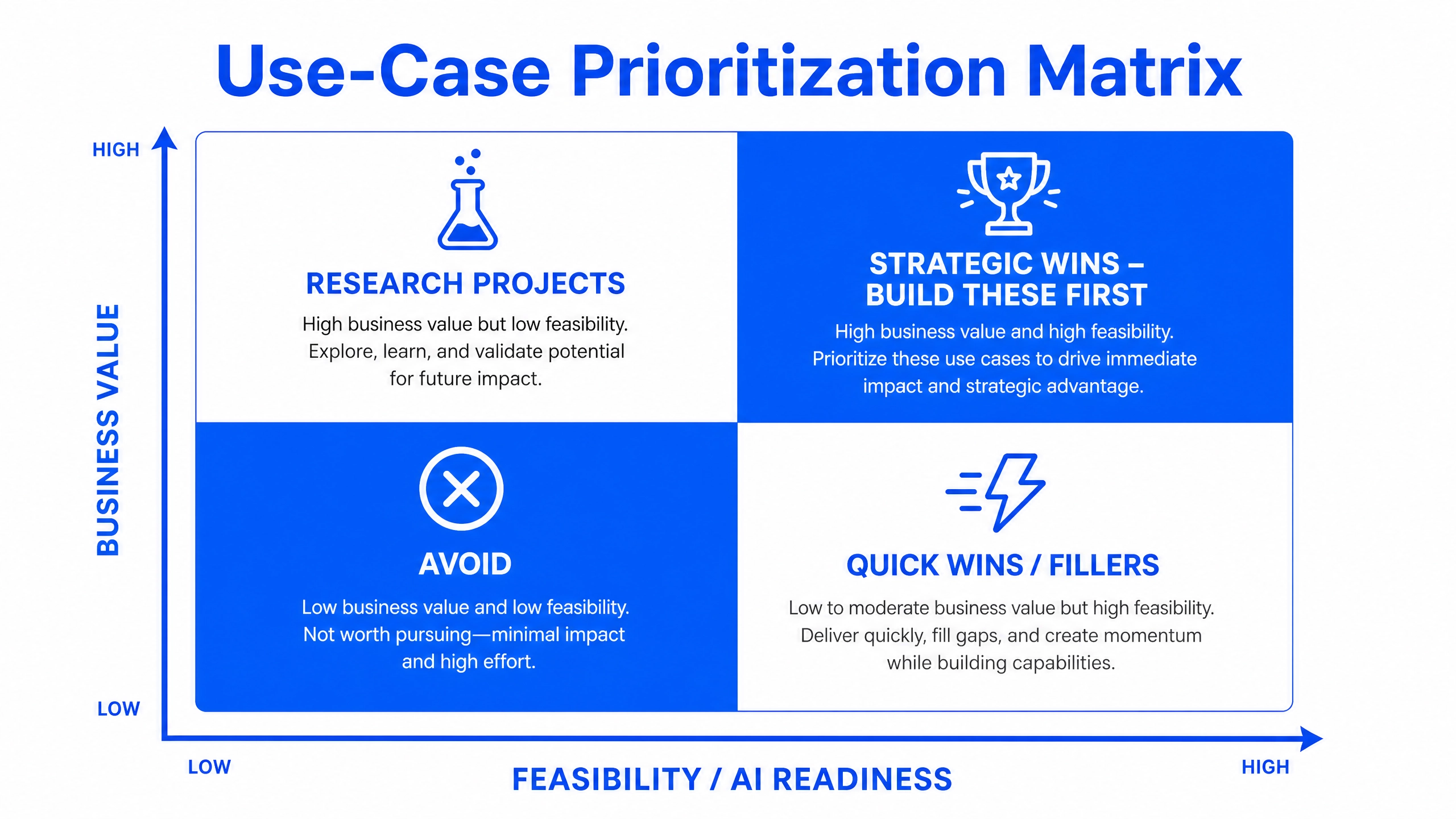
- Time-to-value. Early, visible wins build the organizational confidence that funds the harder, bigger wins later.
- Strategic leverage. Does this use case build data assets, infrastructure, or capabilities that make the next use cases cheaper?
- Sponsorship strength. Start where the business owner is most committed.
Resist the temptation to launch five initiatives at once. The organizations stuck in "pilot purgatory" are usually those running many shallow experiments rather than a few deep deployments.
Step 6: Implement Through a Staged Pipeline
For each selected use case, disciplined staging is what separates the 5% who realize value from the rest. The pipeline runs PoC, then MVP, then Pilot, then Scale, then Deployment and Maintenance, with a hard gate between every stage:
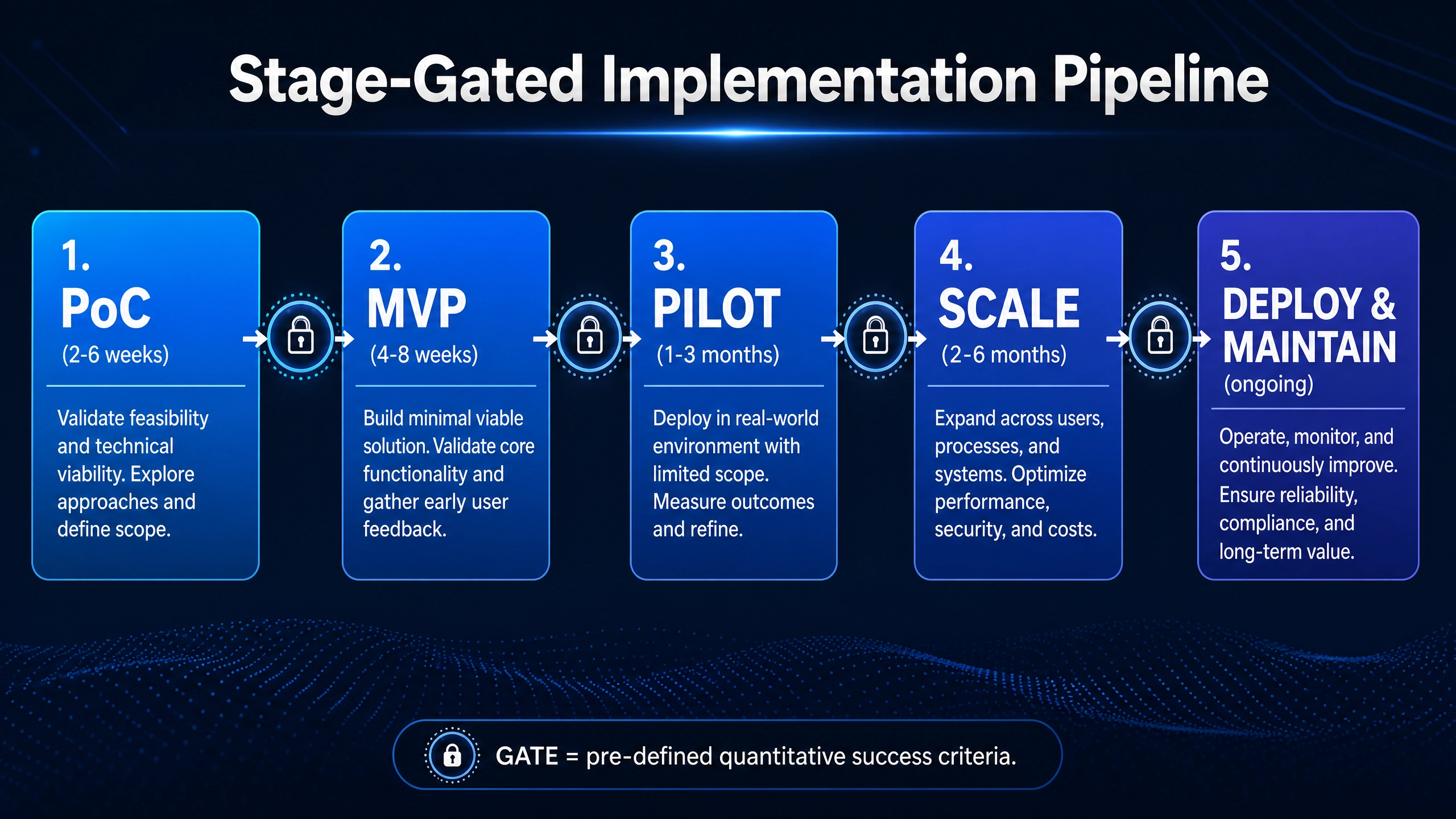
- Proof of Concept (2–6 weeks). Validate the core technical hypothesis on real (not curated) data. The deliverable is evidence, not a product. Define quantitative success criteria upfront, and be willing to kill the project here cheaply. A killed PoC is a success of the methodology, not a failure.
- MVP. Build the minimum end-to-end system a real user can use for a real task, integrated with at least one real upstream and downstream system. This is where integration realities surface.
- Pilot. Run in a live operational environment with a bounded scope: one region, one product line, one team. Measure business KPIs, not model metrics: cycle time, error rate, cost per transaction, user adoption. The pilot is a stress test of organizational readiness as much as of technology.
- Scale. Expand coverage with hardened infrastructure, monitoring, retraining pipelines, and support processes. This is where data drift, edge cases, and load break naive systems. Plan for it from MVP onward, not after.
- Deployment and Maintenance. AI systems are living systems. Models degrade, data distributions shift, business rules change, and LLM providers update their models. Budget ongoing MLOps, monitoring, and periodic revalidation as a permanent operating cost, not an afterthought.
Step 7: Close the Loop — Expected Value vs. Actual Value
The final discipline, and the rarest, is the review assessment: a formal comparison of the value you projected in Step 3 against the value actually realized in production. McKinsey notes that most organizations still lack robust KPIs for their AI initiatives, and that where rigorous tracking exists, value realization rises and risk incidents fall.
Did the 12% productivity lift materialize, or did it stop at 6%, and why? Was the recurring cost in line with the forecast? Did adoption hold after the novelty faded? This review does three things: it keeps everyone honest, it sharpens the assumptions for the next use case, and it converts AI from a faith-based investment into a managed portfolio.
The Very Important Concern: Choosing the Right Technology Partner
Everything above describes what to do. The most consequential decision, however, is often who you do it with, and it deserves direct treatment.
An impactful and sensible AI strategy is rarely developed in isolation. It is best built with a technology partner and consultant who brings relevant, cross-industry delivery experience: someone who has seen where feasibility assessments go wrong, which value estimates prove optimistic, and which architectural decisions come back to haunt you in year two.
Here is the uncomfortable truth about AI economics that inexperienced teams learn expensively: the build cost is only the entry ticket. The development cost, the recurring cost of running the automation, the deployment cost, the maintenance cost, and the selection of the appropriate deployment model (on-premises, cloud, or hybrid) collectively determine whether your AI initiative is an asset or a liability. A GenAI solution that delights in the demo can hemorrhage money in production if every transaction triggers expensive LLM calls that a smarter design would have avoided.
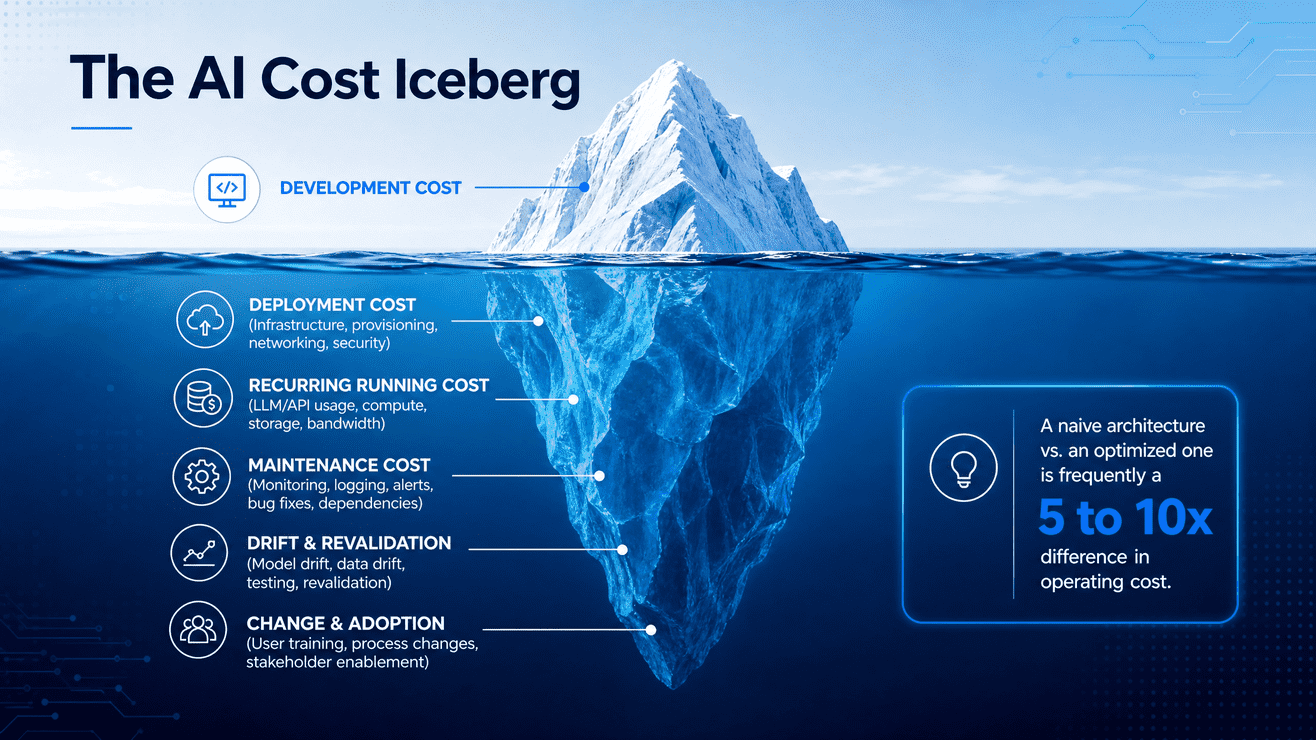
This is where seasoned teams distinguish themselves. They do not merely develop a solution; they develop a cost-effective solution, using smart algorithms, caching strategies, model right-sizing (using a small model where a large one is unnecessary), retrieval architectures, hybrid rule-based/ML designs, and other architectural improvisations that systematically minimize recurring cost. The difference between a naive architecture and an optimized one is frequently 5x to 10x in operating cost, which is the difference between a positive and negative ROI on the same use case.
When evaluating a partner, ask:
- Can they show delivered outcomes with numbers, not just demos?
- Do they have breadth across agentic AI, generative AI, computer vision, and data analytics, so they recommend the right tool rather than the only tool they know?
- Do they lead with discovery and feasibility assessment, or do they jump straight to a quote?
- Can they articulate your total cost of ownership across deployment options before writing a line of code?
- Will they structure delivery as PoC, MVP, Pilot, then Scale, with kill-switches and success criteria at each gate?
Where Techtics.ai Fits In
At Techtics.ai, this methodology is not theory; it is how we work. Founded in 2022 and now 80+ professionals strong, with 10 PhDs, 200+ research publications, and 120+ delivered projects across 20+ countries, we have built our practice around exactly the lifecycle described in this article: discovery workshops (1–2 weeks), proof of concept (2–6 weeks), development and deployment (2–6 months), and go-live support. In practical terms, your PoC can be in your hands within 3 to 4 weeks of our first conversation.
Our delivery spans agentic AI (multi-agent CRM and order automation, AI-driven invoice processing, voice ordering agents, B2B lead-generation automation), generative AI (content automation, AI-powered screening, financial agents, 3D modeling for e-commerce), computer vision (retail analytics, fleet management, aerial surveillance, insurance auto-scan), and data analytics (anomaly detection, forecasting, waste-reduction analytics), across retail, supply chain, education, insurance, food & beverage, cybersecurity, legal, media, and more.
More importantly, we engage as a strategic partner, not a vendor: we will tell you which of your use cases not to build, we will design for your recurring-cost reality and your deployment constraints, and we will measure ourselves against the actual-versus-expected value review, because that is the only metric that matters.
If you are ready to move from AI ambition to AI impact, let's start with a discovery workshop.

First Call to POC: How We Compress 6-Month to 5 Weeks
If you've ever sat through an enterprise AI pitch, you've heard the timeline: six months to a proof of concept. Sometimes nine. The vendor walks you through a Gantt chart full of "discovery phases" and "alignment workshops," and by month four you're still debating data access policies instead of looking at a working model.
That timeline isn't a reflection of how hard AI is to build. It's a reflection of how badly most teams manage the process of building it.
At Techtics, we take clients from first call to a validated, working proof of concept in five weeks. Not five weeks of slide decks — five weeks that end with a functioning system your team can actually test against real data and real workflows. Here's how that compression happens, and why it isn't about cutting corners.
Why Most AI Timelines Run Six Months (or Longer)
Six-month AI engagements rarely fail because the underlying model is hard to train. They fail because of structural drag built into how enterprise teams typically approach AI projects.
Procurement and vendor evaluation eat the first six to eight weeks.
Most organizations run a formal RFP process before a single line of code gets written, comparing five vendors against requirements that are still being defined.
Requirements gathering becomes a project of its own.
Stakeholders from product, engineering, compliance, and operations all need to weigh in, and reconciling their priorities can stretch into months if there's no structured way to capture and validate use cases quickly.
Data access and integration get treated as an afterthought.
Teams often don't audit their data sources, APIs, and system access until after the build has started, which means the engineering team discovers blockers mid-sprint instead of in week one.
Scope keeps expanding.
Without a fixed, validated use case, "let's also add this feature" creeps in continuously, and a focused POC slowly turns into a half-built production system that never quite ships.
None of these are technology problems. They're sequencing and discipline problems — and they're fixable.
The Real Bottleneck Isn't Technology, It's Process
Modern AI tooling — pretrained models, vector databases, orchestration frameworks, cloud-native infrastructure — has compressed the technical build time for a focused POC down to days, not months. A well-scoped predictive model, a retrieval-augmented chatbot, or an automation workflow can be prototyped in a sprint by an experienced team.
What actually consumes time is everything around the build: getting the right people in a room, validating that the use case is real before writing code, securing data access, and aligning on what "done" looks like. Compress those steps and the technical build naturally fits inside the remaining runway.
This is the core insight behind our 5-week framework: treat process compression, not engineering speed, as the primary lever.
The 5-Week Framework: From First Call to Validated POC
Week 1 — Discovery and Use Case Validation
The first call isn't a sales conversation; it's a working session. We map the business problem, identify the specific decision or workflow the AI system needs to improve, and validate that the use case is solvable with available data before committing engineering time. By the end of week one, there's a written scope document with success metrics both sides have signed off on.
Week 2 — Data Audit and Architecture Sprint
This is where most enterprise timelines silently lose months, so we front-load it. Our team audits data sources, API access, security requirements, and existing infrastructure in parallel with architecture design. We identify blockers now — missing data, access bottlenecks, compliance constraints — while there's still time to route around them without derailing the build.
Week 3 — Build Sprint
With scope and data access confirmed, the engineering team builds the core system: the model, the automation pipeline, the agent workflow, or whichever architecture fits the validated use case. Because scope was locked in week one, the team isn't building against a moving target.
Week 4 — Integration and Testing
The POC gets connected to a real (or representative) data environment and tested against the success metrics defined in week one. This is also when we run edge cases and stress-test the system against the messy, inconsistent data that real production environments actually contain, rather than the clean sample sets most demos rely on.
Week 5 — Validation and Stakeholder Sign-off
The final week is for the client's team to actually use the system, not watch a demo of it. Stakeholders test it against real scenarios, we capture feedback, and we document a clear path from POC to production scale-up. By the end of week five, you have a working system and a data-backed decision on whether to move forward.
What Makes Compression Possible (Without Cutting Corners)
A 5-week timeline only works because of decisions made well before the engagement starts:
- Reusable component libraries. Common building blocks — authentication layers, data connectors, model evaluation pipelines — don't get rebuilt from scratch for every client, which removes weeks of redundant engineering.
- Parallel workstreams instead of sequential handoffs. Data audits, architecture design, and early prototyping happen simultaneously rather than waiting on each other in a linear chain.
- Fixed-scope POC agreements. Locking the use case in week one prevents the scope creep that quietly turns a five-week sprint into a five-month slog.
- Embedded subject matter access. Having a PhD-level research team and domain specialists involved from day one means fewer "let's circle back next week" delays caused by needing outside expert input.
- Pre-vetted infrastructure templates. Cloud architecture and CI/CD patterns that have already been proven across 150+ prior projects don't need to be re-validated from zero each time.
This is compression through preparation, not through skipping validation steps. The POC that comes out the other end is something your team can stress-test, not a fragile demo built to impress in a single meeting.
What This Means for Enterprise Buyers
If you're evaluating AI vendors, the length of a proposed timeline tells you more about their process maturity than their technical capability. A team that needs six months to reach a POC is often telling you they haven't solved the coordination problem — not that the AI problem itself is six months deep.
A faster, well-structured timeline also changes the risk profile of the decision. Instead of committing budget and internal resources for half a year before seeing results, a 5-week POC gives you a concrete, testable artifact to evaluate before any larger commitment. That shifts AI adoption from a leap of faith into a series of small, validated bets.
Common Pitfalls That Stretch Timelines Back to Six Months
Even with a compressed framework available, a few mistakes can pull a project back toward the slow end:
- Skipping the data audit. Teams that jump straight to building without confirming data access almost always hit a wall mid-sprint.
- Letting stakeholders weigh in after the build starts. Validation needs to happen in week one, not week four, or scope will shift under the team's feet.
- Treating the POC like a finished product. A POC exists to validate an approach with real users and real data — not to ship every feature a production system would eventually need.
- Choosing a use case that's too broad. "Improve customer service with AI" isn't a scoped use case. "Reduce average response time on tier-one billing tickets using an AI triage agent" is.
Is Five Weeks Right for Every Use Case?
Not every AI initiative fits neatly into a five-week box — a multi-system enterprise rollout touching dozens of legacy integrations will need a longer runway. But for the most common entry point into enterprise AI — a focused proof of concept validating one clear use case — five weeks is achievable for the vast majority of organizations, provided the discovery and data audit steps aren't skipped.
The goal isn't speed for its own sake. It's removing the unnecessary friction that turns a solvable problem into a half-year commitment, so your organization can make a confident, evidence-based decision about scaling AI faster.
Frequently Asked Questions
How is a 5-week POC different from a typical MVP? A POC validates whether an approach works at all — does the model perform well enough on real data, does the workflow actually save time, is the use case technically feasible. An MVP assumes the approach is already validated and focuses on shipping a usable product to early customers. The 5-week framework is built for the validation stage, which is exactly where most AI initiatives stall.
What happens after the POC if we want to move to production? The week 5 deliverable includes a documented scale-up path: infrastructure requirements, security and compliance considerations, integration points with existing systems, and an estimated timeline for production deployment. Clients use this to make an informed go/no-go decision with their own stakeholders before committing further budget.
What if our data isn't ready? This is exactly why the data audit happens in week two rather than being assumed away. If data quality or access issues surface, we flag them immediately and adjust scope — sometimes that means narrowing the use case to data that is available now, with a roadmap for expanding once additional data sources are cleaned up or connected.
Does a faster timeline mean a less rigorous build? No. Rigor comes from validating the use case correctly and testing against real conditions in week four, not from how many calendar weeks the engagement runs. The compression comes from removing redundant process overhead, not from skipping testing or validation steps.
Ready to See Your Use Case in Five Weeks?
If your team has been quoted a six-month AI timeline, there's a good chance the bottleneck isn't the technology — it's the process around it. Talk to our team and find out what a validated proof of concept could look like for your organization in five weeks, not six months.

Zero-Trust Security Frameworks for AI-First Organizations
For three decades, enterprise security was built around a simple assumption: define a perimeter, secure it, and trust whatever sits inside it. That model made sense when "inside the network" meant employees on company devices, behind a firewall, accessing systems through known applications.
AI-first organizations have quietly broken that assumption. Autonomous agents now query databases, call APIs, trigger workflows, and make decisions without a human clicking anything. The "trusted insider" in today's enterprise might be a piece of software that was prompted into existence an hour ago. Perimeter security has no good answer for that — which is exactly why zero trust has moved from a security buzzword to an operational necessity.
Why Traditional Perimeter Security Fails AI-First Organizations
Perimeter-based security assumes a relatively static, predictable set of actors: known users, known devices, known applications, all operating inside a defined boundary. AI systems violate nearly every part of that assumption.
Agents act with their own credentials, not a human's. An AI agent calling internal APIs, querying a database, or triggering a downstream workflow isn't a person logging in from a recognized laptop — it's a service identity that can be spun up, modified, or duplicated in seconds.
The attack surface is conversational, not just structural. Prompt injection attacks don't exploit a network vulnerability; they exploit the model's interpretation of input text. A malicious instruction embedded in a document, email, or web page can manipulate an agent into taking unauthorized actions, and a firewall has no visibility into that kind of attack at all.
Excessive agency creates new blast radii. When an AI agent is granted broad permissions to "get the job done" — access to multiple systems, the ability to execute code, the ability to send communications — a single compromised or manipulated agent can cause damage across every system it touches, not just the one it was originally deployed for.
Workloads move and scale dynamically. Containers, serverless functions, and orchestrated AI pipelines spin up and tear down constantly, which makes a fixed network perimeter nearly impossible to define in the first place.
None of this means perimeter security is worthless — but it means it's no longer sufficient on its own. Organizations deploying AI agents at scale need a model that doesn't assume safety based on location inside a network boundary.
What Zero Trust Actually Means
Zero trust is often summarized as "never trust, always verify," but the more useful framing for AI-first organizations is this: assume any identity, device, workload, or data request could be compromised, and require continuous verification before granting access — regardless of where the request originates.
This is a meaningful shift from perimeter thinking. Instead of asking "is this inside our network," zero trust asks "is this specific request, from this specific identity, for this specific resource, legitimate right now." That question gets asked every time, not once at login.
The Four Pillars of Zero Trust for AI Systems
A practical zero-trust architecture for AI-first organizations rests on four areas of continuous verification.
Identity
Every human user, service account, and AI agent needs a distinct, verifiable identity — not shared credentials, not generic API keys reused across systems. Agent identities should be issued, rotated, and revoked with the same discipline applied to human accounts, and every action an agent takes should be traceable back to that specific identity.
Device
The infrastructure an AI workload runs on — the container, the virtual machine, the edge device — needs to be verified as a known, compliant environment before it's trusted with sensitive operations. This matters more in AI systems than traditional ones because inference often happens across distributed, ephemeral compute resources rather than a fixed set of company-owned machines.
Workload
Each service, model, and pipeline component should be treated as its own trust boundary, with explicit rules governing what it can call, what data it can access, and what actions it can trigger. Microsegmentation — isolating workloads from each other rather than allowing broad internal network access — limits how far a compromised agent or model can reach.
Data
Data needs classification, encryption, and access policies that travel with it, not protections that depend on where the data happens to sit. When an AI agent retrieves data to answer a query or take an action, that retrieval should be checked against the same access policy a human user would face — not granted automatically because the request came from "inside" the system.
The Unique Attack Surface of Autonomous AI Agents
AI-first organizations face attack vectors that didn't meaningfully exist in pre-AI enterprise environments:
- Prompt injection. Malicious instructions hidden in documents, emails, or retrieved web content can hijack an agent's behavior, redirecting it to leak data or perform unauthorized actions.
- Tool and function-calling abuse. Agents with access to tools — sending emails, executing code, modifying records — can be manipulated into misusing those tools in ways a static application never could be.
- Excessive agency. Granting an agent broad, standing permissions "just in case" turns a narrow task into a wide-open liability if that agent is ever compromised or manipulated.
- Model and data poisoning. Attackers targeting training data or fine-tuning pipelines can introduce subtle behavioral changes that are difficult to detect through conventional security monitoring.
- Insecure agent-to-agent communication. As multi-agent systems become more common, the channels agents use to coordinate with each other become a new, often under-monitored attack surface.
These risks share a common thread: they exploit trust granted by default rather than verified continuously, which is precisely the gap zero trust is designed to close.
Implementing Zero Trust for AI Agents: Practical Steps
Issue scoped, short-lived credentials for every agent. Replace long-lived API keys with credentials that expire quickly and grant access only to the specific resources a given task requires — not standing access to entire systems.
Apply least-privilege access by default. An agent built to summarize support tickets shouldn't also have write access to the billing database. Default to the narrowest permission set that allows the task to function, and expand only with explicit justification.
Microsegment workloads. Isolate AI services from each other and from broader internal networks so that a compromised component can't move laterally to systems it was never meant to touch.
Monitor continuously, not just at access time. Behavioral anomaly detection — flagging when an agent suddenly accesses unusual data, calls unfamiliar tools, or deviates from expected patterns — catches manipulation that a one-time login check would miss entirely.
Classify and encrypt data at the source. Data should carry its access policy with it, so that any agent or service retrieving it is automatically subject to the same rules regardless of how it was queried.
Require human-in-the-loop checkpoints for high-risk actions. Irreversible or high-impact actions — financial transactions, external communications, code deployment — should route through human approval rather than full autonomous execution, at least until an agent's reliability has been extensively validated.
Validate and sanitize inputs to agents. Treat any external content an agent processes — documents, emails, scraped web pages — as potentially adversarial, and build filtering layers that reduce the risk of embedded prompt injection reaching the model unchecked.
Common Mistakes Organizations Make
Many AI-first organizations adopt zero-trust language without changing underlying architecture. A few patterns show up repeatedly:
- Treating zero trust as a product purchase rather than an architectural shift. A single identity tool doesn't deliver zero trust if workloads still communicate over flat, unsegmented networks.
- Granting agents human-equivalent access "to be safe." This inverts least-privilege thinking and creates exactly the broad blast radius zero trust is meant to prevent.
- Verifying identity once at deployment and never again. Continuous verification means re-checking trust at each request, not establishing it once when an agent is first provisioned.
- Ignoring agent-to-agent traffic. As multi-agent architectures grow, the assumption that "internal" agent communication is automatically safe recreates the same blind spot perimeter security had for human users.
Building a Zero-Trust Roadmap for AI Adoption
Organizations don't need to implement every control simultaneously. A practical rollout typically starts with identity — issuing distinct, scoped credentials for every agent and service — followed by microsegmentation of the highest-risk workloads, then continuous monitoring layered on top. Data classification and encryption policies should be established early, since retrofitting them after agents are already in production is significantly harder than building them in from the start.
The organizations managing AI risk well aren't the ones avoiding autonomous agents — they're the ones that have rebuilt their security architecture around the assumption that any identity, device, workload, or data request might be compromised, and verify accordingly, every time.
Talk to Our Team About Securing Your AI Systems
If your organization is deploying autonomous agents faster than your security architecture has evolved to handle them, that gap is worth closing before it becomes an incident. Talk to our team about building a zero-trust framework designed for how AI systems actually operate.

Technology is
in our DNA

.png)
